

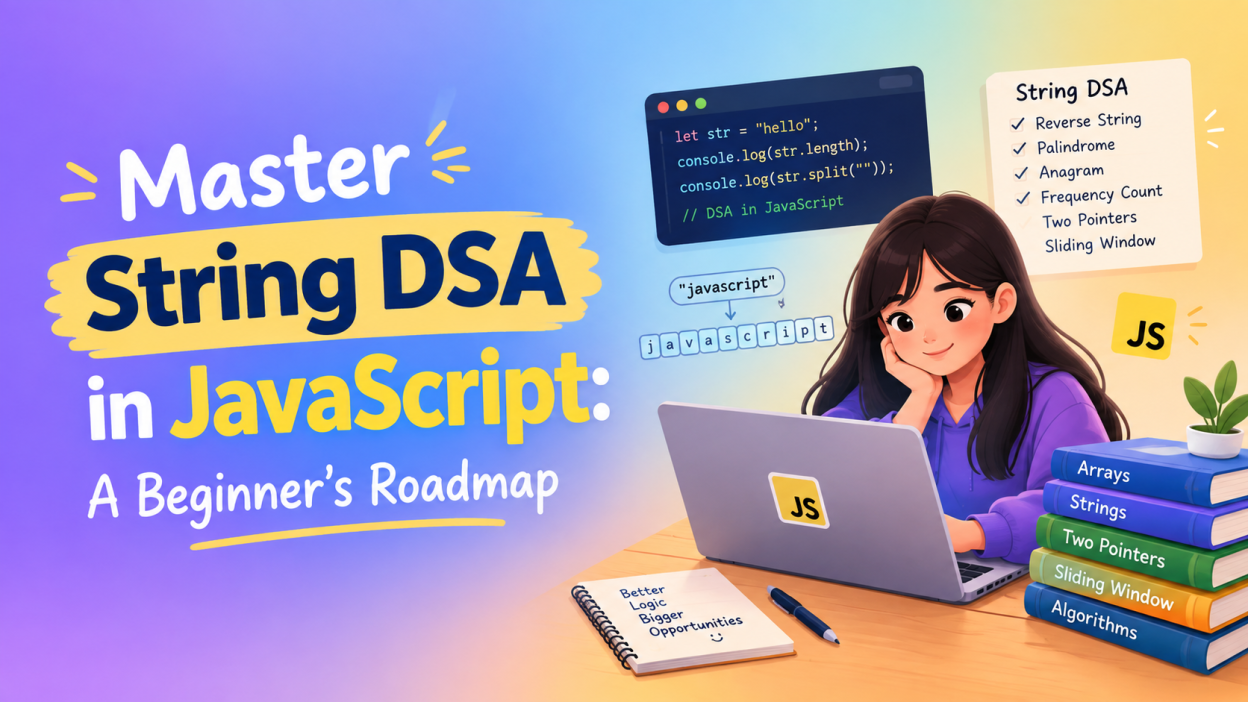
DSA in JavaScript is one of the most useful skills I recommend learning if you want to become a better programmer, crack coding interviews, or simply understand how to solve problems logically. When I first started looking at DSA problems, strings seemed easy because we work with text every day. But once questions started involving character frequency, reversing strings, anagrams, palindromes, and sliding windows, things became a little more interesting.
That is exactly why I created this beginner-friendly roadmap.
If you are starting DSA in JavaScript, you don’t need to jump directly into complicated algorithms. Start with strings, understand how they work, practice small problems, and slowly build your problem-solving skills.
Key Highlights 🔥
- Understand what DSA in JavaScript actually means
- Learn the basics of strings in JavaScript
- Understand common string operations
- Learn important String DSA problems
- Practice reverse string, palindrome, anagram, and frequency problems
- Understand useful JavaScript methods for DSA
- Learn how two pointers and sliding window work
- Follow a simple DSA in JavaScript roadmap
- Get beginner-friendly practice tips
- Understand how String DSA helps in coding interviews
What Is DSA in JavaScript?
Hashing in Data Structure: 5 Essential Concepts You Need to Understand
DSA stands for Data Structures and Algorithms.
Data structures help us store and organize data, while algorithms help us solve problems step by step.
When we learn these concepts using JavaScript, we call it DSA in JavaScript.
For example, imagine that I have this string:
let name = "Arun";
I might want to:
- Find the length of the string
- Reverse the string
- Count how many times each character appears
- Find duplicate characters
- Check whether the string is a palindrome
- Find the first non-repeating character
These are simple-looking problems, but they teach important problem-solving techniques.
And that’s the real purpose of DSA in JavaScript.
It isn’t just about memorizing code.
It is about learning how to think before writing code.
Why Start String DSA in JavaScript? 💡
If you are completely new to DSA, strings are a comfortable place to begin.
Why?
Because you already understand strings.
We use them everywhere:
let city = "Chennai";
let message = "Hello World";
let email = "example@gmail.com";
You don’t need to imagine some complicated business application to understand them.
When I teach beginners DSA in JavaScript, I usually start with simple string problems because they allow us to focus on the logic rather than getting confused by complicated syntax.
Once you become comfortable with strings, you can move toward:
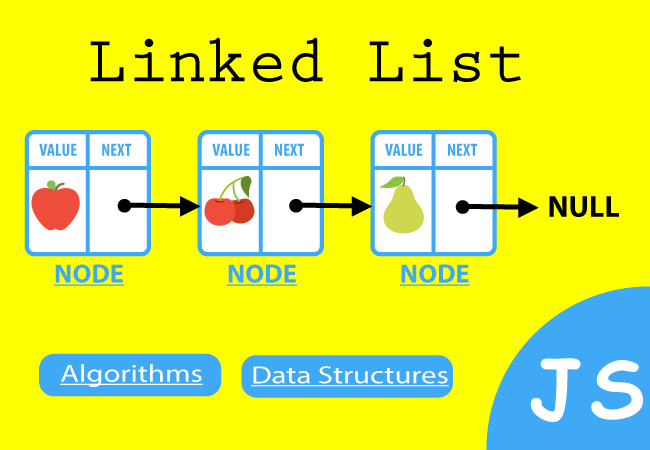
Strings → Arrays → Hashing → Two Pointers → Sliding Window → Stack → Queue → Linked List → Trees → Graphs
That’s a much smoother learning path.
Understanding Strings in JavaScript
A string is a sequence of characters.
For example:
let word = "HELLO";
Here the string contains:
H E L L O
Each character has an index.
H → 0
E → 1
L → 2
L → 3
O → 4
We can access a character using its index:
console.log(word[0]);
Output:
H
This basic concept becomes extremely important when learning String DSA in JavaScript.
Important JavaScript String Methods for DSA
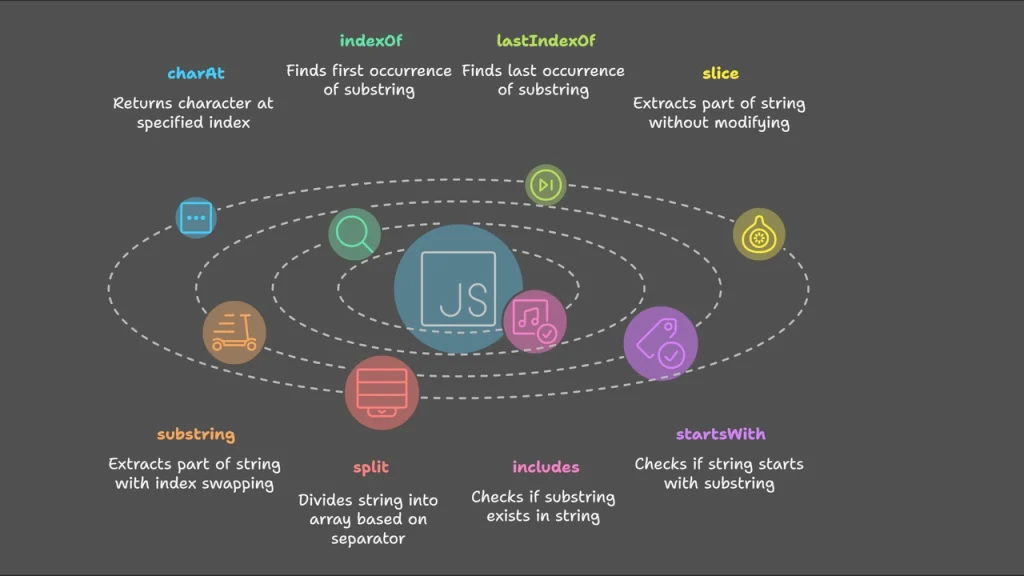
Before jumping into difficult problems, I recommend becoming comfortable with a few built-in methods.
1. length
let word = "Hello";

console.log(word.length);
Output:
5
It tells us the number of characters.
2. toLowerCase()
let word = "HELLO";

console.log(word.toLowerCase());
Output:
hello
This is useful when comparing strings without worrying about uppercase and lowercase.
3. toUpperCase()
let word = "hello";

console.log(word.toUpperCase());
Output:
HELLO
4. includes()
let word = "javascript";

console.log(word.includes("script"));
Output:
true
This checks whether a particular value exists inside the string.
5. charAt()
let word = "Hello";

console.log(word.charAt(1));
Output:
e
6. split()
This one is particularly important for DSA in JavaScript.
let word = "HELLO";

let characters = word.split("");

console.log(characters);
Output:
["H", "E", "L", "L", "O"]
Now we have an array of characters.
That means we can use array techniques to solve many string problems.
7. reverse()
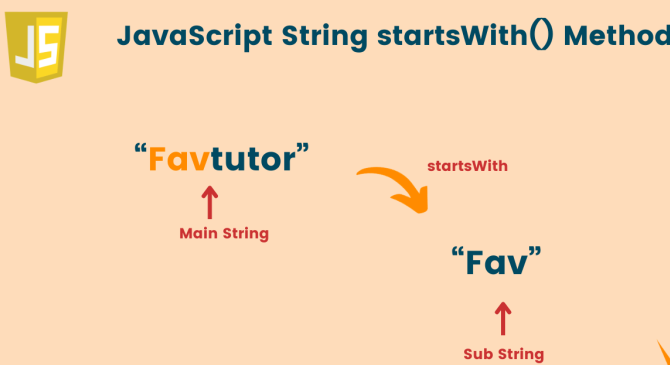
Strings themselves don’t have a direct reverse() method.
So we commonly do this:
let word = "HELLO";

let reversed = word.split("").reverse().join("");

console.log(reversed);
Output:
OLLEH
This simple combination appears frequently in beginner DSA in JavaScript questions.
String DSA Problem 1: Reverse a String 🔄
What is the Data Science Life Cycle? Stages, Frameworks & Workflow Explained
Let’s start with one of the easiest problems.
Problem: Reverse the string "hello".
Approach
I can convert the string into an array, reverse it, and convert it back into a string.
let word = "hello";

let reversed = word.split("").reverse().join("");

console.log(reversed);
Output:
olleh
But don’t stop at the built-in method.
For DSA practice, try understanding the logic manually.
let word = "hello";
let result = "";

for (let i = word.length - 1; i >= 0; i--) {
    result += word[i];
}

console.log(result);
Here I start from the last character and move toward the first.
That’s the kind of thinking DSA wants us to develop.
String DSA Problem 2: Check for a Palindrome
A palindrome is a word that reads the same from both directions.
Examples:
madamlevelracecar
Let’s check:
let word = "madam";

let reversed = word.split("").reverse().join("");

if (word === reversed) {
    console.log("Palindrome");
} else {
    console.log("Not a Palindrome");
}
Output:
Palindrome
Real-life example
Think about reading a word in a mirror.
If the character sequence remains the same from both directions, we have a palindrome.
This problem is excellent for beginners because it introduces comparison and string manipulation together.
String DSA Problem 3: Count Character Frequency
This is where DSA in JavaScript becomes more interesting.
Suppose we have:
let word = "banana";
We want to find how many times each character occurs.
Expected result:
b → 1
a → 3
n → 2
One common approach is to use an object.
let word = "banana";
let frequency = {};

for (let char of word) {
    if (frequency[char]) {
        frequency[char]++;
    } else {
        frequency[char] = 1;
    }
}

console.log(frequency);
Output:
{
  b: 1,
  a: 3,
  n: 2
}
This introduces an important DSA concept: frequency counting.
You’ll see this technique again and again.
String DSA Problem 4: Check Whether Two Strings Are Anagrams
An anagram is created by rearranging the characters of another word.
For example:
listen
silent
Both contain the same characters.
One simple approach is sorting.
let word1 = "listen";
let word2 = "silent";

let sorted1 = word1.split("").sort().join("");
let sorted2 = word2.split("").sort().join("");

if (sorted1 === sorted2) {
    console.log("Anagram");
} else {
    console.log("Not an Anagram");
}
Output:
Anagram
This is a common beginner problem when learning DSA in JavaScript.
Later, you can solve the same problem using frequency counting, which helps you understand how to optimize your solution.
Two Pointers in String DSA 🎯
One of the most useful techniques you will eventually learn is the two-pointer technique.
Imagine this string:
madam
We can place one pointer at the beginning and another at the end.
L → m a d a m ← R
Then compare:
m == m
a == a
d == d
If all matching characters are equal, the string is a palindrome.
A simple implementation looks like this:
let word = "madam";

let left = 0;
let right = word.length - 1;

let isPalindrome = true;

while (left < right) {

    if (word[left] !== word[right]) {
        isPalindrome = false;
        break;
    }

    left++;
    right--;
}

console.log(isPalindrome);
This is more than a palindrome solution.
It teaches you a reusable problem-solving pattern.
Sliding Window for String Problems 🪟
After becoming comfortable with basic String DSA, I recommend learning sliding window.
Don’t worry about the name. The idea is simpler than it sounds.
Imagine a window moving across a string.
For example:
abcdef
If the window size is 3:
abc
 bcd
  cde
   def
Instead of repeatedly processing everything from scratch, we move the window.
Sliding window becomes especially useful for problems involving:
- Substrings
- Longest substring
- Repeated characters
- Character frequency
- Maximum/minimum values
- Fixed-size windows
A famous problem is:
Find the longest substring without repeating characters.
This is a problem you’ll often encounter when progressing beyond beginner-level DSA in JavaScript.
Important String DSA Patterns to Learn
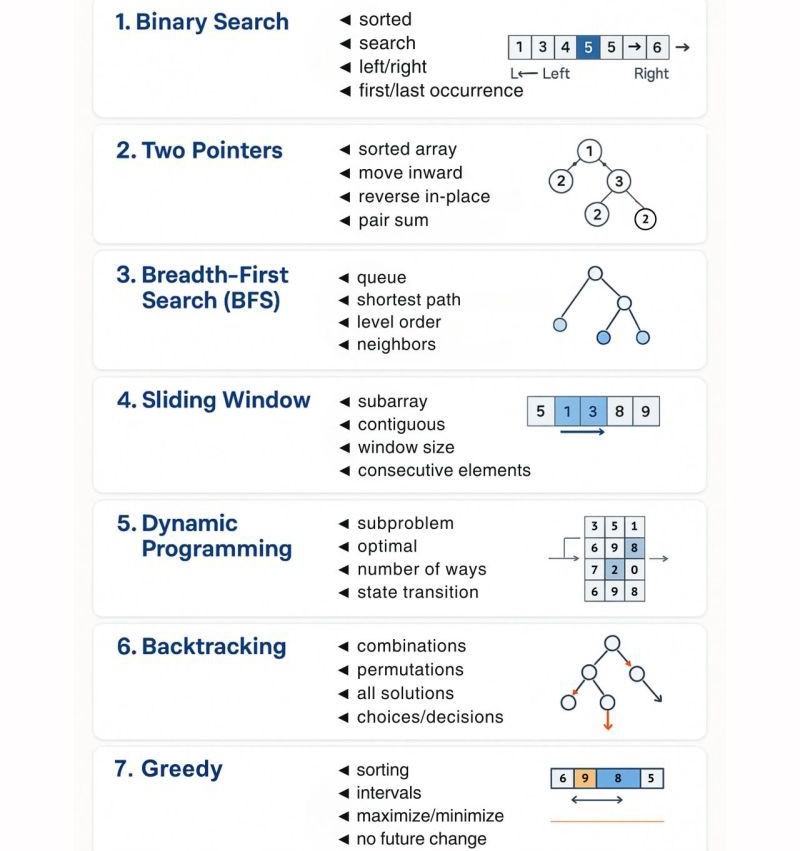
Instead of memorizing 100 different questions, I suggest learning patterns.
Here are some important ones:
1. Frequency Counting
Used for:
- Anagrams
- Duplicate characters
- Character frequency
- First non-repeating character
2. Two Pointers
Used for:
- Palindromes
- Comparing characters
- Reversing
- Removing characters
3. Sliding Window
Used for:
- Longest substring
- Shortest substring
- Repeated characters
- Substring-based problems
4. Hashing
Used when we need quick lookups.
In JavaScript, you can commonly use:
Map
or
Set
For example:
let letters = new Set();

letters.add("a");
letters.add("b");
letters.add("a");

console.log(letters);
The duplicate "a" isn’t stored twice.
A Beginner’s DSA in JavaScript Roadmap 🗺️
If I were starting DSA in JavaScript from zero today, I wouldn’t try to solve difficult problems immediately.
I’d follow this order.
Stage 1: JavaScript Basics
First understand:
- Variables
- Data types
- Conditions
- Loops
- Functions
- Arrays
- Objects
MapSet
If JavaScript itself feels difficult, spend some time strengthening your fundamentals first.
You can refer to the MDN JavaScript Guide for detailed JavaScript concepts.
Stage 2: String Basics
Learn:
- Indexing
lengthsplit()join()slice()substring()includes()indexOf()toLowerCase()toUpperCase()
Stage 3: Easy String Problems
Practice:
- Reverse a string
- Check palindrome
- Count vowels
- Count characters
- Find duplicate characters
- Remove duplicate characters
- Check anagram
- Find first non-repeating character
Stage 4: Learn DSA Patterns
Move to:
- Two pointers
- Frequency counting
- Hashing
- Sliding window
Stage 5: Medium Problems
Once the basics feel comfortable, try:
- Longest substring without repeating characters
- Longest palindromic substring
- Group anagrams
- Minimum window substring
- Character replacement problems
Don’t worry if these look scary at first.
They are supposed to.
Break them into smaller pieces.
How I Recommend Practicing DSA in JavaScript
Here’s something I learned from working with beginners: solving one problem properly is better than rushing through ten problems.
When you get a question, don’t immediately search for the answer.
Instead, ask yourself:
What exactly is the input?
What should the output look like?
Can I solve it using a loop?
Do I need an object, Map, or Set?
Can two pointers help?
Can I reduce repeated work?
Then write your solution.
Even if it takes 30 minutes.
That’s okay.
Your goal isn’t to type code quickly. Your goal is to make your brain comfortable with problem-solving.
Common Mistakes Beginners Make ❌
When starting DSA in JavaScript, I see a few mistakes repeatedly.
Trying Hard Problems Too Early
Don’t jump directly into difficult LeetCode problems.
Start small.
Memorizing Solutions
If you memorize:
split("").reverse().join("")
you may solve one problem but learn very little.
Understand why it works.
Ignoring Time Complexity
Eventually, you need to understand concepts such as:
- O(1)
- O(n)
- O(n²)
- O(log n)
For example, if you use a loop inside another loop, you should start asking whether your solution has O(n²) complexity.
Practicing Without Understanding
Don’t simply copy code from tutorials.
Type it yourself.
Change the input.
Break the code.
Try to fix it.
That is where the learning happens.
Final Thoughts
Learning DSA in JavaScript can feel confusing in the beginning. I completely understand that feeling. You may look at a problem and think, “Where am I even supposed to start?”
That’s normal.
Start with strings.
Learn how indexing works. Practice loops. Reverse strings. Check palindromes. Count characters. Solve anagrams. Then slowly introduce two pointers, hashing, and sliding window.
Don’t measure your progress by how many problems you solve.
Measure it by whether you understand why your solution works.
Once that thinking becomes natural, DSA stops feeling like a collection of random coding questions. You start seeing patterns.
And honestly, that’s the moment when DSA in JavaScript becomes much more interesting. 🚀
So start with one string problem today.
Solve it.
Make a mistake.
Fix it.
Then solve another one.
That’s how you build the skill.
Want to learn more ??, Kaashiv Infotech Offers Data Analytics Course, Data Science Course, Cyber Security Course & More Visit Their Website www.kaashivinfotech.com
