Key Highlights 🎬
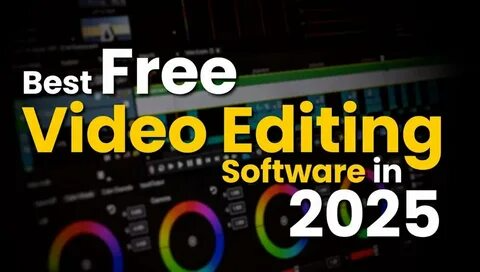
- Discover the best free video editing software in 2025 for Windows, Mac, Linux, and web-based platforms.
- Completely free tools with no watermarks and full HD (1080p) exports.
- Powerful AI editing, multi-track timelines, and pro-level effects – all for free!
- Best for beginners, pros, and YouTubers looking for high-quality, cost-free editing solutions.
- Internal & external links to help you explore more editing resources.

The Best Free Video Editing Software in 2025: Your Ultimate Guide 🚀
Looking for the best free video editing software? Whether you’re a YouTuber, content creator, or just need to edit videos without spending money, we’ve got you covered! 🎥
After testing 60+ video editors, we’ve found 7 amazing free options with powerful features and no watermarks. Let’s dive in! 🔥 If you’re specifically searching for an advanced AI video editor, some of the tools below include smart automation features to speed up your workflow.
Top Free Video Editing Apps: Features & Limitations at a Glance
| App Name | Works On | Best For | Main Feature | Limitations |
| DaVinci Resolve | Windows, Mac | Professional video editing | Advanced editing tools, effects, and audio | 4K video at 60 fps, limits on effects |
| CapCut | Windows, Mac, Web | Easy editing for all users | Drag-and-drop editing, simple interface | 8K video at 60 fps |
| Adobe Premiere Rush | Windows, Mac | Quick video creation | Auto video creation from clips | 1080p video at 60 fps, some limits |
| Clipchamp | Web, Windows | Editing in a browser | Free stock videos and images | 1080p video export |
| iMovie | Mac, iPhone, iPad | Simple editing for Mac users | Works well with Apple apps | Only supports 16:9 ratio |
| Kdenlive | Windows, Mac, Linux | Advanced editing for Linux and Windows | Lots of effects and editing tools | GPU rendering is experimental |
The 7 Best Free Video Editing Software in 2025 🔽
1️⃣ DaVinci Resolve – Best Professional Free Video Editor 🏆
📌 Platforms: Windows, Mac
📌 Best for: Professional video editing
📌 Key Features: Advanced color grading, AI-powered editing, multi-camera editing
📌 Free Limitations: No 10-bit HDR exports, limited effects
Why We Love It ❤️: DaVinci Resolve isn’t just the best free video editing software in 2025, it’s also one of the most powerful editors overall. Whether you’re a beginner or a pro, it’s a complete suite with advanced tools for editing, color grading, audio, and visual effects. 🎞️
Download DaVinci Resolve Here 🔗
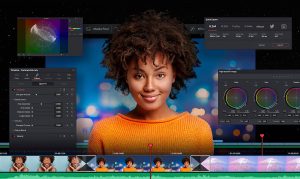
2️⃣ CapCut – Best for Quick & Easy Edits 🎬
📌 Platforms: Windows, Mac, Web
📌 Best for: Beginners & YouTubers
📌 Key Features: AI text-based editing, drag-and-drop interface, high-quality exports
📌 Free Limitations: Some pro features require a subscription
Why We Love It ❤️: CapCut is perfect if you want a simple yet powerful editor. With AI-powered tools, 8K exports, and easy drag-and-drop functionality, it’s one of the best free video editing software in 2025 for quick and stunning videos! 🤩

3️⃣ Adobe Premiere Rush – Best for Fast Social Media Edits 📱
📌 Platforms: Windows, Mac
📌 Best for: Social media content creators
📌 Key Features: Auto-editing, social media export presets, simple interface
📌 Free Limitations: 1080p exports only, no multi-track editing
Why We Love It ❤️: If you want to edit videos quickly and post them on YouTube, Instagram, or TikTok, Adobe Premiere Rush is an easy-to-use tool that does the job in minutes. ⏳
Download Adobe Premiere Rush 🔗

4️⃣ Clipchamp – Best Free Web-Based Video Editor 🌐
📌 Platforms: Web, Windows
📌 Best for: Online video editing
📌 Key Features: Multi-track timeline, stock assets, AI text-to-speech
📌 Free Limitations: 1080p exports, some stock assets are premium
Why We Love It ❤️: No downloads needed! Edit your videos directly in your browser, add transitions, and export in full HD – all for free! 😍

5️⃣ iMovie – Best Free Video Editor for Mac Users 🍏
📌 Platforms: Mac, iPhone, iPad
📌 Best for: Apple users who need a simple editor
📌 Key Features: Seamless Apple integration, chroma key (green screen), HD exports
📌 Free Limitations: Limited to 16:9 aspect ratio
Why We Love It ❤️: iMovie is simple, fast, and integrates perfectly with iPhones & MacBooks. If you need a reliable free video editor with basic but high-quality features, this is it! 🎥

6️⃣ Kdenlive – Best Free Open-Source Video Editor 🖥️
📌 Platforms: Windows, Mac, Linux
📌 Best for: Linux users & open-source fans
📌 Key Features: Multi-track editing, professional-grade effects, customizable UI
📌 Free Limitations: Experimental GPU rendering
Why We Love It ❤️: If you’re looking for a powerful, open-source video editor, Kdenlive is the best free video editing software in 2025 for you. It’s completely free with tons of pro features! 😎

Conclusion: Which Free Video Editing Software is Best for You? 🤔
✅ Need pro-level editing? ➡️ DaVinci Resolve
✅ Want fast & easy edits? ➡️ CapCut
✅ Editing for social media? ➡️ Adobe Premiere Rush
✅ Prefer online editing? ➡️ Clipchamp
✅ Mac user? ➡️ iMovie
✅ Love open-source tools? ➡️ Kdenlive
💡 Pro Tip: Try multiple video editors to find the one that best suits your needs. All these tools are 100% free, so there’s no risk in experimenting! 🎥🔥
Which free video editing software in 2025 is your favorite? Drop a comment below! ⬇️