Key Highlights:
✅ Top photo editing apps for iPhone and Android in 2025
✅ Includes both free and paid options
✅ Powerful tools for professionals and casual users
✅ AI-powered editing, filters, and advanced features
✅ Easy-to-use interfaces with intuitive controls
✅ Ad-free and budget-friendly apps
Best Photo Editing Apps 2025 for iPhone and Android 📷✨
With smartphone cameras advancing rapidly, capturing stunning photos is easier than ever. But to make your images truly stand out, you need the right photo editing app. Whether you’re a pro photographer or a social media enthusiast, these apps provide the perfect blend of powerful tools, AI-driven enhancements, and user-friendly interfaces.
We’ve tested over 30 apps and shortlisted Best Photo Editing Apps 2025 for iPhone and Android. Let’s dive in! 🚀
1. Adobe Photoshop Lightroom – Best Photo Editing Apps 2025 for Professional Editing 🎨
✅ Available on: iOS, Android
✅ Pricing: Free version available; Premium starts at $4.99/month
Adobe Photoshop Lightroom is the go-to choice for professionals. It offers industry-leading tools for exposure, color grading, and AI-powered enhancements.
✨ Key Features:
✔️ Advanced color correction 🎨
✔️ AI-powered object removal 🧹
✔️ Cloud storage & cross-device sync ☁️
✔️ Professional presets 📸

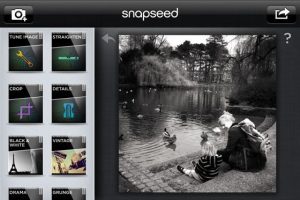
2. Snapseed – Best Free Photo Editing App 🆓
✅ Available on: iOS, Android
✅ Pricing: Completely free
Google’s Snapseed remains one of the Best Photo Editing Apps 2025 with powerful tools and no ads.
✨ Key Features:
✔️ Selective adjustments 🎯
✔️ RAW editing support 📷
✔️ No hidden costs 💰
✔️ User-friendly interface 🏆
3. VSCO – Best Photo Editing Apps 2025 for Aesthetic Filters 🎭
✅ Available on: iOS, Android
✅ Pricing: Free basic version; Premium at $7.99/month or $29.99/year
If you love stylish filters, VSCO is a must-have. It features hundreds of high-quality filters inspired by film photography.
✨ Key Features:
✔️ Premium-quality filters 🎨
✔️ Advanced photo adjustments 🔧
✔️ Video editing tools 🎥
✔️ Custom preset creation ✨

4. Apple Photos – Free for iPhone Best Photo Editing Apps 2025 🍏
✅ Available on: iOS only
✅ Pricing: Free
Apple Photos is an excellent built-in tool for iPhone users, featuring impressive free editing tools.
✨ Key Features:
✔️ One-tap auto enhancements ⚡
✔️ Intuitive slider-based adjustments 🎚️
✔️ Seamless iCloud integration 🌎
✔️ Free and ad-free 📵
🔗 Learn more about Apple Photos

5. Google Photos – Free for Android Best Photo Editing Apps 2025 🤖
✅ Available on: iOS, Android
✅ Pricing: Free with premium AI features requiring Google One subscription
More than just a storage app, Google Photos includes AI-powered tools like Magic Eraser and color correction.
✨ Key Features:
✔️ AI-powered Magic Editor 🤖
✔️ One-tap auto adjustments 🎯
✔️ Free storage options ☁️
✔️ Smart filters and enhancements 🎭
6. Lensa – AI-driven Best Photo Editing Apps 2025 🧠
✅ Available on: iOS, Android
✅ Pricing: Free (1 image/day); Premium starts at $4.99/month
Lensa specializes in AI-driven photo editing, ideal for portrait retouching and artistic enhancements.
✨ Key Features:
✔️ AI-powered face editing 🤳
✔️ Background blur & object removal 🎭
✔️ Artistic effects & filters 🖌️
✔️ Intuitive interface 🌟

Which Photo Editing App is Right for You? 🤔
| App | Best For | Pricing |
|---|---|---|
| Adobe Lightroom | Professional editing | From $4.99/month |
| Snapseed | Free & powerful editing | Free |
| VSCO | Aesthetic filters | From $7.99/month |
| Apple Photos | Free iPhone editing | Free |
| Google Photos | Free Android editing | Free (Premium AI tools require Google One) |
| Lensa | AI-powered enhancements | From $4.99/month |
Choosing the right app depends on your needs and budget. If you’re a professional, Adobe Lightroom is the best choice. For casual users, Snapseed and Google Photos offer great free features. If you love filters, VSCO is perfect.
🎯 Pro Tip: Try out free versions before upgrading to premium plans!
Final Thoughts 🎉
The best photo editing apps 2025 for iPhone and Android combine AI-powered enhancements, professional tools, and user-friendly interfaces. Whether you need quick edits or full-fledged retouching, these apps have you covered!
Which app do you use? Let us know in the comments! 💬
🔗 Related Articles:
🚀 Start editing your photos like a pro today! 📸✨