🎙️7 Best iPhone Voice Recording Apps in 2025 for Clear & Effortless Audio Capture
Key Highlights
✅ Discover the best iPhone voice recording apps for 2025 📱
✅ Find out which app suits your needs: interviews, meetings, lectures, or personal memos
✅ Compare features like sound quality, editing tools, and export options 🎵
✅ Learn which apps offer the best voice recorder app for iPhone based on real testing 🔍
✅ Get insights into free & premium options with the best value for money 💰
Best iPhone Voice Recording Apps: Find the Right One Fast!
Are you searching for the best iPhone voice recording apps to capture high-quality audio on the go? Whether you’re recording interviews, lectures, meetings, or personal voice memos, having the right app makes all the difference. With so many options available, it can be difficult to choose the best voice recorder app for iPhone that meets your needs. That’s why we’ve tested and reviewed the top iPhone voice recording apps to help you find the perfect one. 🎤
In this guide, we’ll explore the 7 best iPhone voice recording apps in 2025, breaking down their features, pros, and cons. Let’s dive in!
Top 7 iPhone Voice Recording Apps in 2025
1. Apple Voice Memos – Best for Simplicity & Convenience
🔹 Best for: Quick and easy voice recording
🔹 Price: Free (Pre-installed on iPhones)
Apple Voice Memos is the default iPhone voice recording app, making it an excellent option for those who want a no-fuss solution. The app provides basic editing tools, easy iCloud syncing, and simple export options. It’s perfect for casual users who need to record lectures, meetings, or personal notes. 🎙️
✅ Pros:
✔️ No downloads needed – built into iOS
✔️ Easy-to-use interface
✔️ Basic trimming and editing features
❌ Cons:
❌ Lacks advanced editing tools
❌ Limited audio format options
2. Voice Record Pro – Best for Customization
🔹 Best for: Professional-quality recordings
🔹 Price: Free (with in-app purchases)
Voice Record Pro is one of the most feature-packed iPhone voice recording apps. It allows you to record in multiple formats (MP3, WAV, AAC), adjust sample rates, and even add tags for easy organization. If you’re looking for the best voice recorder app for iPhone with professional-level controls, this is a great choice. 🎚️
✅ Pros:
✔️ High-quality recordings with advanced settings
✔️ Multiple export options (Google Drive, Dropbox, OneDrive)
✔️ Noise reduction & audio enhancement features
❌ Cons:
❌ Interface is a bit complex for beginners
❌ Free version includes ads
3. CocoonWeaver – Best for Quick Audio Notes
🔹 Best for: Fast and organized voice notes
🔹 Price: Free (with premium features)
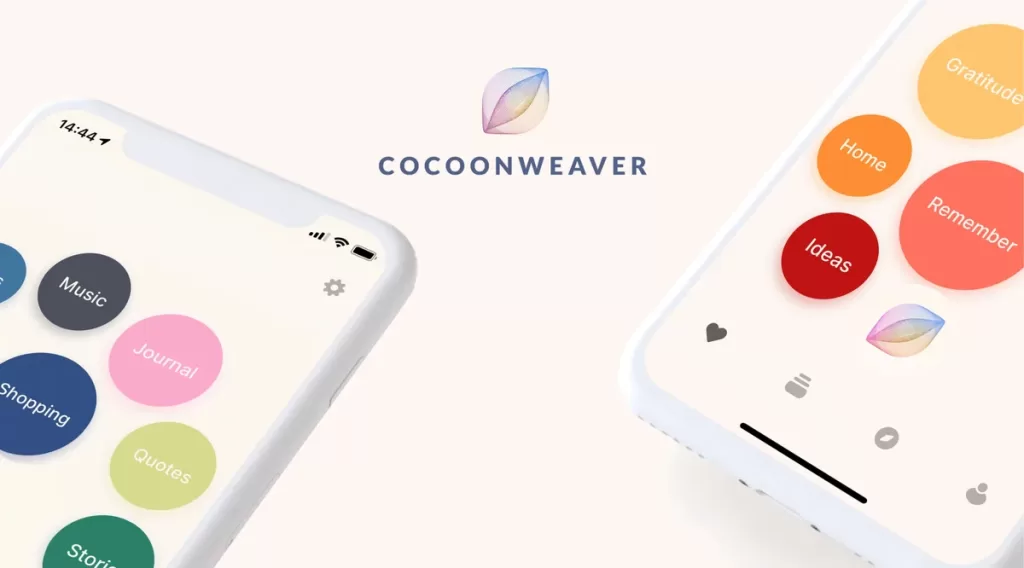
CocoonWeaver is an innovative iPhone voice recording app that lets you take voice notes instantly and organize them with hashtags. If you’re someone who loves jotting down ideas but prefers speaking instead of typing, this app is a game-changer! 📝
✅ Pros:
✔️ Simple and intuitive UI
✔️ Organize recordings with hashtags
✔️ Background recording supported
❌ Cons:
❌ Lacks advanced editing tools
❌ No cloud backup in free version
4. AudioNote 2 – Best for Visual & Audio Note-Taking
🔹 Best for: Students and professionals
🔹 Price: Free (Premium version available)
AudioNote 2 combines note-taking with voice recording, making it perfect for students and professionals. The app syncs audio with written notes, allowing you to tap a word and hear what was said at that moment. 🏫
✅ Pros:
✔️ Ideal for lecture & meeting notes
✔️ Syncs handwritten/digital notes with recordings
✔️ Easy file sharing and cloud backup
❌ Cons:
❌ Free version has limited storage
❌ Advanced features require a subscription
5. MOTIV Audio – Best for High-Quality Sound

🔹 Best for: Musicians & podcasters
🔹 Price: Free (Premium features available)
MOTIV Audio is one of the best voice recorder apps for iPhone if you need studio-quality sound recording. It allows you to record in WAV, AAC, or MP3 with real-time monitoring and gain adjustments. 🎵
✅ Pros:
✔️ High-fidelity audio recording
✔️ Customizable EQ settings
✔️ Works with external microphones
❌ Cons:
❌ Advanced features require an external Shure microphone
❌ Not ideal for casual users
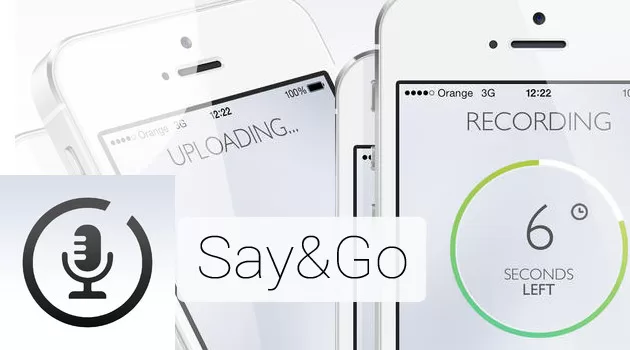
6. Say&Go – Best for Quick Voice Memos
🔹 Best for: On-the-go voice recording
🔹 Price: $2.99
Say&Go is a simple iPhone voice recording app designed for quick voice notes. It automatically saves your recording after a few seconds, so you don’t have to hit stop manually. 🏃♂️
✅ Pros:
✔️ Perfect for quick notes
✔️ Automatic saving feature
✔️ Syncs with Dropbox & Evernote
Cons:
❌ No advanced editing tools
❌ Limited recording duration
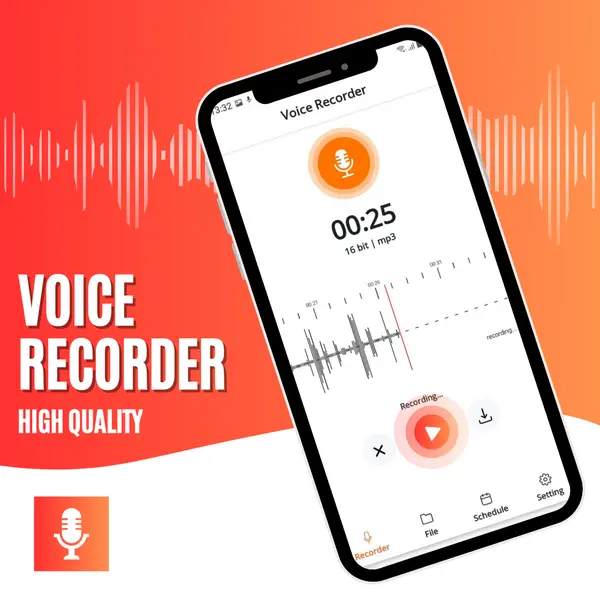
7. Voice Recorder & Memos Pro – Best for Editing Features
🔹 Best for: Advanced audio editing
🔹 Price: Free (Pro version available)
If you’re looking for an iPhone voice recording app with powerful editing tools, Voice Recorder & Memos Pro is a great pick. It includes noise reduction, speed control, trimming, and merging options. 🎛️
✅ Pros:
✔️ Feature-rich editing tools
✔️ Supports multiple formats
✔️ Cloud sync options
❌ Cons:
❌ Ads in free version
❌ Some features require in-app purchases
Final Thoughts: Which iPhone Voice Recording App is Best for You?
Choosing the best voice recorder app for iPhone depends on your needs. If you want a simple, built-in option, go with Apple Voice Memos. Need pro-level recording? Try MOTIV Audio or Voice Record Pro. For quick voice notes, CocoonWeaver and Say&Go are great choices.
Related Articles
📌 How to Make Your iPhone Safe for Your Kids
➡️ Learn how to set up parental controls and protect your child’s online activity on an iPhone.
📌 iPhone 13 Highlights: Is It Worth the Upgrade?
➡️ Discover the key features of the iPhone 13 series and whether it’s a good upgrade for you.
👉 Which app will you try first? Let us know in the comments! 📝