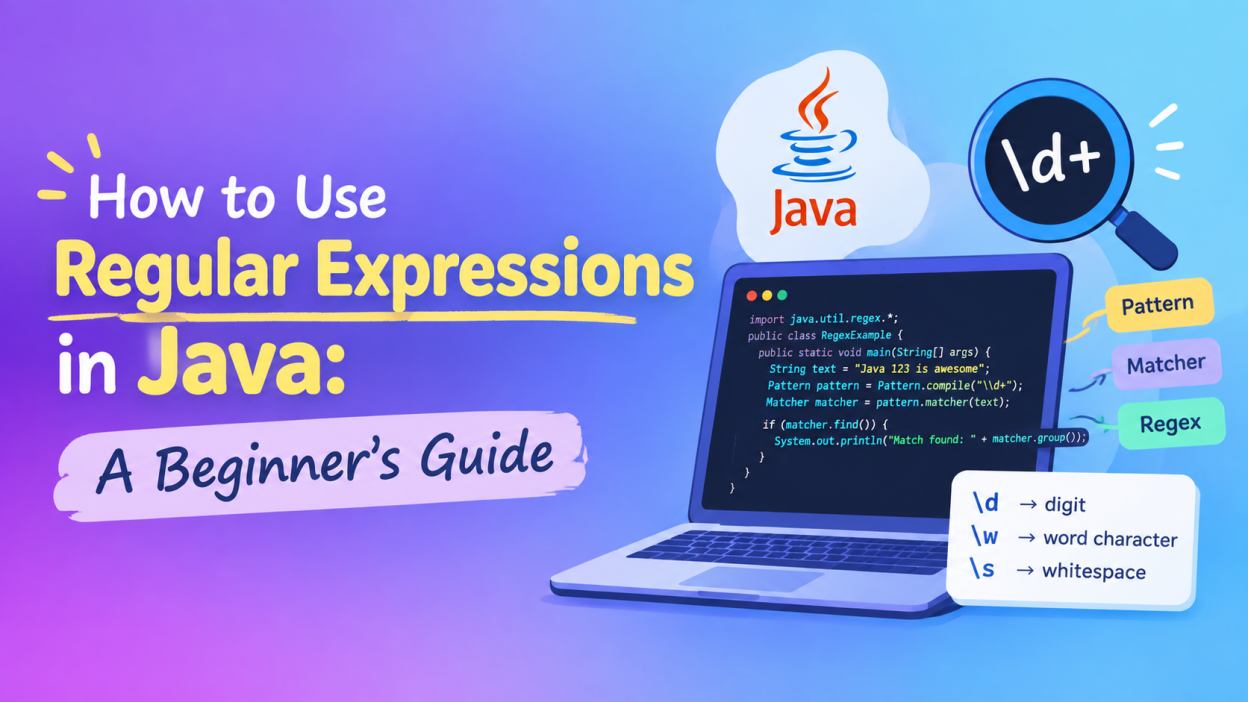
Regular Expressions in Java can look confusing when you first see them. You may come across something like \\d+, [A-Z], ^hello, or \\w+ and wonder, “What am I even looking at?”
I had the same reaction when I first came across regex.
The good news is that Regular Expressions in Java are not a completely different programming language. They are simply patterns that help us search, check, extract, or replace text.
For example, imagine that you have a form where users enter their email address. You don’t want to manually check every character. Instead, you can create a pattern that describes what a valid email should look like and let Java check it for you.
That’s where Regular Expressions in Java become useful.
In this beginner’s guide, I’ll explain Java regex from the ground up, including Pattern, Matcher, character classes, quantifiers, common symbols, practical examples, and a few mistakes beginners should avoid.
Key Highlights 🔑
- Understand what Regular Expressions in Java actually mean
- Learn how Java uses the
PatternandMatcherclasses - Understand common Java regex symbols such as
\d,\w,+,*,^, and$ - Learn how to check whether text matches a pattern
- See practical regex examples in Java
- Understand the difference between
matches(),find(), andlookingAt() - Learn why Java sometimes requires double backslashes
- Discover how regex can help with emails, phone numbers, passwords, and text searching
- Learn how to test your regex before putting it into a project

What Are Regular Expressions in Java?
Let’s start with the simplest possible explanation.
A regular expression, often called regex, is a pattern used to describe text.
Instead of telling Java: “Check every character one by one and see whether this is a number.”
we can give Java a pattern such as:
\\d+
This tells Java that we are looking for one or more digits.
So:
123
4567
2026
can match that pattern.
But:
abc
hello
12abc
doesn’t represent a string made entirely of digits.
Java provides regular-expression support through the java.util.regex package. Its main classes include Pattern, Matcher, and PatternSyntaxException.
If you want the official technical reference, the current Java documentation for the Pattern class is a useful resource. Java Pattern documentation
Why Do We Use Regular Expressions in Java?
Think about a registration form.
A user enters:
Email: abc123@gmail.com
Phone: 9876543210
Your application may need to check:
- Is the email written in a reasonable format?
- Does the phone number contain the expected number of digits?
- Does the password contain a number?
- Does the username contain only allowed characters?
- Does a product ID follow a particular format?
We could write a lot of if conditions to handle these checks.
Or, for many text-pattern problems, we can describe the rule using Java regex.
That’s the real attraction of Regular Expressions in Java.
They let us describe a text rule in a compact form.
How Regular Expressions in Java Work
There are two Java classes beginners should remember first:
1. Pattern
The Pattern class represents a compiled regular expression.
2. Matcher
The Matcher class takes that pattern and checks it against an input string.
The basic flow looks like this:
Regular Expression
       ↓
    Pattern
       ↓
    Matcher
       ↓
   Input Text
       ↓
 Match / No Match
According to Java’s documentation, a regex is compiled into a Pattern, and that pattern can then create a Matcher for an input sequence.
Let’s see it in code.
import java.util.regex.Pattern;
import java.util.regex.Matcher;

public class RegexExample {
    public static void main(String[] args) {

        String text = "My age is 27";

        Pattern pattern = Pattern.compile("\\d+");

        Matcher matcher = pattern.matcher(text);

        if (matcher.find()) {
            System.out.println("Number found!");
        } else {
            System.out.println("No number found.");
        }
    }
}
Output:
Number found!
Why?
Because \\d+ can find the number 27 inside the sentence.
Understanding the Pattern Class in Java
The Java Pattern class is where we compile our regular expression.
For example:
Pattern pattern = Pattern.compile("\\d+");
Here:
Pattern
is the class.
compile()
creates a compiled pattern.
And:
"\\d+"
is our regular expression.
The official Java documentation describes Pattern as a compiled representation of a regular expression.
One important point here: if you are going to reuse the same regex many times, compiling it once and reusing the resulting Pattern can be more efficient than repeatedly using the convenience method Pattern.matches().
Understanding the Matcher Class in Java
Once we have a Pattern, we can create a Matcher.
Matcher matcher = pattern.matcher(text);
The matcher works with the actual input.
For example:
String text = "I have 25 books";
Our pattern might be:
\\d+
The matcher searches the text for something that follows that pattern.
The Matcher class provides methods such as:
find()matches()lookingAt()start()end()
The difference between these methods is important, especially for beginners.
1. Using find() in Java Regex
find() searches the input for the next part of the text that matches the pattern.
For example:
import java.util.regex.Pattern;
import java.util.regex.Matcher;

public class Main {
    public static void main(String[] args) {

        String text = "I have 25 books";

        Pattern pattern = Pattern.compile("\\d+");
        Matcher matcher = pattern.matcher(text);

        if (matcher.find()) {
            System.out.println("Number found: " + matcher.group());
        }
    }
}
Output:
Number found: 25
This is a very practical use of Regular Expressions in Java.
The entire sentence doesn’t have to be a number.
Java simply searches inside the sentence.
2. Using matches() in Regular Expressions in Java
This is where beginners often get confused.
matches() tries to match the entire input against the pattern.
For example:
String text = "12345";

Pattern pattern = Pattern.compile("\\d+");

Matcher matcher = pattern.matcher(text);

System.out.println(matcher.matches());
Output:
true
Now consider:
String text = "My number is 12345";
The same pattern:
\\d+
will not make matcher.matches() return true, because the entire string isn’t made up of digits.
This is an important distinction:
find()     → Look for a matching part
matches()  → Match the entire input
Java’s documentation specifically defines matches() as attempting to match the entire input sequence, while find() searches for the next matching subsequence.
3. Using lookingAt()
There is another method called:
lookingAt()
It checks whether the pattern matches from the beginning of the input.
For example:
String text = "Java is powerful";

Pattern pattern = Pattern.compile("Java");

Matcher matcher = pattern.matcher(text);

System.out.println(matcher.lookingAt());
Output:
true
But if the text were:
I love Java
then lookingAt() would return false because the input doesn’t begin with Java.
The Java Matcher documentation distinguishes find(), lookingAt(), and matches() based on where and how much of the input they attempt to match.
Common Regular Expression Symbols You Should Know
Now we reach the part that initially makes regex look scary.
Don’t try to memorize everything at once.
Start with these.
| Regex | Meaning | Example |
|---|---|---|
. | Any character | a.c |
\d | Digit | 123 |
\D | Non-digit | abc |
\s | Whitespace | space |
\S | Non-whitespace | Java |
\w | Word character | Java123 |
\W | Non-word character | @ |
+ | One or more | \d+ |
* | Zero or more | a* |
? | Zero or one | a? |
^ | Beginning | ^Java |
$ | End | Java$ |
[] | Character set | [abc] |
() | Capturing group | (Java) |
| ` | ` | OR |
Java’s Pattern documentation defines these and many additional constructs, while Oracle’s regex tutorial explains character classes and predefined classes in beginner-friendly examples.
Understanding \d, \w, and \s
These three appear everywhere in Java regex.
\d — Digit
\\d
matches a digit.
For example:
1
5
9
\w — Word Character
\\w
is a shorthand character class for word characters in Java’s regex syntax. The Java documentation defines the supported character classes and their behavior.
\s — Whitespace
\\s
can match whitespace characters such as spaces and line breaks.
So you might see:
\\s+
when someone wants to find one or more whitespace characters.
Why Do We Write \\d Instead of \d in Java?
This is one of the biggest beginner questions.
You may learn that:
\d
means digit in regex.
Then why does Java code often use:
"\\d"
instead?
Because Java strings have their own escaping rules.
There are effectively two layers:
Java String
     ↓
Regular Expression
So to pass a backslash into the regex engine, Java source code often needs another backslash.
For example:
String regex = "\\d+";
The regex engine receives the equivalent regex idea of:
\d+
This is why regex examples can look strange when you first learn them.
Don’t worry. After writing a few examples, your eyes start getting used to it.
Character Classes in Regular Expressions in Java
Character classes are another useful part of Regular Expressions in Java.
Suppose I want to match either a, b, or c.
I can write:
[abc]
For example:
String regex = "[abc]";
This can match:
a
b
c
but not:
d
You can also use ranges.
[a-z]
means lowercase letters from a through z.
And:
[0-9]
means digits from 0 through 9.
Java also supports negated character classes such as:
[^abc]
which means a character other than a, b, or c.
Quantifiers in Java Regex
Quantifiers tell Java how many times something should appear.
This sounds complicated, but the idea is actually simple.
+ — One or More
\\d+
This means: One or more digits.
So:
1
12
12345
can match.
* — Zero or More
a*
This means: The character a can appear zero or more times.
? — Zero or One
a?
This means: a may appear once or may not appear.
{n} — Exactly n Times
\\d{4}
means: Exactly four digits.
For example:
2026
1234
9876
{n,m} — Between n and m Times
\\d{2,4}
means: Between 2 and 4 digits.
These quantifiers are part of the regex syntax supported by Java’s Pattern API.
A Simple Email Example Using Regular Expressions in Java
Let’s create a beginner-level example.
import java.util.regex.Pattern;
import java.util.regex.Matcher;

public class Main {
    public static void main(String[] args) {

        String email = "student@example.com";

        String regex = "^[\\w.-]+@[\\w.-]+\\.[A-Za-z]{2,}$";

        Pattern pattern = Pattern.compile(regex);
        Matcher matcher = pattern.matcher(email);

        if (matcher.matches()) {
            System.out.println("Email format looks valid.");
        } else {
            System.out.println("Invalid email format.");
        }
    }
}
The important thing to understand here isn’t memorizing the entire regex.
Instead, break it into pieces.
^
Start of the input.
[\\w.-]+
One or more allowed username characters.
@
The @ symbol.
[\\w.-]+
The domain portion.
\\.
A literal dot.
[A-Za-z]{2,}
At least two letters for the final portion.
$
End of the input.
One warning: a regex like this is a format check, not proof that an email address actually exists or can receive mail.
That’s an important distinction when building real applications.
Finding Multiple Matches with Java Regex
Regex becomes even more useful when we want to find several values.
For example:
import java.util.regex.Pattern;
import java.util.regex.Matcher;

public class Main {
    public static void main(String[] args) {

        String text = "Order 101, Order 202, Order 303";

        Pattern pattern = Pattern.compile("\\d+");
        Matcher matcher = pattern.matcher(text);

        while (matcher.find()) {
            System.out.println(matcher.group());
        }
    }
}
Output:
101
202
303
Notice the combination:
while (matcher.find())
This keeps looking for the next match.
The official Java tutorial demonstrates this same general approach for finding multiple occurrences and retrieving information such as match positions.
Real-Life Uses of Regular Expressions in Java 💻
You don’t learn regex just to pass an interview.
It can solve real text-processing problems.
I’ve seen patterns like these used for:
1. Form Validation
Checking whether input follows an expected format.
Examples:
- Phone number
- Username
- Postal code
- Employee ID
2. Searching Text
Imagine a large document containing thousands of lines.
You need to find every order number.
A regex can help locate them.
3. Extracting Information
Suppose a log contains:
User ID: 45821
You could use a pattern to extract the number.
4. Replacing Text
Java’s regex support can also be used with replacement operations. The Matcher API includes replacement methods, and String also provides methods such as replaceFirst() and replaceAll() that work with regex.
For example:
String text = "Java   is   fun";

String result = text.replaceAll("\\s+", " ");

System.out.println(result);
Output:
Java is fun
Here, \\s+ finds one or more whitespace characters and replaces them with one normal space.
Common Beginner Mistakes in Java Regex
Regex has a reputation for being confusing. Honestly, some patterns are confusing.
But many beginner problems come from a few simple mistakes.
Mistake 1: Forgetting Java’s escaping
You may write:
"\d+"
when you actually need:
"\\d+"
in a Java string.
Mistake 2: Confusing find() and matches()
Remember:
find() → searches inside the input

matches() → checks the entire input
This one distinction will save you a lot of frustration.
Mistake 3: Trying to memorize huge regex patterns
Don’t.
If someone gives you this:
^(?=.*[A-Z])(?=.*[a-z])(?=.*\\d)(?=.*[@#$%]).{8,}$
and you don’t understand it immediately, that’s completely normal.
Break it into smaller pieces.
Regex becomes much easier when you understand why each symbol is there.
Mistake 4: Testing only one input
Suppose your regex works for:
9876543210
Great.
But what happens with:
98765
or:
abcdefghij
or:
98765abc
Always test both valid and invalid examples.
How to Practice Regular Expressions in Java
My biggest suggestion for beginners is simple:
Don’t only read regex. Write it.
Take a small Java program and experiment.
Start with:
\\d+
Then try:
[a-z]+
Then:
[A-Z]+
Then:
\\d{4}
Then combine them.
You can also use an online regex tester. regex101 Java regex tester
One important detail: when using an online tester, make sure you select the Java flavor. Regex syntax can differ between programming languages and regex engines. regex101 specifically recommends selecting the engine that matches your target runtime.
Regular Expressions in Java: A Simple Learning Path
If you’re completely new to regex, I wouldn’t start with complicated password validators.
I’d learn in this order:
Step 1 — Understand literal matching
Java
Step 2 — Learn character classes
[abc][a-z]
[0-9]
Step 3 — Learn predefined classes
\d
\w
\s
Step 4 — Learn quantifiers
+
*
?
{n}
{n,m}
Step 5 — Learn boundaries
^
$
\b
Step 6 — Learn groups
(...)
Step 7 — Practice with Pattern and Matcher
Step 8 — Build small real-world examples
For example:
- Find all numbers in a sentence
- Find all email-like strings
- Validate a simple phone number
- Replace multiple spaces
- Extract product IDs
- Search logs for specific patterns
That’s a much less frustrating way to learn Regular Expressions in Java.
Final Thoughts on Regular Expressions in Java ❤️
When I first look at a complicated regex, it can still feel like someone has thrown a secret code at me.
But regex becomes much less intimidating once we stop trying to understand the entire pattern at once.
Start small.
Understand:
\d
+
*
?
[]
^
$
Then learn how Pattern and Matcher work.
After that, start combining the pieces.
The most important thing I want a beginner to remember is this: A regular expression is simply a pattern for describing text.
And in Java, the java.util.regex package gives us the tools to compile those patterns, search input, check matches, extract text, and replace matching content.
You don’t need to become a regex expert in one day.
Write one pattern.
Test it.
Break it.
Fix it.
Then write another one.
That’s honestly how Regular Expressions in Java started making sense to me—and it is a much better learning experience than trying to memorize a giant list of symbols. 🚀

Frequently Asked Questions About Regular Expressions in Java
What are Regular Expressions in Java?
Regular Expressions in Java are patterns used to search, match, extract, validate, or replace text. Java provides regex support through the java.util.regex package.
What is the Pattern class in Java?
The Pattern class represents a compiled regular expression. You normally create it using Pattern.compile().
What is the Matcher class in Java?
The Matcher class applies a Pattern to an input character sequence and provides methods such as find(), matches(), and lookingAt().
What does \\d mean in Java?
\\d in a Java string represents the regex digit class \d, which matches a digit.
What is the difference between find() and matches()?
find() searches for a matching subsequence inside the input, while matches() attempts to match the entire input against the pattern.
Can Regular Expressions in Java validate email addresses?
Yes, regex can check whether an email follows a particular format. However, regex alone cannot prove that an email address actually exists or can receive messages.
Want to Learn More About Java ?, Kaashiv Infotech Offers, Full Stack Java Course, Java Course, Data Science Course, Internships & More, Visit Their Website www.kaashivinfotech.com.