

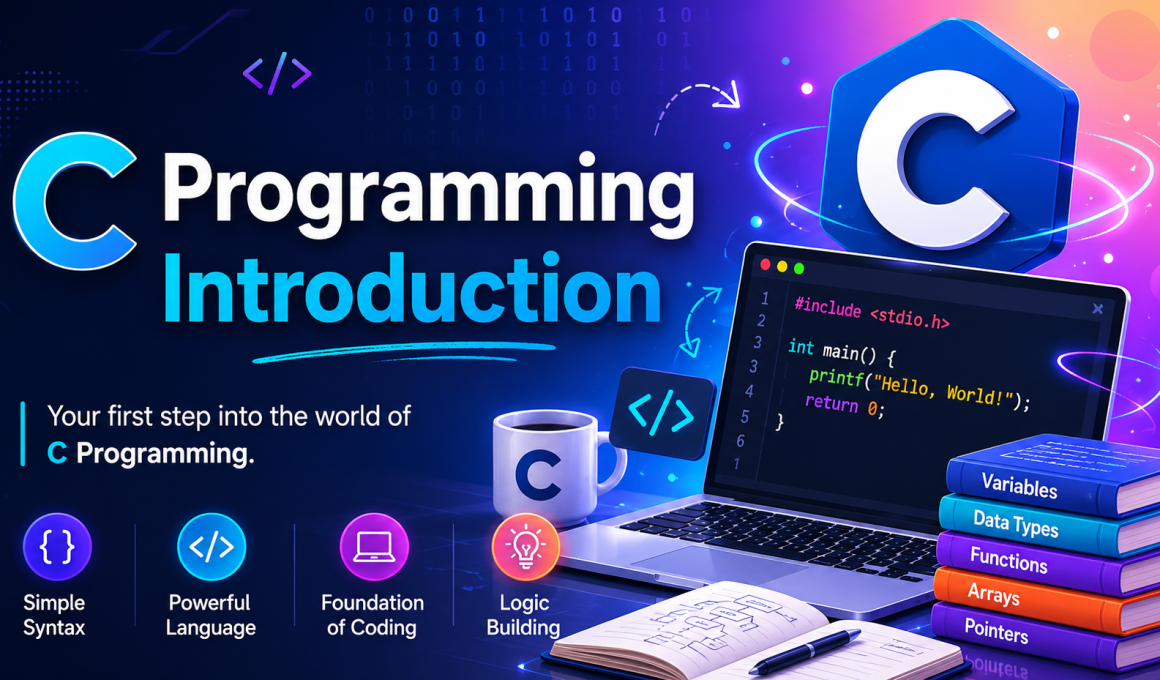
C Programming Introduction was one of the very first topics I learned when I stepped into programming. Honestly, at first, it looked scary. Black screens, semicolons, strange syntax… everything felt confusing 😅. But once I understood the basics, I realized why C programming introduction is still called the foundation of programming languages.
If you are searching for a simple C Programming Introduction, you are in the right place. In this article, I’ll explain everything in plain English — just like I would explain it to a friend who is learning coding for the first time.
By the end of this guide, you’ll understand:
- What C programming is
- Why developers still learn C
- Features of C language
- Structure of a C program
- Real-life uses of C
- Advantages and disadvantages
- My personal learning tips for beginners
So grab a coffee ☕ and let’s start.
✨ Key Highlights of This Article
- 📘 Easy C Programming Introduction for beginners
- 💻 Understand how C language works
- 🧠 Learn the structure of a simple C program
- 🚀 Discover real-world applications of C programming
- 🔥 Beginner-friendly examples with explanations
- 🎯 Learn why C is important before learning C++, Java, or .NET
- 📚 Useful learning resources and link
History of C Programming Language
Understanding where C came from helps you appreciate why it works the way it does.
- 1970s — Birth at Bell Labs: Dennis Ritchie developed C at Bell Labs as an improvement over the B language. The main goal was to support the development of the Unix operating system.
- 1980s — Rising Popularity: C gained massive popularity because of its portability and efficiency. Developers loved how they could write code once and run it on different machines.
- 1990 — ANSI Standardization: The American National Standards Institute (ANSI) created a standard definition for C, known as C89 or C90 (ISO/IEC 9899:1990). This made C a universally accepted language.
- 1999 — C99 Standard: A new version called C99 introduced exciting features like single-line comments (//), inline functions, and the ability to declare variables anywhere inside a block.
This evolution shows how C has continuously adapted to meet the needs of developers over the decades.
🤔 What is C Programming?
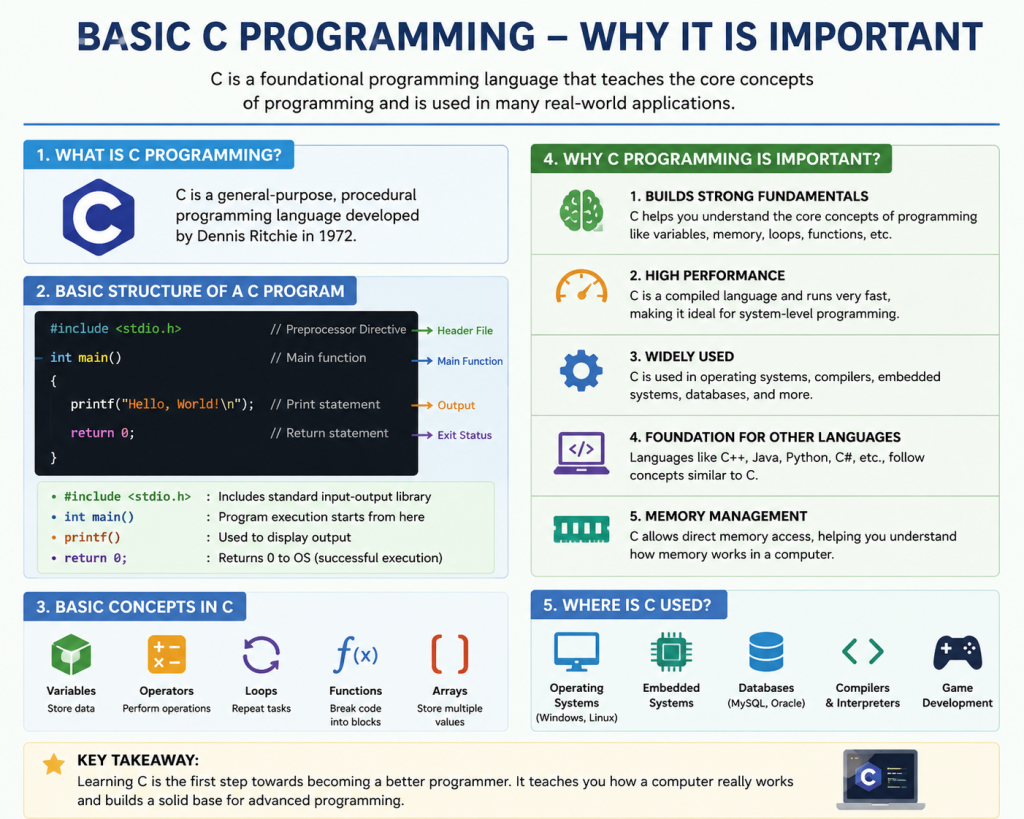
C programming is a general-purpose programming language developed by Dennis Ritchie in 1972 at Bell Labs.
In simple words, C is a language used to communicate with computers and build software.
When I first learned C, my trainer told me something interesting:
“If you understand C properly, learning other programming languages becomes much easier.”
And honestly? That turned out to be true.
Languages like:
- C++
- Java
- C#
- Python
all borrowed concepts from C.
That’s why many colleges and training institutes still start with C Programming Introduction before moving to advanced technologies.
💡 Why is C Programming Important?
This is the question I had when I started learning.
I thought:
“Why should I learn such an old language when Python exists?”
But later, I understood the real reason.
C helps us understand:
- Memory management
- Variables
- Loops
- Functions
- Logic building
- How computers actually work internally
Without these basics, many students struggle in advanced programming later.
Even today, C programming is used in:
- Operating systems
- Embedded systems
- IoT devices
- Database systems
- Compilers
- Game engines
For example:
- Linux is mainly written in C.
- Parts of MySQL use C.
- Device drivers also heavily use C programming.
That’s powerful 🔥.
🧠 Features of C Programming Language
| Feature | Description | Example |
|---|
| Simple and Easy to Learn | C has a beginner-friendly syntax that is easy to understand and practice. | printf("Hello World"); |
| Fast Execution | C programs run very fast because they interact directly with hardware. | Used in operating systems and game engines |
| Portable Language | C programs can run on different computers with minimal changes. | Same code works on multiple platforms |
| Structured Programming | C uses functions to keep code clean and organized. | Functions divide large programs into smaller parts |
| Rich Library Support | C provides built-in libraries and functions for programming tasks. | #include<stdio.h> |
💻 Structure of a Simple C Program
When I first saw a C program, I memorized it without understanding 😅.
Big mistake.
Once I understood each part, everything became easier.
Here’s a simple example:
#include<stdio.h>

int main()
{
    printf("Hello World");
    return 0;
}
Now let’s break it down.
🔹 #include<stdio.h>
This is called a header file.
It allows us to use input and output functions.
🔹 int main()
This is the main function where program execution starts.
Every C program usually starts from main().
🔹 printf()
Used to display output.
Example:
printf("Welcome");Output:
Welcome🔹 return 0;
It tells the compiler the program ended successfully.
🎯 Real-Life Applications of C Programming
One thing that motivated me while learning C was understanding where it is actually used.
Here are some real-world applications of C programming.
🖥️ Operating Systems
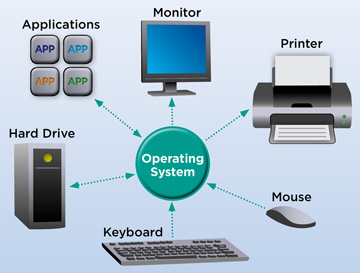
Many operating systems use C because it interacts closely with hardware.
Example:
- Windows
- Linux
📱 Embedded Systems

Devices like:
- Washing machines
- Traffic lights
- Smart TVs
- Medical devices
often use C programming internally.
🎮 Game Development
Game engines sometimes use C for speed and performance.
🗄️ Database Systems
Popular databases use C for handling data efficiently.
Example:
- Oracle Database
- MySQL
✅ Advantages of C Programming
Here are some major benefits of learning C programming.
✔️ Builds Strong Programming Basics
This is probably the biggest advantage.
After learning C, I found other languages easier to understand.
✔️ Improves Problem-Solving Skills
C forces you to think logically.
And trust me, that skill helps everywhere — interviews, projects, even debugging.
✔️ High Performance
C programs execute quickly.
That’s why system software still uses C.
✔️ Huge Career Value
Even today, companies hiring for:
- Embedded systems
- IoT
- System programming
look for C programming knowledge.
🛠️ My Personal Tips for Learning C Programming
I made plenty of mistakes while learning. So here’s what actually worked for me.
📌 Practice Daily
Even 30 minutes daily helps a lot.
Programming is like gym training 🏋️.
You improve with consistency.
📌 Don’t Just Read — Type the Programs
Typing programs yourself improves memory and understanding.
📌 Understand Errors
Errors are normal.
In fact, I learned more from errors than from tutorials 😄.
📌 Start Small
Begin with:
- Variables
- Data types
- Operators
- Loops
- Functions
Don’t jump directly into advanced concepts.
🌐 Best Resources to Learn C Programming
Here are some useful resources I personally recommend.
Internal Learning Ideas
You can also continue learning:
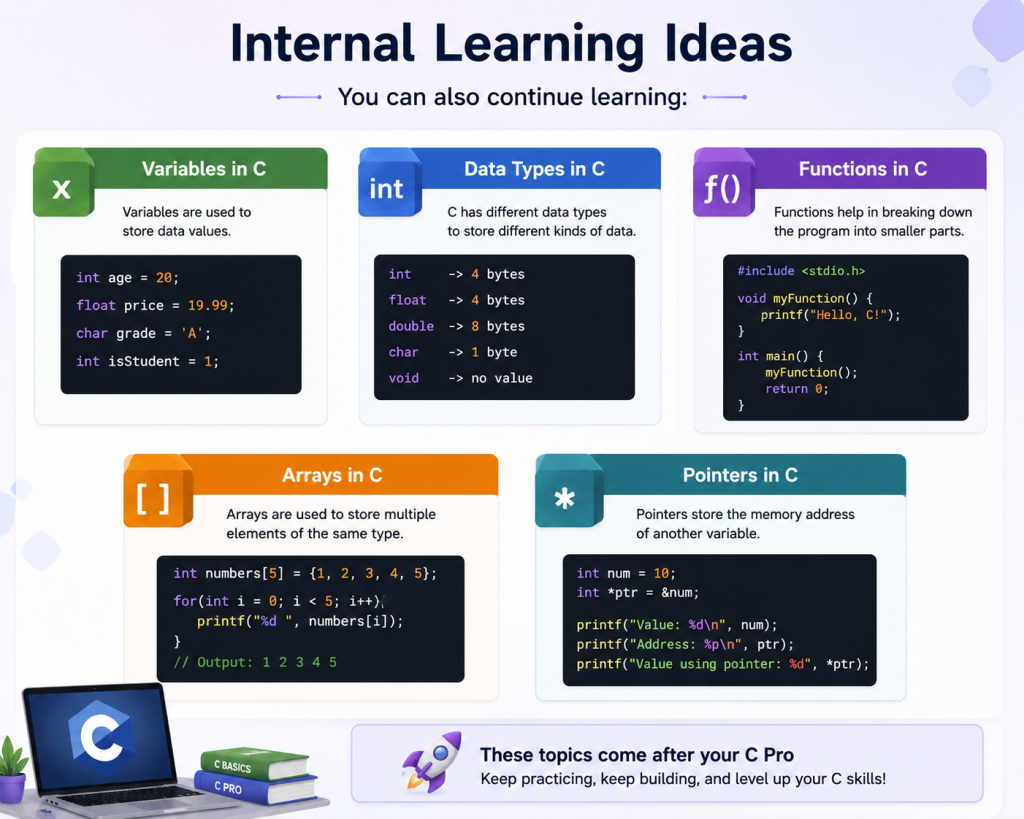
- Variables in C
- Data Types in C
- Functions in C
- Arrays in C
- Pointers in C
These topics come after your C Programming Introduction.
External Resources
🔥 Simple Example Program for Beginners
Here’s one small program I practiced repeatedly as a beginner.
#include<stdio.h>

int main()
{
    int a = 10;
    int b = 20;
    int sum;

    sum = a + b;

    printf("Sum = %d", sum);

    return 0;
}
Output:
Sum = 30This teaches:
- Variables
- Arithmetic operators
- Output statements
Small steps matter 😊.
🎉 Final Thoughts on C Programming Introduction
Learning C Programming Introduction may feel difficult initially, but it creates a strong foundation for your programming journey.
I genuinely believe learning C improved my logical thinking and confidence in coding.
Will you become an expert overnight?
No 😄.
But if you practice consistently, write programs daily, and stay curious, you’ll improve faster than you think.
And once you understand C programming, learning technologies like:
- ASP.NET
- Java
- Python
- SQL
- C#
becomes much smoother.
So don’t rush the process.
Start simple. Practice regularly. Make mistakes. Learn from them 🚀
Want to Learn More About Python & Artificial Intelligence ???, Kaashiv Infotech Offers Full Stack Python Course, Artificial Intelligence Course, Data Science Course & More Visit Their Website course.kaashivinfotech.com.

![What is ReactJS A Beginner's Guide [2026]](https://www.wikitechy.com/wp-content/uploads/2026/06/What-is-ReactJS-A-Beginners-Guide-2026-380x220.png)