Selenium has become the industry standard for automating web applications, and Java remains one of the most widely used languages for building robust test frameworks.Selenium Automation with Java 8+ – When Java 8 was introduced, it didn’t just add new syntax—it fundamentally changed how developers write code. By bringing functional programming concepts into Java, it opened the door to cleaner, shorter, and more expressive automation scripts.
If you’re still writing traditional Selenium code with long loops, repetitive conditions, and verbose logic, you’re missing out on a huge productivity boost. Java 8+ features can transform your automation approach, making your code easier to read, maintain, and scale.
Let’s explore how.
The Evolution of Selenium Automation with Java
Before Java 8, Selenium scripts often looked cluttered. Handling collections of elements required explicit loops, null checks were manual, and wait conditions involved bulky anonymous classes. Over time, as automation frameworks grew, this verbosity made maintenance difficult.
Java 8 introduced features like lambda expressions, streams, method references, and Optional. These features allow developers to write logic in a declarative style rather than an imperative one. Instead of telling the program how to do something step by step, you focus on what needs to be done.
This shift is especially useful in Selenium, where we constantly deal with lists of web elements, dynamic content, and asynchronous behavior.
Writing Cleaner Selenium Code with Lambda Expressions
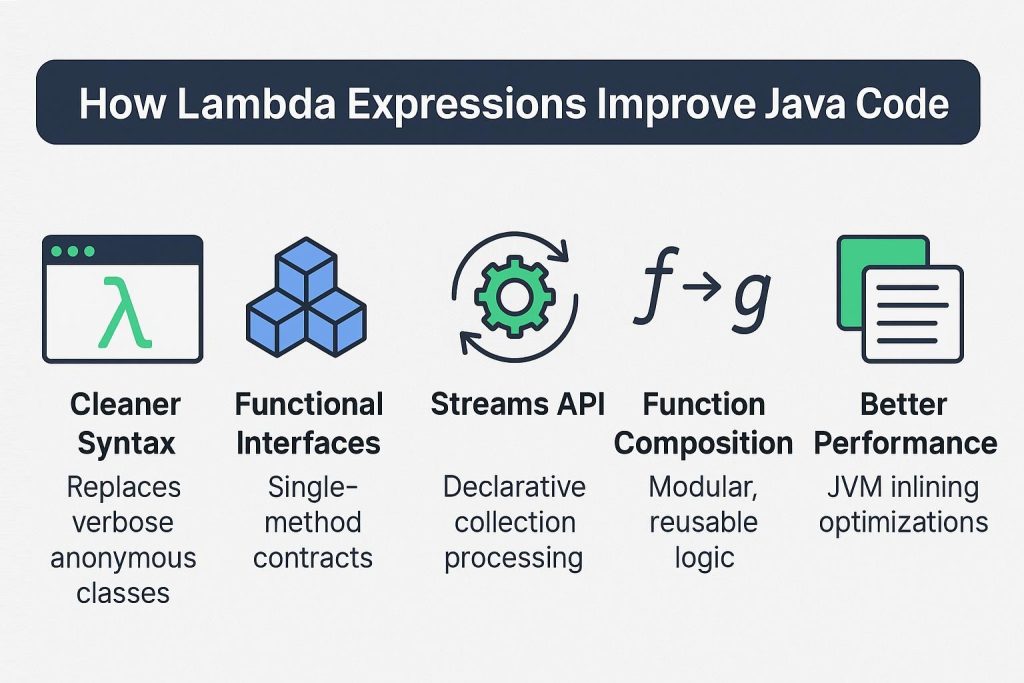
Lambda expressions are one of the most impactful additions in Java 8. They let you write compact, inline implementations of functional interfaces. In Selenium, they are particularly useful when working with collections or wait conditions.
Consider a simple example where you want to print all links on a page. In older Java versions, you would use a loop. With lambda expressions, the same task becomes much more concise and readable.
List<WebElement> links = driver.findElements(By.tagName("a"));
links.forEach(link -> System.out.println(link.getText()));
This small change reduces boilerplate and improves clarity. As your automation grows, these small improvements add up significantly.
Lambda expressions also integrate beautifully with Selenium waits, allowing you to replace anonymous inner classes with clean, inline logic.
Stream API: Transforming How You Handle Web Elements
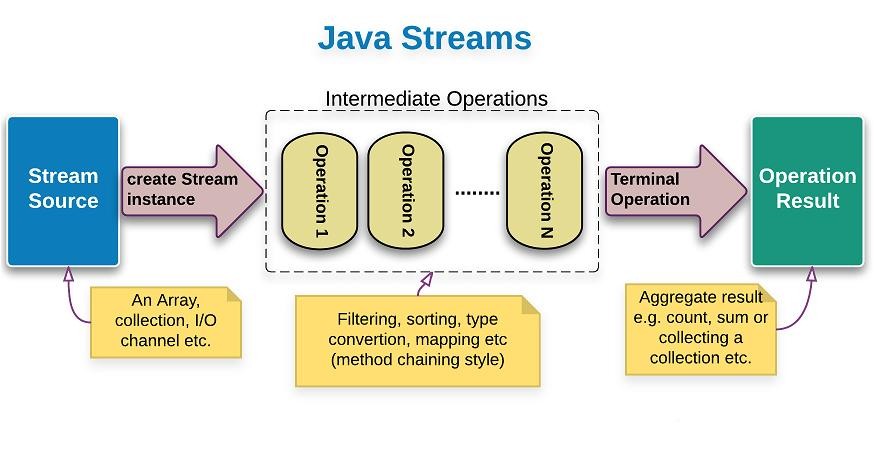
The Stream API is where Java 8 truly shines. Selenium often deals with lists of elements—buttons, links, dropdown options—and streams allow you to process them efficiently.
Instead of manually iterating and filtering elements, you can write expressive pipelines.
List<WebElement> visibleLinks = driver.findElements(By.tagName("a"))
    .stream()
    .filter(WebElement::isDisplayed)
    .collect(Collectors.toList());
This approach makes your intention clear: you want only visible elements. There’s no need for extra variables or nested conditions.
Streams also support chaining multiple operations. For example, extracting text from elements, filtering based on keywords, and collecting results can all be done in a single flow.
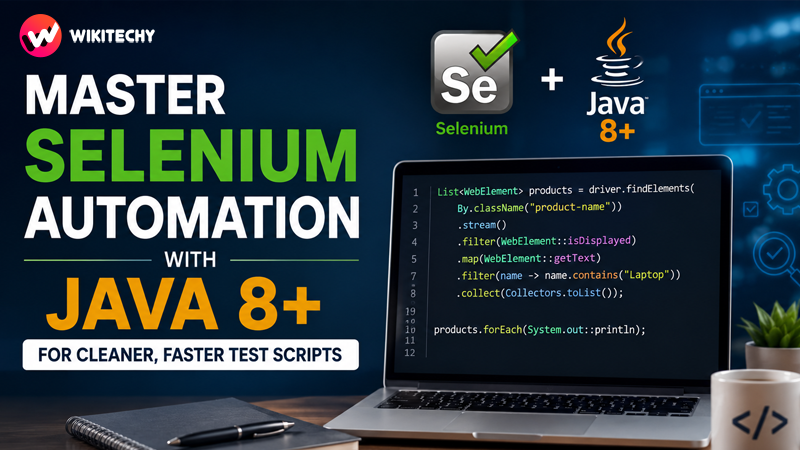
List<String> products = driver.findElements(By.className("product-name"))
    .stream()
    .filter(WebElement::isDisplayed)
    .map(WebElement::getText)
    .filter(name -> name.contains("Laptop"))
    .collect(Collectors.toList());
This kind of expressive coding is what makes Java 8 so powerful for Selenium automation.
Method References: Making Code More Elegant
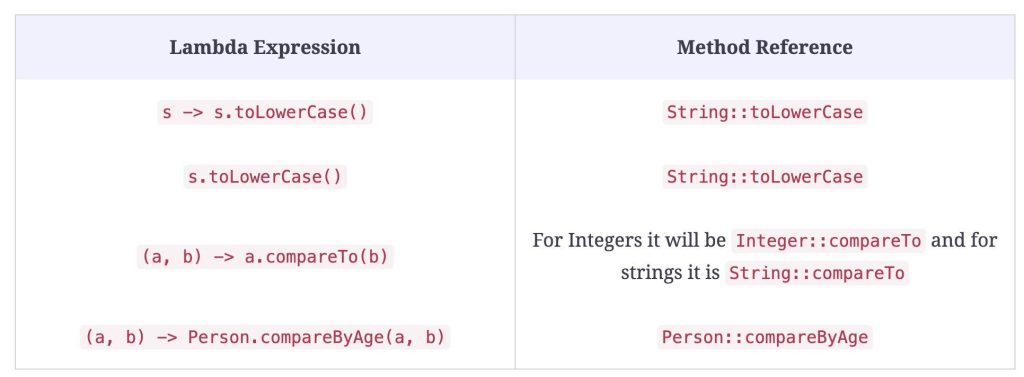
Method references are a shorthand for lambda expressions when you’re simply calling an existing method. They make your code look cleaner and more professional.
Instead of writing:
links.forEach(link -> System.out.println(link.getText()));You can write:
links.stream()
     .map(WebElement::getText)
     .forEach(System.out::println);
This reduces noise and makes your code easier to scan. In large automation frameworks, readability is just as important as functionality.
Handling Null Values Safely with Optional
NullPointerException is one of the most common issues in Selenium automation. Elements may not load, locators may fail, or dynamic content might not appear in time.
Java 8’s Optional class provides a safer way to handle such situations.
Optional<WebElement> optionalElement =
    Optional.ofNullable(driver.findElement(By.id("username")));

optionalElement.ifPresent(element -> element.sendKeys("admin"));
Instead of blindly assuming the element exists, Optional forces you to handle the possibility of absence. This leads to more robust and fault-tolerant test scripts.
Smarter Waits Using Java 8 Features
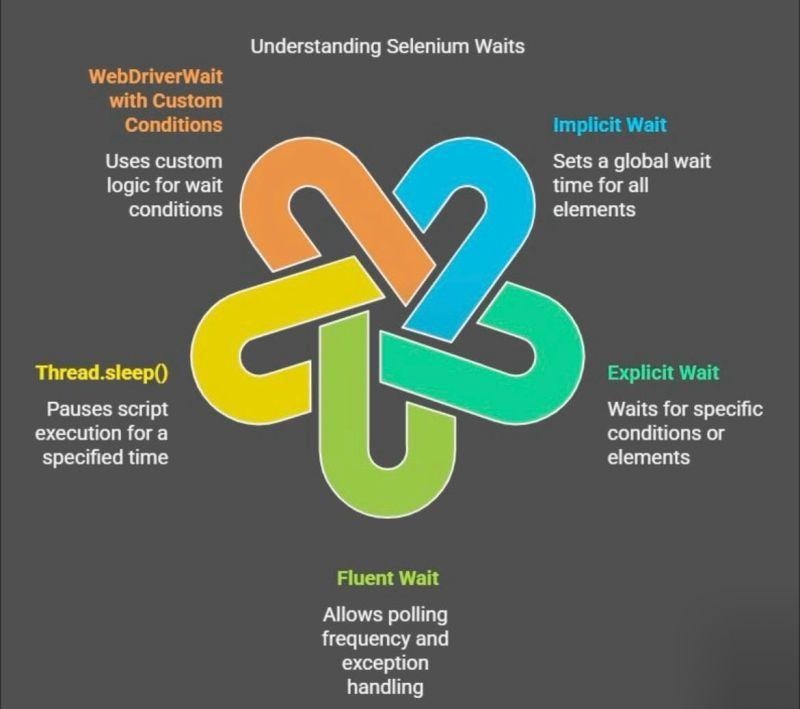
Handling dynamic elements is one of the biggest challenges in Selenium. Java 8 simplifies wait conditions by allowing lambda expressions inside wait methods.
WebDriverWait wait = new WebDriverWait(driver, Duration.ofSeconds(10));

WebElement loginBtn = wait.until(driver ->
    driver.findElement(By.id("loginButton"))
);
This replaces older, more complex syntax with a clean and readable approach. It also makes your wait logic more flexible and easier to customize.
Parallel Streams and Performance Considerations
Java 8 introduced parallel streams, which allow operations to run concurrently across multiple threads. This can improve performance when dealing with large datasets.
driver.findElements(By.tagName("a"))
    .parallelStream()
    .forEach(link -> System.out.println(link.getText()));
However, Selenium WebDriver is not fully thread-safe. This means you should avoid using parallel streams directly for browser interactions. Instead, use them for data processing tasks outside WebDriver operations.
Understanding this limitation is crucial for building stable automation frameworks.
Real-World Automation Scenario
Imagine you’re testing an e-commerce platform. You need to collect all visible product names that match a specific keyword and validate them.
With Java 8, this becomes a clean and expressive task:
List<String> products = driver.findElements(By.className("product-name"))
    .stream()
    .filter(WebElement::isDisplayed)
    .map(WebElement::getText)
    .filter(name -> name.contains("Laptop"))
    .collect(Collectors.toList());

products.forEach(System.out::println);
This single pipeline replaces multiple loops, conditions, and temporary variables. It’s easier to read, debug, and extend.
Building Modern Selenium Frameworks with Java 8+
As automation projects grow, maintainability becomes a major concern. Java 8 features help you design better frameworks by reducing duplication and improving modularity.
You can build cleaner Page Object Models, write reusable utility methods, and handle test data more efficiently. Functional interfaces allow you to encapsulate logic in a reusable way, while streams simplify data-driven testing.
The result is a framework that is not only powerful but also easier to understand for new team members.
Final Thoughts
Java 8+ has redefined how Selenium automation is written. It encourages a modern coding style that focuses on clarity, efficiency, and scalability. By adopting features like lambda expressions, streams, method references, and Optional, you can significantly improve both the quality and maintainability of your automation scripts.
However, the key is balance. Use these features where they add value, but avoid overcomplicating simple logic. Clean and readable code should always be your priority in test automation.
Mastering Selenium with Java 8+ doesn’t just make you a better automation tester—it makes you a better developer overall.
Want to Learn More About Java ?, Kaashiv Infotech Offers, Full Stack Java Course, Java Course, Data Science Course, Internships & More, Visit Their Website www.kaashivinfotech.com.
![Full Stack Developer Roadmap [2026]](https://www.wikitechy.com/wp-content/uploads/2026/06/Full-Stack-Developer-Roadmap-2026-380x220.png)