When I first started working with JavaScript, one thing confused me a lot — why doesn’t JavaScript wait? I would write code expecting it to run step by step, but suddenly some parts would execute later, out of order. That’s when I discovered asynchronous operations, and honestly, this concept completely changes how you think about JavaScript.
JavaScript is designed to be fast, responsive, and non-blocking, especially for web applications. Imagine clicking a button on a website and the whole page freezes just because it’s fetching data — that would be terrible. To avoid that, Asynchronous Operations in JavaScript programming to keep everything smooth while heavy tasks run in the background.
In this guide, I’ll walk you through everything in detail — not just definitions, but how things actually work behind the scenes, with clear explanations and real-world thinking.
🧠 Understanding the Core Idea of Asynchronous Programming
At its heart, asynchronous programming simply means that JavaScript does not wait for long-running tasks to complete before moving on. Instead, it starts a task, keeps it aside, and continues executing the rest of the code.
Think of it like this: you’re downloading a file on your laptop. While the file is downloading, you don’t just stare at the screen — you open another tab, watch a video, or continue your work. That’s exactly how async works.
In contrast, synchronous programming would force you to wait until the download completes before doing anything else. That’s inefficient and not suitable for modern applications.
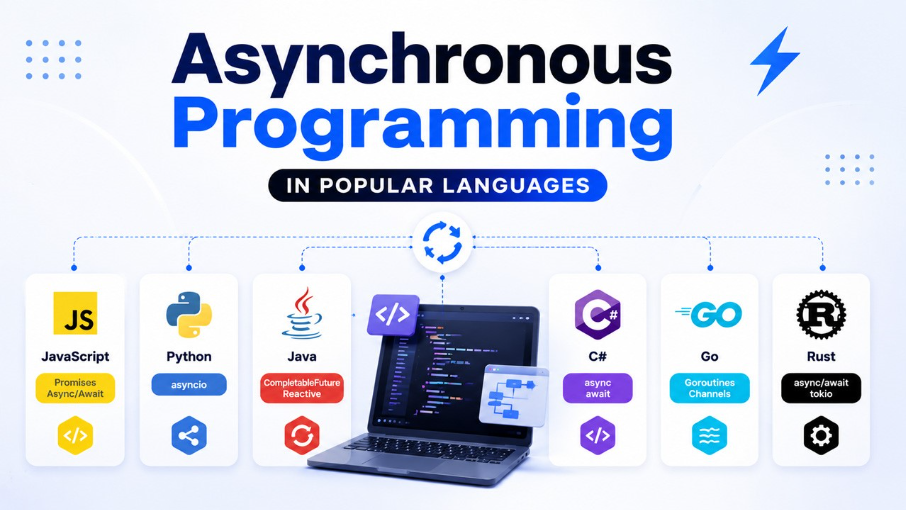
⚙️ Why Asynchronous Operations Are Essential in JavaScript
JavaScript runs on a single thread, meaning it can execute only one operation at a time. This might sound like a limitation, but async programming turns it into a strength.
Without asynchronous behavior, any time-consuming operation like:
- Fetching data from a server
- Reading a file
- Waiting for user input
- Running timers
would completely block the execution of the program. The browser UI would freeze, buttons wouldn’t respond, and the user experience would collapse.
With asynchronous operations, JavaScript delegates these tasks and continues running other code. This ensures that applications remain interactive and fast, even when performing heavy operations in the background.
🔄 How JavaScript Actually Handles Async Behind the Scenes
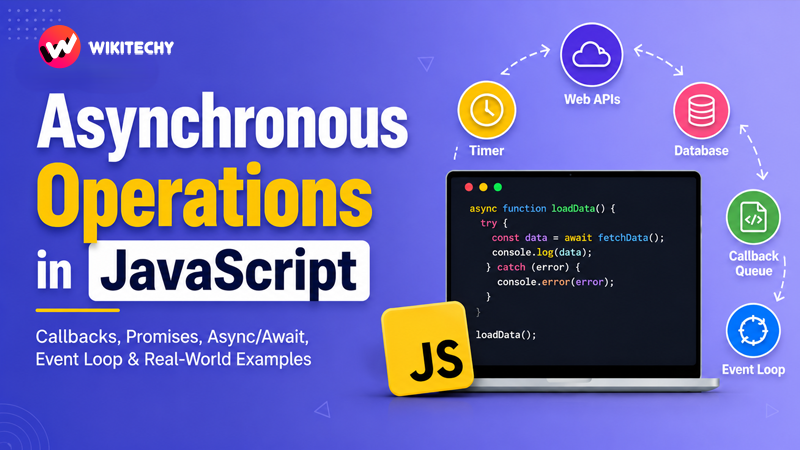
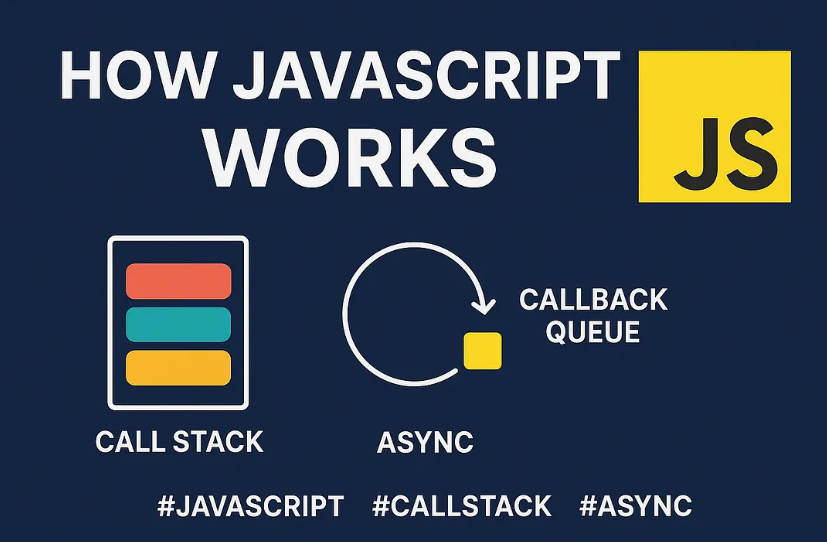
To truly understand async, you need to understand what happens internally. JavaScript uses a combination of components working together:
🔹 Call Stack
This is where your code executes line by line. Every function call goes into the stack and gets executed.
🔹 Web APIs
These are provided by the browser (or Node.js environment). When you use functions like setTimeout, fetch, or event listeners, they are handled outside the call stack by these APIs.
🔹 Callback Queue
Once an async task completes (like a timer finishing or data being fetched), its callback is placed in a queue waiting to be executed.
🔹 Event Loop
The event loop continuously checks whether the call stack is empty. If it is, it pushes the next callback from the queue into the stack.
This entire mechanism ensures that JavaScript never blocks execution while waiting for long tasks.
🧩 Callbacks — The Foundation of Async
Callbacks are the oldest and most fundamental way to handle asynchronous operations in JavaScript. A callback is simply a function passed into another function to be executed later.
function fetchData(callback) {
  setTimeout(() => {
    console.log("Data fetched");
    callback();
  }, 2000);
}

function processData() {
  console.log("Processing data");
}

fetchData(processData);
Here, the processData function doesn’t run immediately. Instead, it waits until fetchData completes its task.
While callbacks are simple, they quickly become difficult to manage when multiple async operations depend on each other. This leads to what developers call callback hell, where code becomes deeply nested and hard to read.
😵 Callback Hell — The Real Problem
When you start chaining multiple callbacks, the code structure becomes messy and confusing:
getData(function(a) {
  getMoreData(a, function(b) {
    getEvenMoreData(b, function(c) {
      console.log(c);
    });
  });
});
This pyramid-like structure is difficult to debug, maintain, and scale. It also increases the chances of errors.
To solve this, JavaScript introduced a better approach — Promises.
🤝 Promises — A Cleaner Approach
A Promise represents a value that may not be available immediately but will be resolved in the future. It has three states: pending, fulfilled, and rejected.
const fetchData = new Promise((resolve, reject) => {
  setTimeout(() => {
    resolve("Data received");
  }, 2000);
});

fetchData
  .then(data => console.log(data))
  .catch(err => console.log(err));
Promises eliminate deep nesting and make async flows easier to manage. You can chain multiple .then() calls, making the code more structured.
What I like about promises is how they separate success and error handling clearly. Instead of mixing everything in one place, you define what happens when the operation succeeds and what happens when it fails.
🔥 Async/Await — The Modern Standard
Async/await is built on top of promises, but it makes asynchronous code look almost like synchronous code. This dramatically improves readability.
function delay() {
  return new Promise(resolve => {
    setTimeout(() => resolve("Done"), 2000);
  });
}

async function run() {
  const result = await delay();
  console.log(result);
}

run();
When you use await, JavaScript pauses the execution of that function until the promise resolves — but importantly, it does not block the entire program.
This is why async/await feels natural and is widely used in modern development.
🌐 Real-World Asynchronous Operations
In real applications, asynchronous programming is everywhere. Whenever you interact with external systems or delayed operations, async comes into play.
For example, when you fetch data from an API:
async function getData() {
  const response = await fetch("https://api.example.com/data");
  const data = await response.json();
  console.log(data);
}
Here, JavaScript sends a request and continues doing other tasks. Once the response arrives, it resumes execution.
This pattern is used in:
- Web applications loading dynamic content
- Chat applications receiving messages
- Payment gateways processing transactions
- File uploads and downloads
⚠️ Handling Errors in Async Code
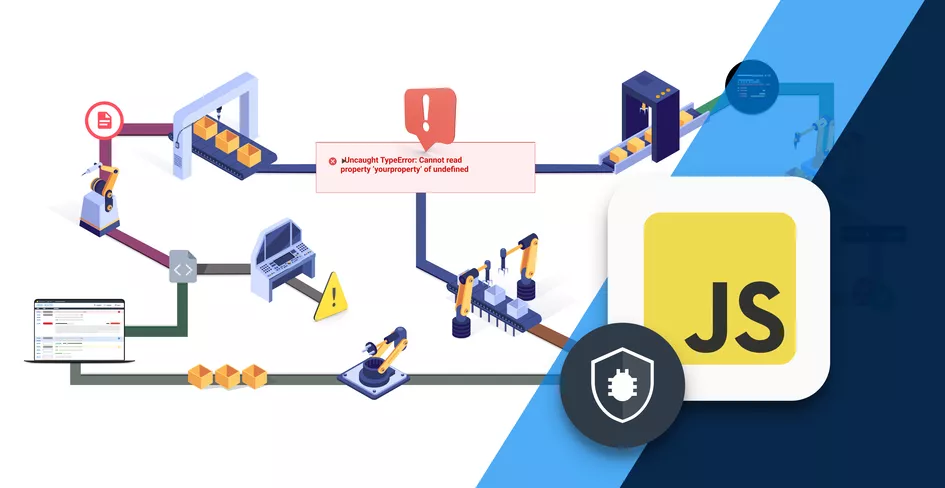
Error handling is crucial in asynchronous programming. Without it, your application may fail silently.
With promises, you use .catch():
fetchData()
  .then(data => console.log(data))
  .catch(error => console.log(error));
With async/await, you use try...catch:
async function getData() {
  try {
    const res = await fetch("url");
    const data = await res.json();
    console.log(data);
  } catch (err) {
    console.log(err);
  }
}
This approach feels more like traditional programming and is easier to understand.
⚡ Sequential vs Parallel Execution
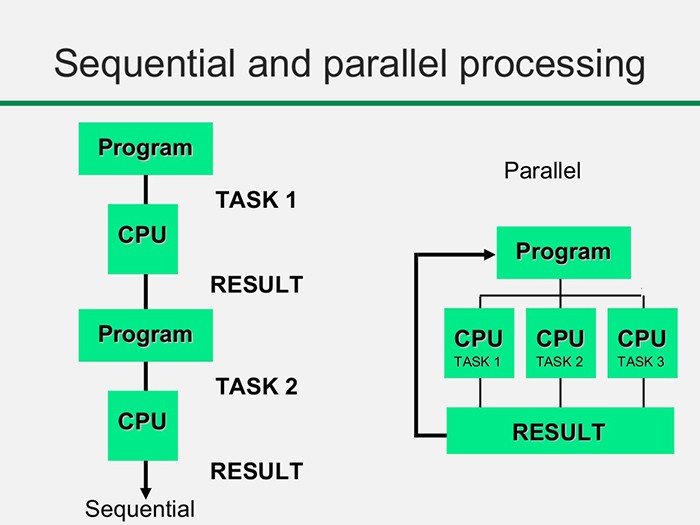
One important concept many developers miss is the difference between running tasks one after another versus running them simultaneously.
If you write:
await task1();
await task2();
JavaScript waits for task1 to finish before starting task2. This is called sequential execution.
But if the tasks are independent, you can run them in parallel:
await Promise.all([task1(), task2()]);This improves performance significantly because both tasks execute at the same time.
🚨 Common Mistakes Developers Make
One of the most common mistakes is forgetting to use await, which leads to unexpected results because the promise is not resolved yet.
Another issue is writing blocking code like infinite loops, which defeats the purpose of asynchronous programming.
Some developers also mix callbacks, promises, and async/await in the same codebase, making it inconsistent and harder to maintain.
Understanding these pitfalls early will save you a lot of debugging time.
🧠 Best Practices for Writing Async Code
From my experience, writing clean asynchronous code is more about discipline than syntax.
Using async/await consistently makes your code readable and maintainable. Keeping functions small helps isolate errors and makes debugging easier. Proper error handling ensures your application behaves reliably even when something goes wrong.
Also, whenever possible, running independent tasks in parallel can significantly improve performance.
🏁 Conclusion
Asynchronous operations are not just a feature in JavaScript — they are the core reason why modern web applications feel fast and responsive.
Once you truly understand how async works — from callbacks to promises to async/await — you start writing code differently. You stop thinking in a strictly linear way and begin to design systems that handle multiple operations efficiently.
If you’re serious about becoming a strong JavaScript developer, mastering asynchronous programming is absolutely non-negotiable.
Want to learn more about javascript??, kaashiv Infotech Offers Front End Development Course, Full Stack Development Course, & More www.kaashivinfotech.com.