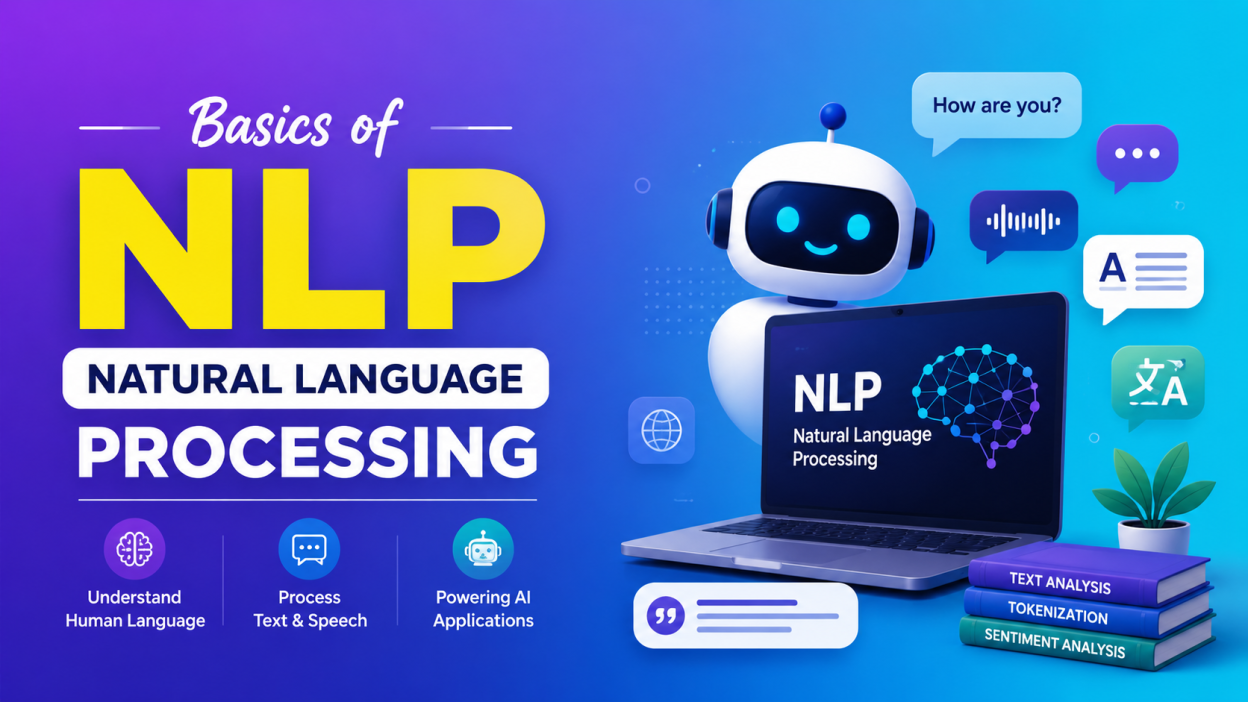
Basics of NLP is where I would recommend starting if you’re new to Artificial Intelligence, Machine Learning, or Generative AI. Basics of NLP simply means learning how computers process, analyze, and work with human language.
Think about how we use technology every day. I can type a question into Google, talk to Siri or Alexa, send a message to a chatbot, translate a sentence, or receive a recommendation based on something I’ve written. Behind many of these experiences, Natural Language Processing (NLP) plays an important role.
And no, NLP isn’t about teaching a computer English grammar like we learned in school! 😄 It’s about helping computers work with human language in a useful way.
In this article, I’ll walk through the Basics of NLP, the major NLP techniques, real-world examples, how NLP works, and the tools beginners can explore.
Key Highlights of the Basics of NLP ⭐
- NLP stands for Natural Language Processing.
- NLP is a field of Artificial Intelligence (AI) and computer science.
- It helps computers work with human language in text and speech.
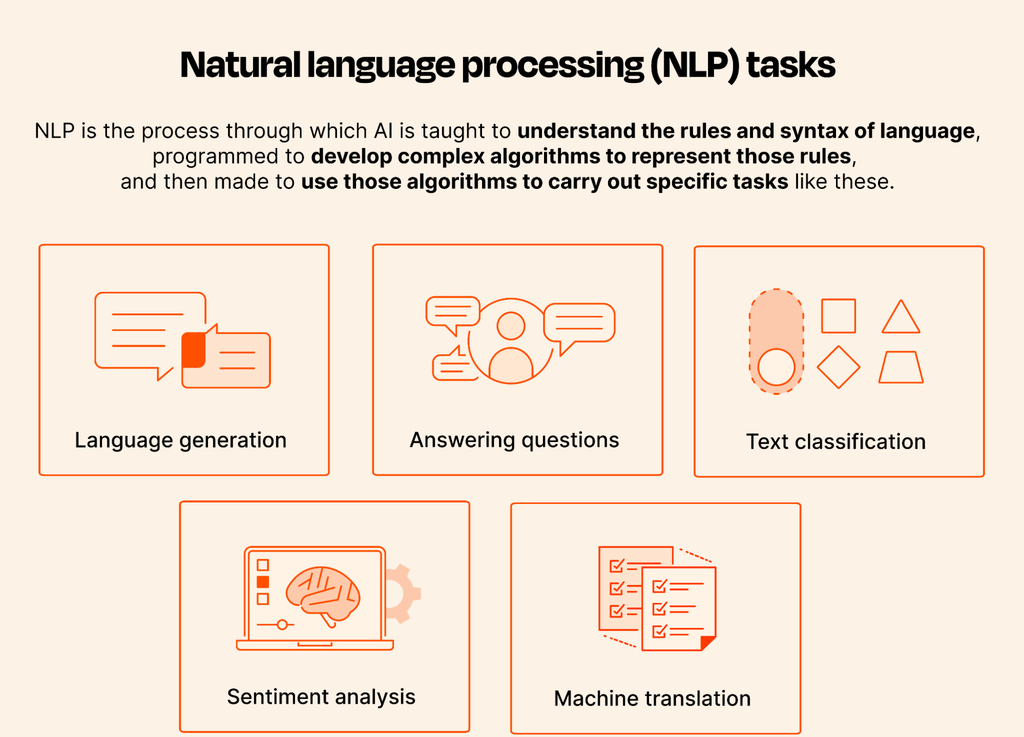
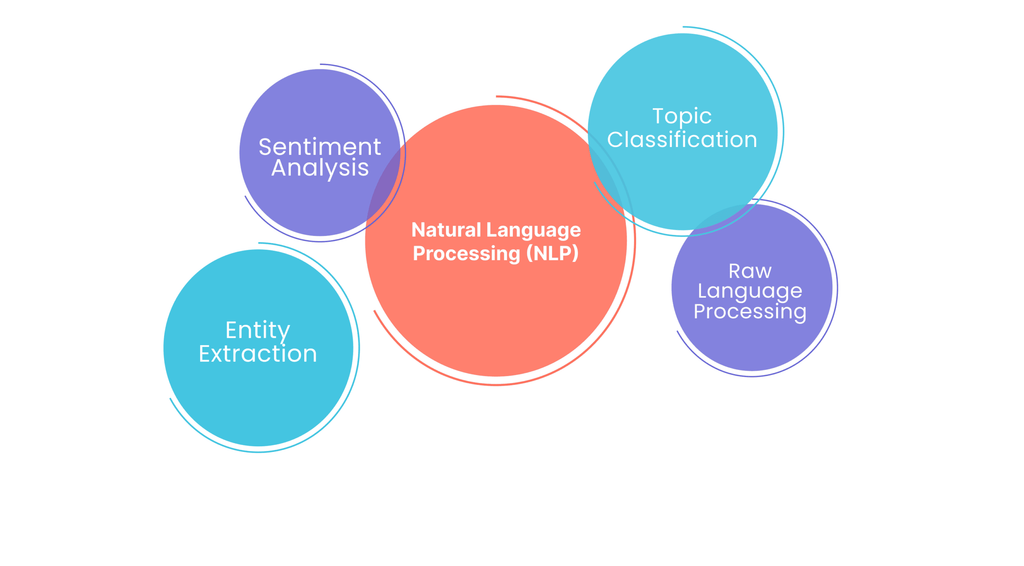
- Important NLP tasks include tokenization, stemming, lemmatization, POS tagging, named entity recognition, sentiment analysis, and text classification.
- NLP is used in chatbots, search engines, translation, voice assistants, spam detection, recommendation systems, and Generative AI.
- Python is one of the most popular programming languages for learning NLP.
- Libraries such as NLTK, spaCy, and transformer-based frameworks are commonly used in NLP projects.
What Is NLP? 🤔
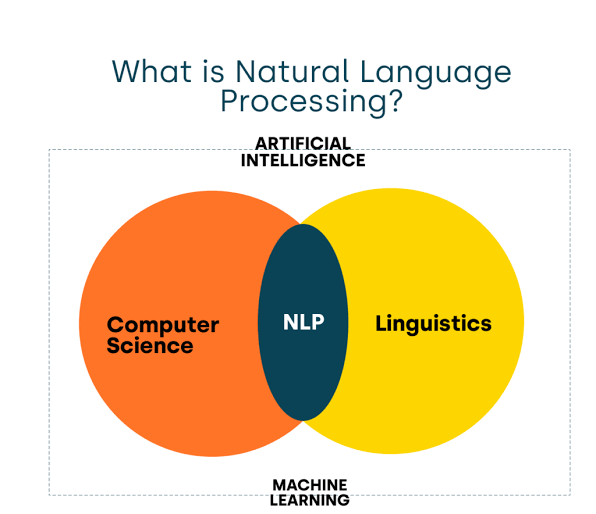
Natural Language Processing (NLP) is a branch of AI that helps computers process and analyze human language.
Humans communicate naturally through languages such as English, Tamil, Hindi, French, Spanish, and thousands of other languages. Computers, however, don’t naturally understand language in the same way humans do.
A computer ultimately works with numerical representations of information.
So, how do we bridge that gap?
That’s where NLP comes in.
NLP techniques transform human language into forms that computer systems can process and analyze. NIST describes NLP as a field that transforms human communication into forms more suitable for computer use and analysis.
A human immediately understands that the person liked the movie.
An NLP system can analyze the sentence and determine that its sentiment is positive.
That’s one of the simplest examples of NLP in action.
Why Do We Need NLP?
Here’s something I find interesting.
The internet contains an enormous amount of information in the form of text—emails, reviews, documents, social media posts, customer complaints, articles, messages, and more.
Imagine asking a person to manually read one million customer reviews and identify which customers are unhappy.
That’s obviously impractical.
An NLP system can process large amounts of text and extract useful information from it.
For example, a company could analyze customer reviews and discover:
- Customers are happy with the product quality.
- Many customers complain about delivery delays.
- Customers frequently mention battery life.
- Negative reviews increased during a particular month.
NLP can turn messy, unstructured language into information that businesses can analyze.
IBM, for example, describes NLP applications that work with unstructured information such as customer complaints, call-center records, social media posts, and problem reports.
That’s one reason NLP has become so important.
How Does NLP Work? 🔍
At first, NLP can look complicated.
But when I break it down into smaller steps, the idea becomes much easier.
A typical NLP workflow can look something like this:
Human Language → Preprocessing → NLP Analysis → Model → Result
An NLP system may process this sentence through several stages.
1. Collect the Text
First, the system receives some language.
It could come from:
- A social media post
- An email
- A customer review
- A chatbot conversation
- A document
- A voice transcription
2. Clean and Preprocess the Text
The system may clean the text and prepare it for further processing.
Depending on the application, preprocessing can include:
- Removing unnecessary symbols
- Converting text to lowercase
- Removing unwanted spaces
- Handling punctuation
- Tokenization
- Stemming or lemmatization
The exact preprocessing steps depend on the NLP task. There isn’t one magical preprocessing recipe that works perfectly for every project.
3. Tokenization
Tokenization means breaking text into smaller pieces called tokens.
can become:
I | love | Python
A token can be a word, punctuation mark, or another meaningful unit depending on the tokenizer.
spaCy defines tokenization as splitting text into meaningful segments called tokens.
This is one of the most basic concepts in the Basics of NLP, and beginners should understand it clearly.
4. Analyze the Text
Once the text has been processed, NLP techniques can identify useful information.
The system could identify:
- Name → Person
- Python → Programming language
- Chennai → Location
This type of task is called Named Entity Recognition (NER).
spaCy’s NLP pipeline, for example, can include tokenization, part-of-speech tagging, parsing, lemmatization, and named entity recognition.
5. Generate the Result
Finally, the system produces an output.
For example:
Input:
“I absolutely loved this phone!”
Output:
Sentiment → Positive
That’s the basic idea.
9 Important NLP Concepts You Should Know
If you’re studying the Basics of NLP, these are the concepts I would put at the top of my learning list.
1. Tokenization
As we saw earlier, tokenization breaks text into smaller units.
Tokens:
NLPisinteresting.
Why does this matter?
Because many NLP systems need to work with individual pieces of language before they can perform more advanced analysis.
2. Stop Words
Stop words are commonly occurring words that may not add much value for certain NLP tasks.
Examples include:
- is
- the
- a
- an
- and
- of
- in
Depending on the task, words such as “the” and “is” might be removed.
But here’s an important point: don’t blindly remove stop words.
For some applications, these words matter.
Imagine sentiment analysis involving:
If you remove “not”, you’ve completely changed the meaning!
So NLP preprocessing should always depend on the task.
3. Stemming
Stemming attempts to reduce words to their root form by removing parts of words.
For example:
- playing → play
- played → play
- studies → studi
Notice something strange?
“Studies” can become “studi.”
That’s because stemming often uses simpler rules rather than trying to understand the actual meaning of the word.
It’s fast, but the resulting word doesn’t always have to be a proper dictionary word.
4. Lemmatization
Lemmatization is another way to reduce words to their base form.
For example:
- running → run
- better → good
- studies → study
Unlike basic stemming, lemmatization tries to produce a meaningful base form.
In simple words:
Stemming = cut the word
Lemmatization = understand the word’s base form
This distinction is worth remembering when you’re learning the Basics of NLP.
5. Part-of-Speech Tagging
Part-of-Speech, commonly called POS tagging, identifies the grammatical role of a word.
The system might identify:
- The → Determiner
- dog → Noun
- runs → Verb
- quickly → Adverb
Why is this useful?
Because the same word can sometimes have different roles depending on context.
NLP systems can use grammatical information to better understand sentences.
6. Named Entity Recognition
Named Entity Recognition (NER) identifies important entities mentioned in text.
An NLP model could identify:
- Microsoft → Organization
- London → Location
NER can also identify entities such as people, products, dates, organizations, and locations, depending on the model.
This becomes incredibly useful when processing large amounts of documents.
Imagine extracting all company names and locations from 100,000 news articles manually.
No thanks. 😅
Let NLP handle it.
7. Sentiment Analysis ❤️
This is probably one of the easiest NLP applications to understand.
Sentiment analysis determines the emotional direction or opinion expressed in text.
Businesses use sentiment analysis to understand customer opinions and feedback. IBM describes sentiment analysis as using NLP and machine learning to analyze and interpret text in ways similar to human interpretation.
8. Text Classification
Text classification means assigning text to predefined categories.
For example, an email system could classify messages as:
- Spam
- Promotions
- Social
- Personal
- Work
Another example is customer support.
A company could automatically classify incoming messages as:
- Payment issue
- Login problem
- Technical problem
- Refund request
- Delivery issue
This saves employees from manually sorting thousands of messages.
Text classification is one of the common NLP tasks used to turn unstructured text into structured categories.
9. Machine Translation
Have you ever typed something in one language and translated it into another?
That’s another major NLP application.
For example:
English → Tamil
Machine translation uses NLP and machine learning techniques to process language and generate another language.
Modern translation systems are much more sophisticated than simply replacing one word with another.
They need to consider context, grammar, sentence structure, and meaning.
NLP in Real Life 🌍
You don’t have to search very far to find NLP.
You’re probably using it already.
🗣️ Voice Assistants
When you speak to a voice assistant, the system needs to process your language and determine what you want.
🤖 Chatbots
Customer-service chatbots use NLP to understand questions and provide appropriate responses.
Modern conversational AI systems take this much further by combining NLP with large language models.
🔎 Search Engines
When you search:
the system needs to understand what you’re looking for rather than treating the sentence as a random collection of words.
📧 Spam Detection
Email systems can analyze messages and classify suspicious emails as spam.
⭐ Product Reviews
Companies can analyze thousands of reviews to understand what customers like or dislike.
🌐 Translation
Translation systems use language-processing techniques to convert text between languages.
📄 Document Analysis
NLP can extract useful information from large collections of documents, including entities, keywords, categories, sentiment, and relationships.
NLP and Generative AI: What’s the Connection?
This is where things get interesting.
If you’re learning AI in 2026, you’ll probably hear about Generative AI, Large Language Models (LLMs), and NLP in the same conversation.
They’re related, but they’re not exactly the same thing.
NLP is the broader field concerned with processing and understanding human language.
Generative AI focuses on generating new content.
Large language models can process and generate human-like text, making them a major part of today’s language-AI landscape.
So when you’re chatting with an AI assistant and asking:
you’re interacting with technology built around modern language-processing and generative modeling.
This is why learning the Basics of NLP still matters even if your ultimate goal is to work with Generative AI.
Popular NLP Tools and Libraries 🛠️
If you’re ready to move from theory to practice, Python is a great place to start.
Some popular tools include:
NLTK
NLTK (Natural Language Toolkit) is widely used for learning and experimenting with traditional NLP concepts.
It’s especially useful when you’re studying fundamentals such as:
- Tokenization
- Stemming
- Lemmatization
- POS tagging
- Corpus processing
spaCy
spaCy is another popular NLP library designed for practical applications.
Its processing pipelines can include tokenization, POS tagging, dependency parsing, named entity recognition, and lemmatization.
Transformer-Based Libraries
Modern NLP increasingly relies on transformer-based models for tasks such as text classification, question answering, translation, summarization, and text generation.
If you’re moving from the Basics of NLP toward advanced AI, transformers are an important topic to explore.
A Simple NLP Example
Let’s imagine I run an online store.
Instead of manually reading every review, I could use NLP to classify them.
| Review | NLP Result |
|---|---|
| The laptop is amazing! | Positive |
| Battery life is terrible. | Negative |
| The laptop arrived yesterday. | Neutral |
Now imagine doing this with one million reviews.
That’s where NLP becomes genuinely powerful.
It can help turn huge amounts of unstructured language into information that we can analyze.
What Should You Learn After the Basics of NLP?
If you’re a beginner, don’t jump straight into complicated models.
I’ve seen many learners make this mistake. They hear words like BERT, transformers, embeddings, LLMs, and attention, get excited, and skip the fundamentals.
Then everything feels confusing.
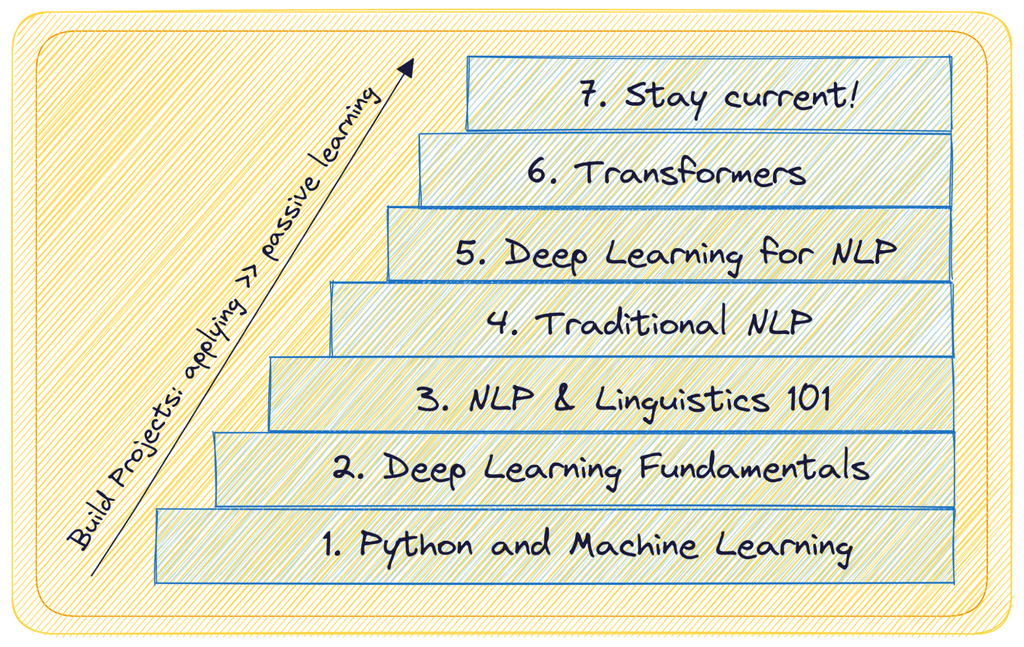
I’d follow this order instead:
- Python basics
- Basics of NLP
- Text preprocessing
- Tokenization
- Stop words
- Stemming
- Lemmatization
- POS tagging
- Named Entity Recognition
- Text classification
- Sentiment analysis
- Word embeddings
- Machine learning for NLP
- Deep learning
- Transformers
- BERT and similar models
- Large Language Models
- Generative AI applications
You don’t need to master everything in one week.
Take it one concept at a time.
Final Thoughts on the Basics of NLP 🚀
When I first look at NLP as a topic, it can sound intimidating because it combines language, programming, AI, statistics, and machine learning.
But the central idea is actually quite simple:
We want computers to work with human language.
That’s it.
The Basics of NLP begin with understanding how computers process text. From there, concepts such as tokenization, stemming, lemmatization, POS tagging, named entity recognition, sentiment analysis, and text classification build the foundation.
Once those ideas make sense, advanced topics such as word embeddings, transformers, BERT, and large language models become much easier to understand.
And the best part?
You don’t have to learn NLP only from theory.
Take a few movie reviews. Build a tiny sentiment-analysis project. Try extracting names and locations from a paragraph. Classify a few emails.
Make something.
That’s when the Basics of NLP stop being just definitions in a notebook and start becoming something you can actually use. 💡
Kaashiv Infotech Offers Networking Course, Cyber Security Course, Cloud Computing Course Visit Their Website www.kaashivinfotech.com.