Screen sharing software has become an essential tool for remote meetings, online classes, technical support, presentations, and team collaboration. Instead of sending files or explaining a problem through text, you can simply share your screen and show others exactly what you are doing.
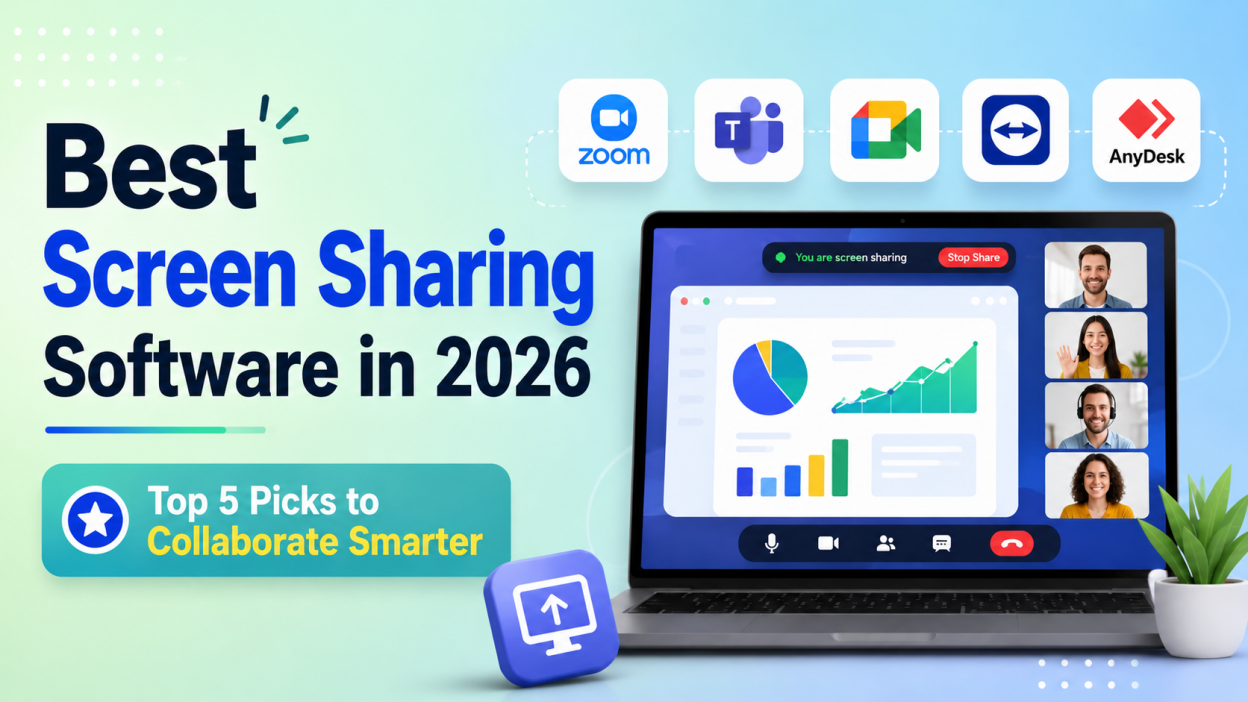
In 2026, several platforms offer screen sharing along with features such as video conferencing, remote control, annotations, chat, recording, and collaboration. Here are 5 of the best screen sharing software options in 2026.
1. Zoom
Best for: Online meetings, webinars, and presentations
Zoom remains one of the most popular choices for screen sharing. It allows users to share their entire desktop, a specific application window, or presentation content during meetings.
Zoom is suitable for businesses, educators, freelancers, and remote teams. Its familiar interface also makes it relatively easy for new users to join meetings and start sharing their screens.
Key Features
- Desktop and application sharing
- Video and audio conferencing
- Meeting chat
- Annotations
- Breakout rooms
- Meeting recording
- Collaboration tools
Why choose Zoom?
Choose Zoom if you regularly conduct online meetings, presentations, webinars, or training sessions and want screen sharing integrated into a video-conferencing platform.
2. Microsoft Teams
Best for: Businesses and Microsoft 365 users
Microsoft Teams is an excellent option for organizations already using Microsoft 365. Users can share their entire desktop, individual applications, PowerPoint presentations, and other content during meetings.
Teams also provides tools such as collaborative whiteboards, annotations, chat, and multiple-presenter support, making it useful for both meetings and training.
Key Features
- Full-screen and window sharing
- PowerPoint Live
- Whiteboard collaboration
- Annotations
- Meeting chat
- Camera integration
- Microsoft 365 integration
Why choose Microsoft Teams?
Teams is particularly useful for companies that already rely on Microsoft Office, SharePoint, OneDrive, and other Microsoft services.
3. Google Meet
Best for: Browser-based meetings and Google Workspace users
Google Meet offers convenient screen sharing without requiring complicated software installation. Users can present a browser tab, application window, or their entire desktop.
Google’s documentation highlights features such as audio sharing, annotations, zooming, and collaborative presentation capabilities, with some functionality depending on what type of content is being shared.
Key Features
- Screen and window sharing
- Browser-tab sharing
- Audio sharing
- Live collaboration
- Annotations
- Google Workspace integration
- Mobile support
Why choose Google Meet?
It is a strong choice for students, teachers, businesses, and teams that already use Google Workspace such as Gmail, Google Drive, and Google Calendar.
4. TeamViewer
Best for: Remote technical support
TeamViewer is different from traditional meeting-focused platforms because it is designed heavily around remote access and technical support.
It allows users to view another device’s screen and, when permission is provided, interact with the remote computer. TeamViewer also supports file transfer and remote troubleshooting.
Key Features
- Remote screen sharing
- Remote control
- File transfer
- Remote troubleshooting
- Cross-device connectivity
- Session links
- Support for multiple operating systems
Why choose TeamViewer?
If your primary requirement is helping someone troubleshoot a computer remotely rather than simply presenting during a meeting, TeamViewer is a strong option.
5. AnyDesk

Best for: Fast and low-latency remote screen sharing
AnyDesk is another popular solution for remote access and screen sharing. It focuses on responsive connections and efficient bandwidth usage through its DeskRT technology.
Users can connect using an AnyDesk ID or Alias. The platform also supports collaboration features such as annotation, whiteboard functionality, chat, and remote assistance.
Key Features
- Low-latency screen sharing
- Remote desktop access
- Remote control
- File transfer
- Whiteboard and annotation
- Chat
- Cross-platform support
Why choose AnyDesk?
AnyDesk is a good choice when responsiveness is important, particularly for IT support, remote troubleshooting, and working with computers over slower connections.
Comparison of the Best Screen Sharing Software
| Software | Best For | Key Advantage |
|---|---|---|
| Zoom | Meetings & webinars | Easy-to-use meeting screen sharing |
| Microsoft Teams | Businesses | Microsoft 365 integration |
| Google Meet | Online meetings | Simple browser-based sharing |
| TeamViewer | IT support | Remote control and troubleshooting |
| AnyDesk | Remote access | Low-latency connections |
Modern screen-sharing platforms increasingly combine screen sharing with collaboration, annotation, remote control, and meeting features.
How to Choose the Right Screen Sharing Software
Before choosing a platform, consider your main requirement.
For online meetings: Zoom or Google Meet are excellent choices.
For business collaboration: Microsoft Teams is particularly useful if your organization already uses Microsoft 365.
For technical support: TeamViewer provides powerful remote-access capabilities.
For responsive remote connections: AnyDesk is worth considering because of its focus on low latency and efficient bandwidth usage.
You should also consider factors such as security, connection quality, device compatibility, remote-control permissions, collaboration features, and pricing.
Final Thoughts
The best screen sharing software depends on how you plan to use it. Zoom is a strong all-round choice for meetings and presentations, while Microsoft Teams works particularly well for businesses. Google Meet is convenient for browser-based collaboration, whereas TeamViewer and AnyDesk are better suited to remote support and computer access.
If you are selecting software for a company, online class, remote-work setup, or IT-support team, compare the features and choose the platform that best matches your workflow.
Want to Learn More About Java ?, Kaashiv Infotech Offers, Full Stack Java Course, Java Course, Data Science Course, Internships & More, Visit Their Website www.kaashivinfotech.com.