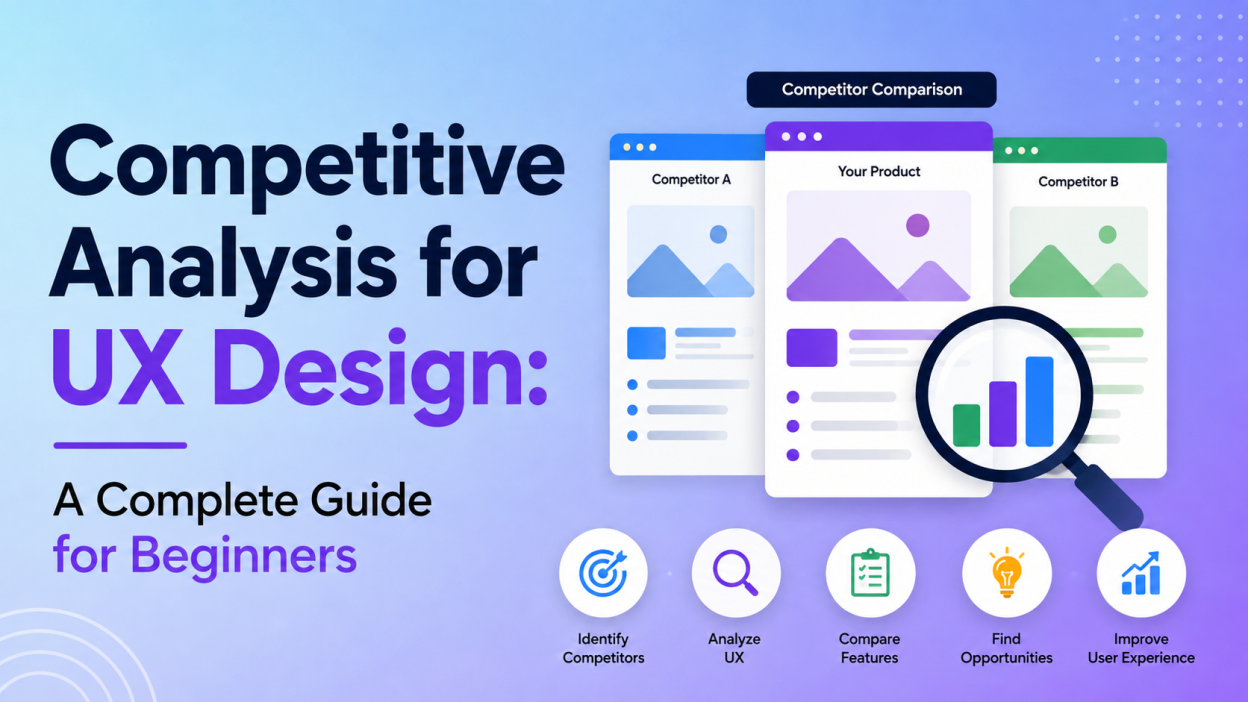
A great UX design is not created by focusing only on colors, layouts, and attractive interfaces. Designers also need to understand what users experience when they interact with competing products. This is where competitive analysis in UX design becomes important.
Competitive analysis helps UX designers study similar websites, mobile apps, and digital products to understand their strengths, weaknesses, usability patterns, and opportunities for improvement. It provides useful evidence for making better design decisions instead of relying only on assumptions.
In this article, we will explore what competitive analysis means in UX, why it is important, how to perform it, useful methods, common mistakes, and how to turn research findings into practical design improvements.
What Is Competitive Analysis in UX Design?

Competitive analysis in UX design is the process of evaluating the user experience of competing products and comparing it with your own product.
The analysis can include elements such as:
- Website or app navigation
- Information architecture
- User flows
- Forms and interactions
- Search functionality
- Onboarding experience
- Accessibility
- Mobile experience
- Content organization
- Checkout or conversion processes
- Error handling and feedback
- Overall usability
The goal is not simply to find out which competitor has the most features. Instead, UX designers need to understand how effectively competitors help users complete important tasks.
For example, if you are designing an online shopping application, you could compare how different competitors help users search for products, apply filters, view product details, add products to their cart, and complete checkout.
This approach can reveal opportunities to make your own product simpler and more useful.
Why Is Competitive Analysis Important for UX?
Competitive analysis provides valuable insights before designing or redesigning a digital product. It helps designers understand existing user expectations and identify opportunities that competitors may have missed.
1. Understand User Expectations
Users already interact with many websites and applications. Because of this, they develop expectations about how digital products should work.
For example, users may expect:
- A search bar to be easy to find.
- Navigation menus to be predictable.
- Buttons to clearly communicate their purpose.
- Forms to provide useful error messages.
- Checkout processes to be simple.
- Websites to work well on mobile devices.
Studying competitors helps designers recognize these established patterns.
2. Identify Competitor Strengths
A competitor may have solved a UX problem particularly well.
For example, one competitor might have an excellent onboarding process, while another might provide better search and filtering.
Instead of copying these designs directly, UX designers can understand why the experience works well and determine whether similar principles can be adapted to their own product.
3. Discover UX Problems
Competitive research is equally useful for identifying weaknesses.
You may discover that several competing websites have complicated forms, confusing navigation, or unnecessary steps during checkout.
These weaknesses can become opportunities for your product to provide a smoother experience.
4. Find Market Gaps
One of the biggest benefits of competitive analysis is discovering features or experiences that competitors are not addressing effectively.
For example, competitors may provide limited accessibility options, poor mobile navigation, or unclear pricing information.
A UX team can use these gaps to create a more user-friendly product.
5. Support Design Decisions
UX decisions can sometimes become subjective. One team member may prefer one layout while another prefers something completely different.
Competitive analysis provides evidence that can support design discussions.
Instead of saying, “I think this design is better,” designers can explain what users currently expect, what competitors are doing, and where opportunities exist.
Types of Competitors to Analyze
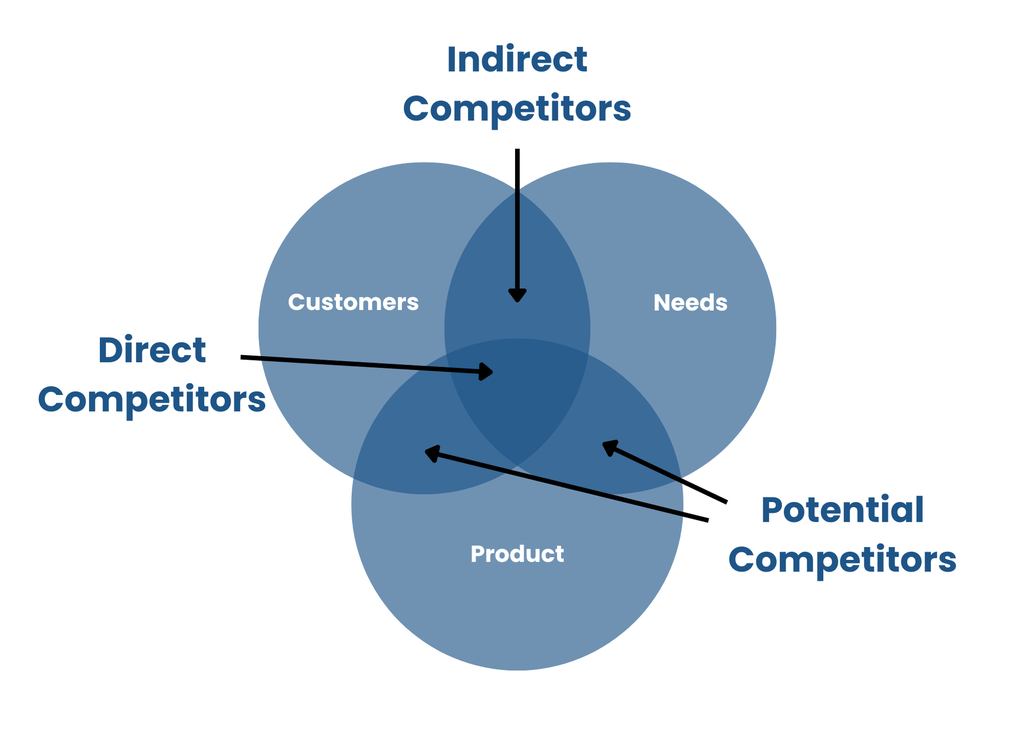
Before starting the research, identify the right competitors.
Direct Competitors
Direct competitors provide similar products or services to the same target audience.
For example, if you are designing an online food delivery platform, other food delivery applications would be direct competitors.
Indirect Competitors
Indirect competitors solve the same or a related user problem in a different way.
For example, restaurants offering direct ordering through their own websites could be indirect competitors to a food delivery application.
Analyzing both types can provide a broader understanding of user expectations and alternative solutions.
How to Conduct a UX Competitive Analysis
A structured process makes competitive analysis easier and more useful.
Step 1: Define Your Goal
Start by deciding what you want to learn.
Your objective could be:
- Improving website navigation
- Redesigning a checkout flow
- Improving mobile UX
- Understanding onboarding patterns
- Finding accessibility gaps
- Improving conversion rates
- Preparing for a complete redesign
A clear objective prevents the research from becoming too broad.
Step 2: Select Competitors
Choose around 5 to 10 relevant competitors for a manageable analysis. Include both direct and indirect competitors when appropriate.
Don’t select competitors only because they are popular. Choose products that serve similar users or solve similar problems.
Step 3: Define Evaluation Criteria
Create a consistent checklist before reviewing competitors.
Useful criteria include:
| UX Area | What to Evaluate |
|---|---|
| Navigation | Is it easy to find important pages? |
| Search | Is search visible and effective? |
| User Flow | How many steps are required? |
| Content | Is information easy to understand? |
| Forms | Are forms simple and clear? |
| Accessibility | Can different users interact with the interface? |
| Mobile UX | Does the experience work well on smaller screens? |
| Feedback | Does the system clearly communicate actions? |
| Errors | Are errors explained and recoverable? |
| Performance | Does the experience feel fast and responsive? |
Using the same criteria for every competitor makes the comparison more objective.
Step 4: Analyze Important User Flows
Don’t examine every single page. Focus on the tasks that matter most.
For an ecommerce website, you might analyze:
Homepage → Search → Product Page → Add to Cart → Checkout → Confirmation
For a SaaS application:
Landing Page → Sign Up → Onboarding → Dashboard → First Task
Record the number of steps, confusing areas, unnecessary interactions, and points where users might abandon the process.
Task-flow comparison is one of the most useful ways to identify friction in competing experiences.
Step 5: Perform a Heuristic Evaluation
A heuristic evaluation reviews an interface against established usability principles.
UX designers can use principles such as:
- Visibility of system status
- Consistency
- Error prevention
- User control
- Recognition rather than recall
- Clear feedback
- Simple and efficient interaction
You can assign a severity rating to usability problems to determine which issues deserve the most attention. Heuristic evaluation is particularly useful because it can reveal problems without requiring a large group of test users.
Step 6: Compare Features and Experiences
Create a feature comparison matrix.
For example:
| Feature | Competitor A | Competitor B | Competitor C | Your Product |
|---|---|---|---|---|
| Search | Excellent | Good | Average | Good |
| Filters | Advanced | Basic | Advanced | Basic |
| Mobile Navigation | Good | Excellent | Average | Good |
| Checkout | 3 steps | 5 steps | 4 steps | 6 steps |
| Accessibility | Good | Average | Limited | TBD |
However, remember that a feature comparison alone is not enough. A competitor having more features does not automatically mean it offers a better UX.
The important question is how effectively those features solve user problems.
Use User Research to Validate Findings
Designer observations are useful, but real users can reveal problems that designers may overlook.
Ask participants to complete the same task on different competing products.
For example:
“Find a product under ₹2,000 and complete the checkout process.”
Observe where users hesitate, make mistakes, ask questions, or become confused.
Think-aloud testing can be particularly useful because participants explain what they expect while interacting with the interface.
Organize Your Findings
After completing the research, organize your observations into categories.
One useful approach is SWOT analysis:
Strengths
What does the competitor do particularly well?
Weaknesses
Where does the competitor create friction?
Opportunities
What gaps can your product address?
Threats
What competitor capabilities could affect your product’s position?
This makes a large amount of research easier for stakeholders to understand.
Common Mistakes in UX Competitive Analysis

Competitive analysis can become ineffective when designers approach it incorrectly.
Copying Competitors
The biggest mistake is copying another product’s interface.
A competitor’s solution may work because of its specific audience, business model, technology, or user journey. Copying it without understanding the reason behind the design can create a poor experience.
Focusing Only on Visual Design
UX competitive analysis is more than comparing colors, fonts, icons, and layouts.
You should also examine navigation, workflows, usability, accessibility, content, and interaction patterns.
Analyzing Too Many Competitors
Studying dozens of competitors can create unnecessary research and make it difficult to identify meaningful insights.
A focused group of relevant competitors is generally more useful.
Relying Only on Personal Opinions
Your personal experience is a starting point, not final evidence.
Whenever possible, support observations with user testing, analytics, customer feedback, usability research, or other evidence.
Never Updating the Analysis
UX is continuously changing. Competitors introduce new features, redesign interfaces, and change user flows.
Therefore, competitive analysis should be treated as an ongoing activity rather than a one-time project.
Best Practices for UX Competitive Analysis
To make your analysis more effective, follow these practices:
Focus on users: The goal is to understand user needs, not simply defeat competitors.
Use consistent criteria: Evaluate every competitor using the same framework.
Study both good and bad UX: Excellent experiences provide inspiration, while poor experiences show what to avoid.
Analyze mobile experiences: Many users interact with digital products through smartphones, so mobile UX should not be ignored.
Document evidence: Use screenshots, notes, task flows, and observations to support your conclusions.
Prioritize findings: Not every UX problem needs immediate attention. Focus on issues that have the greatest effect on users and business goals.
Turn research into action: The final report should result in specific design recommendations rather than simply becoming a collection of competitor screenshots.
These practices align with guidance that emphasizes objective evaluation, user perspective, collaboration, and regular updates.
Conclusion
Competitive analysis for UX design is an important research technique that helps designers understand the digital landscape before making major design decisions. By studying direct and indirect competitors, UX teams can identify common patterns, usability problems, market gaps, and opportunities for differentiation.
The process starts with defining clear objectives and selecting relevant competitors. Designers then evaluate features, navigation, user flows, usability, accessibility, mobile experiences, and other important UX factors. User research and heuristic evaluation can strengthen the findings, while frameworks such as SWOT can help organize the results.
Most importantly, competitive analysis should not be about copying competitors. It should help designers understand what users expect, identify problems others have not solved, and create a better experience.
When used consistently, competitive UX research can turn assumptions into evidence-based decisions and help businesses build products that are easier, clearer, and more enjoyable to use.
Want to learn more, Kaashiv Infotech Offers, UI UX Course, Front End Development Course, Full Stack Development Course & More, Visit Their Website www.kaashivinfotech.com.