


What Does a UI/UX Designer Do? – UI/UX design is one of the most popular career paths in the technology and digital industry. Almost every business uses websites, mobile applications, or digital platforms to connect with customers. However, creating a successful digital product requires more than attractive colours and creative layouts. It should also be easy to use, understand, and navigate. This is where UI/UX designers play an important role.
A UI/UX designer focuses on improving how users interact with websites, mobile applications, and software products. They combine creativity, design principles, user research, and technology to create meaningful digital experiences.
What Is a UI/UX Designer?
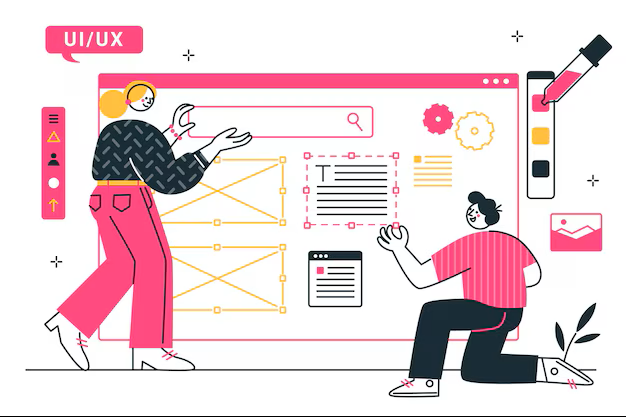
A UI/UX designer is a professional who designs digital products to make them visually appealing and user-friendly. UI stands for User Interface, while UX stands for User Experience.
User Interface (UI) Design: UI design focuses on the visual appearance of a digital product. It includes colours, buttons, typography, icons, images, layouts, and menus.
User Experience (UX) Design: UX design focuses on the overall experience users have while interacting with a product. It includes usability, navigation, accessibility, user research, and problem-solving.
For example, when someone opens a shopping application, UI design determines how product images, buttons, and menus look. UX design ensures that users can easily search for products, add items to their cart, and complete payments without confusion.
What Does a UI/UX Designer Do?
A UI/UX designer performs several tasks throughout the digital product development process. Their main responsibility is to understand user needs and create designs that provide a smooth experience.
1. Understanding User Requirements
UI/UX designers first understand the purpose of a website or application. They communicate with clients, developers, product managers, and other team members to identify project requirements.
2. Conducting User Research
User research helps designers understand how people interact with digital products. They collect information through surveys, interviews, competitor analysis, and user feedback.
3. Creating Wireframes
Wireframes are basic visual structures that show how a website or application will look and function. They represent the placement of buttons, images, menus, content sections, and other elements.
4. Developing Prototypes
A prototype is an interactive model of a website or application. It allows designers and stakeholders to understand how users will navigate between different screens.
5. Designing User Interfaces
UI designers create attractive and consistent interfaces using suitable colours, typography, icons, images, and spacing. They ensure that every screen follows the same design style.
6. Testing and Improving Designs
Designers conduct usability testing to understand whether users can easily interact with the product. They collect feedback, identify issues, and make improvements based on user behaviour.
Essential Skills Required to Become a UI/UX Designer

A successful UI/UX designer needs a combination of creative, technical, and communication skills.
Some important skills include:
- Creativity: Ability to develop attractive and unique design ideas.
- Problem-Solving: Identifying user difficulties and creating practical solutions.
- Visual Design: Understanding colours, typography, layouts, and spacing.
- User Research: Understanding customer behaviour and requirements.
- Wireframing: Creating basic layouts for websites and applications.
- Prototyping: Building interactive models to demonstrate design functionality.
- Communication: Explaining design decisions and collaborating with team members.
- Time Management: Completing design tasks within project deadlines.
Basic knowledge of HTML and CSS is also helpful because it allows designers to understand how their designs are converted into working websites.
Popular Tools Used by UI/UX Designers
UI/UX designers use different software applications to create layouts, prototypes, graphics, and user interfaces.
Some popular tools include:
1. Figma
Figma is a popular collaborative design tool used for wireframing, interface design, prototyping, and creating design systems.
2. Adobe Photoshop
Adobe Photoshop is used for image editing, graphic design, visual effects, and creating design assets.
3. Adobe Illustrator
Adobe Illustrator helps designers create vector graphics, icons, illustrations, and logos.
4. Sketch
Sketch is a digital design application used for creating user interfaces and reusable design components.
5. Miro
Miro is used for brainstorming, user journey mapping, mind mapping, and collaborative planning.
Learning Figma is a good starting point for beginners because it supports many common UI/UX design activities.
Educational Qualifications Required for UI/UX Designers
There is no single mandatory educational qualification for becoming a UI/UX designer. However, candidates with backgrounds in design, computer science, multimedia, visual communication, and information technology may find it useful.
Some relevant educational options include:
- Bachelor of Design (B.Des)
- Bachelor of Fine Arts (BFA)
- B.Sc. in Visual Communication
- BCA or B.Tech in Computer Science
- Diploma or certification courses in UI/UX design
Students from non-technical backgrounds can also enter this field by learning design fundamentals and developing practical projects.
A strong portfolio demonstrating your design knowledge and problem-solving abilities can help you apply for entry-level positions.
How to Become a UI/UX Designer?
If you are interested in starting a UI/UX design career, follow these steps:
- Understand Design Fundamentals: Learn colour theory, typography, visual hierarchy, spacing, and layout principles.
- Learn UI/UX Concepts: Understand user research, user journeys, wireframes, interaction design, and usability testing.
- Practise Design Tools: Start learning Figma and explore other design applications.
- Create Practical Projects: Design sample websites, shopping applications, dashboards, and mobile interfaces.
- Build a Portfolio: Upload your completed projects and explain the design process behind each one.
- Apply for Internships: Gain practical experience by working with design teams and real-world projects.
Consistent practice and feedback will help you improve your design abilities and prepare for professional opportunities.
Career Opportunities for UI/UX Designers
UI/UX designers can explore different job opportunities across technology companies, startups, digital agencies, and product-based organisations.
Some popular job roles include:
- UI Designer
- UX Designer
- UI/UX Designer
- Product Designer
- Interaction Designer
- UX Researcher
- Visual Designer
- UX Consultant
- Design Lead
As professionals gain experience, they can move into senior design positions, product design management, and design leadership roles.
Why Choose UI/UX Design as a Career?
UI/UX design offers several advantages for students and professionals who enjoy creativity and technology.
- Creative Opportunities: Work on different websites, mobile applications, and digital products.
- Industry Demand: Many industries need professionals who can improve their digital platforms.
- Career Growth: Opportunities to specialise in product design, UX research, and design management.
- Freelancing Opportunities: Work with clients and businesses on independent design projects.
- Remote Work: Some organisations offer remote and hybrid opportunities.
- Continuous Learning: Explore new design technologies, tools, and creative approaches.
The combination of creativity, technology, and user-focused problem-solving makes UI/UX design an interesting career option.
Conclusion
UI/UX design plays an important role in creating successful digital products. A UI/UX designer is responsible for understanding user requirements, designing interfaces, developing prototypes, conducting usability testing, and improving the overall user experience.
Students interested in this career should focus on learning design fundamentals, practising tools like Figma, and developing real-world projects. Building a strong portfolio and gaining practical experience can help beginners enter the industry.
With continuous learning and creativity, UI/UX design can offer rewarding career opportunities in the growing digital industry.
Want to learn more, Kaashiv Infotech Offers, UI UX Course, Front End Development Course, Full Stack Development Course & More, Visit Their Website www.kaashivinfotech.com.