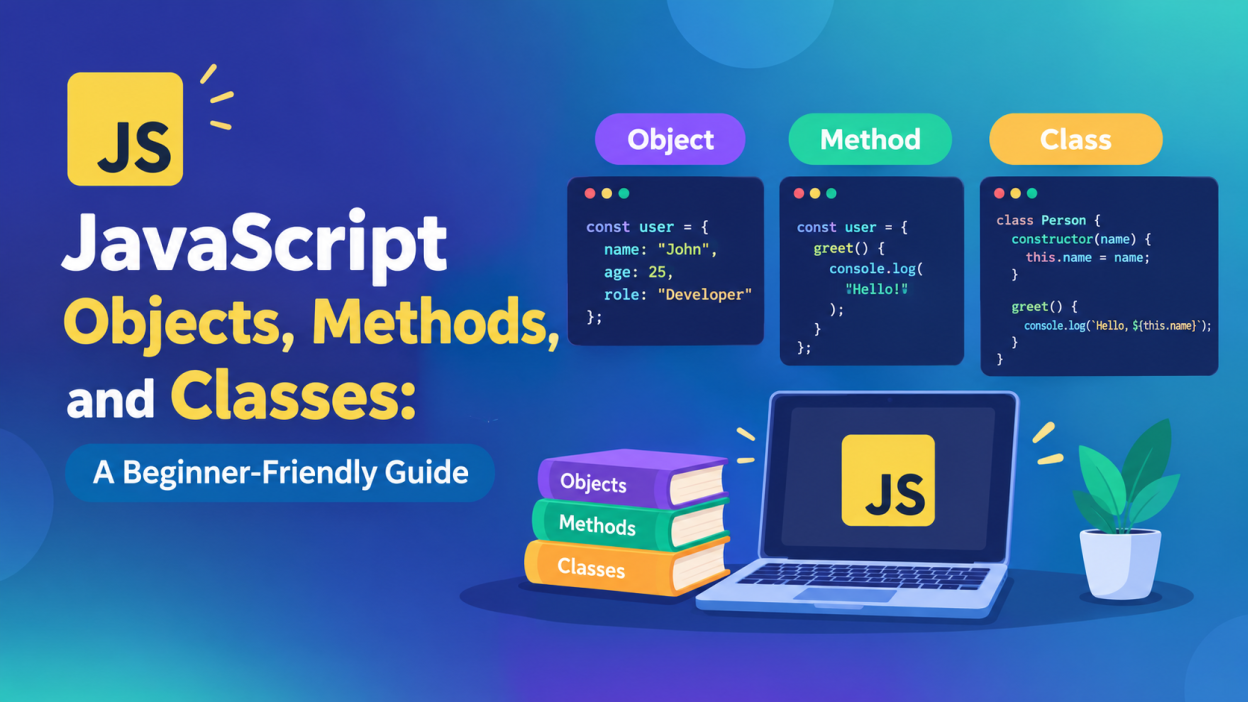
JavaScript Objects, Methods, and Classes – JavaScript is one of the most widely used programming languages for building interactive websites and modern web applications. As you progress beyond basic variables, loops, and functions, three important concepts you need to understand are objects, methods, and classes.
These concepts help developers organize data, reuse code, and build applications that are easier to maintain. Whether you are learning JavaScript for frontend development or planning to work with frameworks such as React or Node.js, having a clear understanding of objects, methods, and classes is essential.
In this guide, we will explore each concept with simple examples and understand how they work together.
What Are Objects in JavaScript?
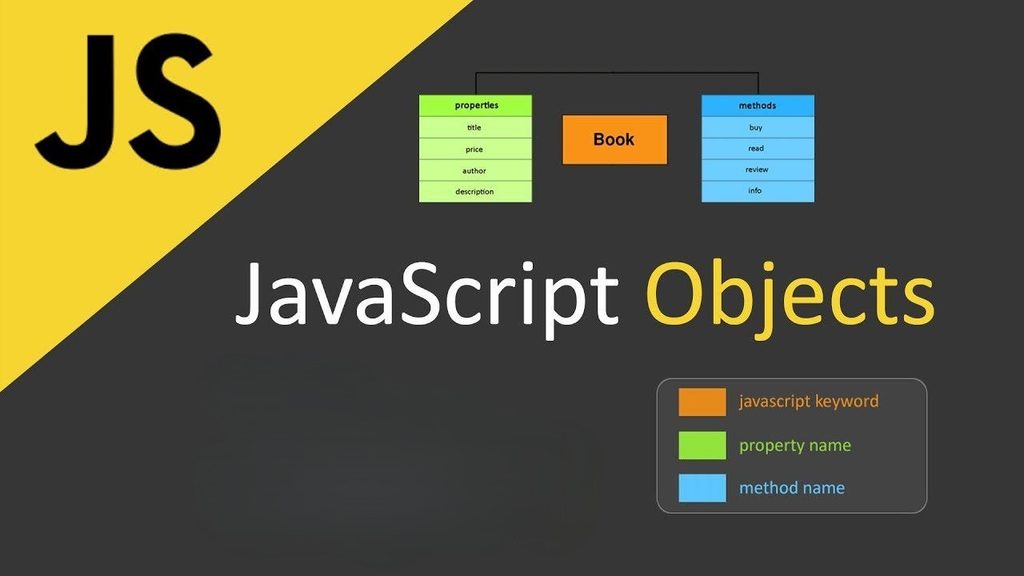
An object in JavaScript is a collection of related data and functionality. It stores information in the form of key-value pairs.
For example, consider an employee:
const employee = {
    name: "Arun",
    age: 25,
    role: "Developer"
};
Here, name, age, and role are properties of the employee object.
You can access object properties using dot notation:
console.log(employee.name);
console.log(employee.role);
You can also use bracket notation:
console.log(employee["name"]);Objects are useful when several pieces of information belong to the same entity.
Adding and Updating Object Properties
JavaScript allows you to add new properties or update existing ones.
const student = {
    name: "Priya",
    course: "JavaScript"
};

student.age = 21;
student.course = "Full Stack Development";

console.log(student);
The age property is added, while the course property is updated.
You can also delete properties using the delete operator:
delete student.age;What Are Methods in JavaScript?
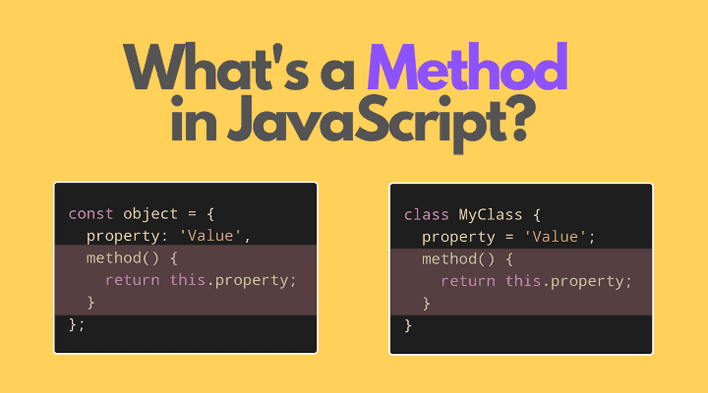
A method is a function stored inside an object. Methods allow an object to perform an action.
For example:
const person = {
    name: "Rahul",
    greet: function() {
        console.log("Hello, " + this.name);
    }
};

person.greet();
The greet() function is a method of the person object.
Modern JavaScript also supports a shorter method syntax:
const person = {
    name: "Rahul",

    greet() {
        console.log("Hello, " + this.name);
    }
};
Both approaches allow the object to contain behavior along with its data.
Understanding the this Keyword
The this keyword is commonly used inside object methods. It generally refers to the object that is calling the method.
const car = {
    brand: "Toyota",
    model: "Camry",

    displayInfo() {
        console.log(this.brand + " " + this.model);
    }
};

car.displayInfo();
Here, this.brand refers to the brand property of the car object.
Understanding this becomes especially important when working with JavaScript classes and more advanced programming concepts.
What Are Classes in JavaScript?

A class is a blueprint for creating objects. Instead of manually creating many similar objects, you can define a class once and create multiple objects from it.
For example:
class Student {
    constructor(name, course) {
        this.name = name;
        this.course = course;
    }

    displayInfo() {
        console.log(this.name + " is learning " + this.course);
    }
}
The constructor() method runs automatically when a new object is created.
You can create objects from the class using the new keyword:
const student1 = new Student("Arun", "JavaScript");
const student2 = new Student("Priya", "Python");

student1.displayInfo();
student2.displayInfo();
Both objects use the same class structure while storing different values.
Understanding Constructors
The constructor is a special method inside a class.
class Product {
    constructor(name, price) {
        this.name = name;
        this.price = price;
    }
}
When you create an object:
const product1 = new Product("Laptop", 50000);JavaScript automatically calls the constructor and assigns the provided values to the object’s properties.
Constructors are particularly useful when objects need initial values.
Methods Inside Classes
Classes can contain multiple methods that define what their objects can do.
class BankAccount {
    constructor(owner, balance) {
        this.owner = owner;
        this.balance = balance;
    }

    deposit(amount) {
        this.balance += amount;
        console.log("New balance: " + this.balance);
    }

    withdraw(amount) {
        this.balance -= amount;
        console.log("Remaining balance: " + this.balance);
    }
}
You can use the methods like this:
const account = new BankAccount("Kumar", 10000);

account.deposit(2000);
account.withdraw(3000);
This approach keeps related data and operations together.
Inheritance in JavaScript Classes
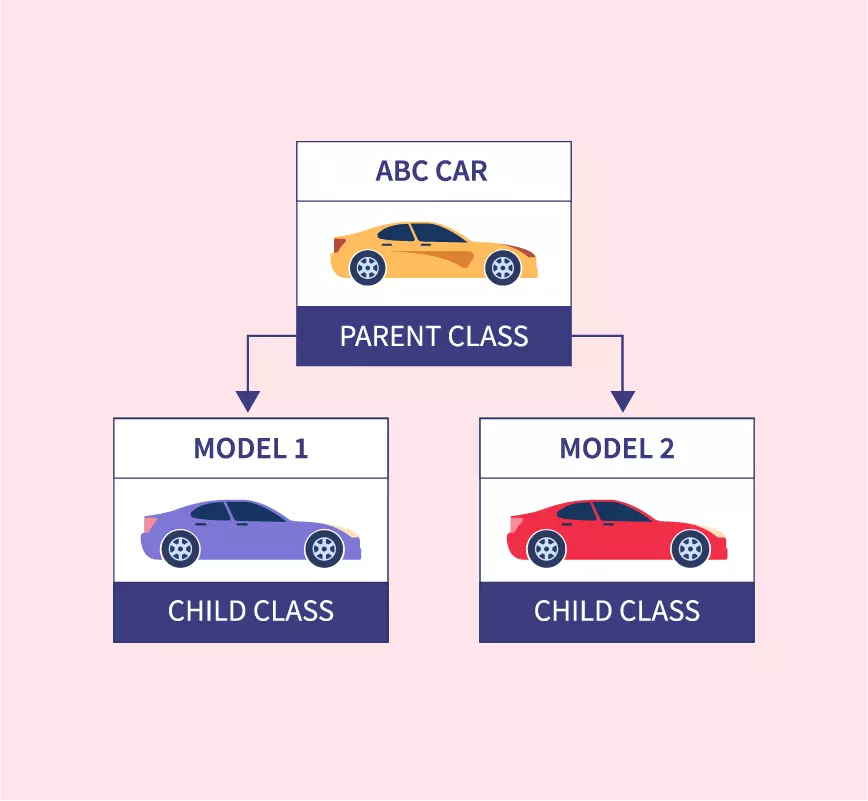
One major advantage of classes is inheritance. A class can inherit properties and methods from another class using the extends keyword.
class Animal {
    speak() {
        console.log("Animal makes a sound");
    }
}

class Dog extends Animal {
    bark() {
        console.log("Dog barks");
    }
}

const dog = new Dog();

dog.speak();
dog.bark();
The Dog class inherits the speak() method from Animal.
Inheritance is useful when multiple objects share common functionality but also need their own additional features.
Objects vs Methods vs Classes
These three concepts are connected but have different purposes.
Objects represent individual entities and contain properties and methods.
Methods are functions associated with objects or classes and define actions.
Classes act as blueprints for creating multiple objects with a similar structure.
For example, a Car class can define common properties such as brand and model and methods such as start(). Individual cars can then be created from that class.
Why Learn Objects, Methods, and Classes?
These concepts are important because they support organized and reusable programming. Objects help group related information, methods provide behavior, and classes make it easier to create multiple similar objects.
They are commonly used in frontend applications, backend development, APIs, games, and JavaScript frameworks.
A strong understanding of these concepts also makes it easier to learn advanced topics such as prototypes, inheritance, encapsulation, and object-oriented programming.
Conclusion
Objects, methods, and classes are fundamental concepts in JavaScript. Objects allow developers to organize related information, methods provide actions, and classes provide reusable blueprints for creating objects.
Start by practicing simple objects and methods, then move toward classes, constructors, and inheritance. Once these concepts become familiar, you will have a stronger foundation for developing larger JavaScript applications and working with modern technologies such as React and Node.js.
Want to Learn More About Java ?, Kaashiv Infotech Offers, Full Stack Java Course, Java Course, Data Science Course, Internships & More, Visit Their Website www.kaashivinfotech.com.