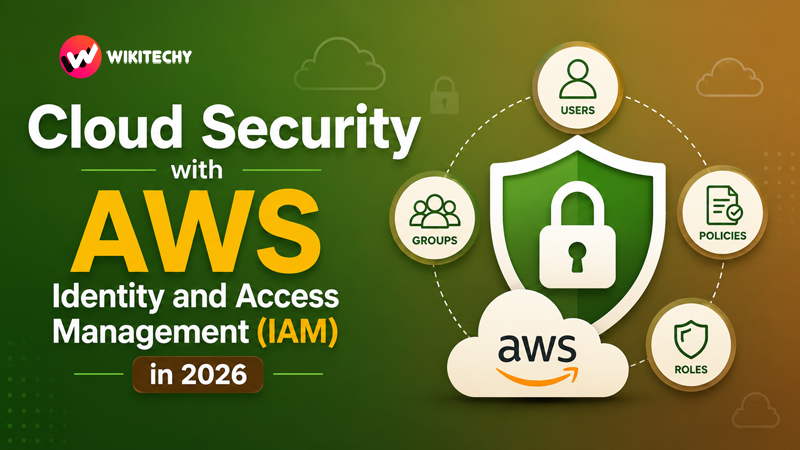
Cloud Security with AWS IAM Cloud computing has become the backbone of modern software systems, powering everything from startups to global enterprises. As organizations move sensitive data and critical workloads to the cloud, security becomes a top priority. Among all security layers, identity and access management is the most fundamental—and often the most misunderstood.
At the heart of this system lies AWS Identity and Access Management (IAM), a powerful service that ensures only the right users, services, and applications can access the right resources at the right time.
This guide explores IAM in depth, covering its architecture, working principles, best practices, real-world implementations, and how it fits into modern cloud security strategies.
Understanding IAM in the Cloud Security Landscape
In traditional IT environments, security was often enforced at the network level—firewalls, VPNs, and physical access controls. However, in the cloud, the perimeter is no longer fixed. Resources are dynamic, scalable, and globally accessible.
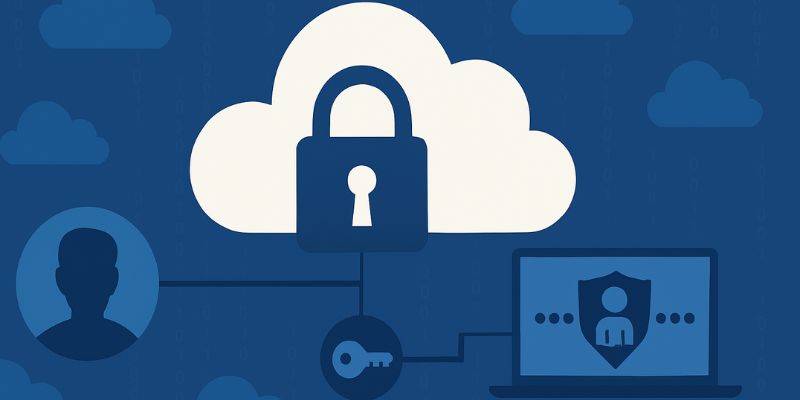
This shift makes identity the new security boundary.
Amazon Web Services IAM is designed to address this challenge by providing a centralized system to define and enforce who can do what within your AWS environment. It replaces rigid, static access models with flexible, policy-driven access control.
Instead of trusting network location, IAM evaluates identity, permissions, and context before granting access.
The Building Blocks of AWS IAM
To fully understand IAM, it’s important to explore its core components—not just what they are, but how they interact in real scenarios.
IAM Users: Digital Identities for Individuals and Applications
An IAM user represents a specific entity interacting with AWS. This could be a developer logging into the console or an application making API requests.
Each user has unique credentials, and these credentials must be carefully managed. In modern architectures, long-term credentials are discouraged, pushing organizations toward temporary and role-based access instead.
IAM Groups: Simplifying Permission Management
Managing permissions individually for dozens or hundreds of users quickly becomes unmanageable. IAM groups solve this by allowing administrators to assign permissions collectively.
For example, a company might create groups for developers, testers, and administrators. Each group has predefined permissions, ensuring consistency and reducing configuration errors.
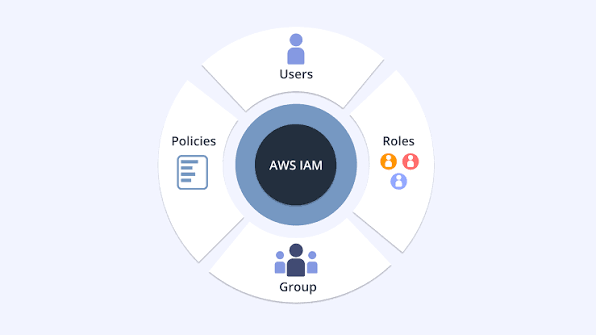
IAM Roles: The Backbone of Secure Access
IAM roles are one of the most powerful features of AWS security. Unlike users, roles do not have permanent credentials. Instead, they provide temporary access when assumed.
This concept is essential in modern cloud systems. Applications running on AWS services like EC2 or Lambda can assume roles to access other services securely—without exposing sensitive credentials.
Roles also enable cross-account access, allowing secure collaboration between different AWS accounts.
IAM Policies: The Language of Permissions
Policies define what actions are allowed or denied. They are written in JSON and evaluated every time a request is made.
A policy might allow a user to read data from a storage service but prevent deletion. These fine-grained controls make IAM extremely flexible, but they also require careful design to avoid misconfigurations.
How IAM Actually Works Behind the Scenes
Whenever a request is made in AWS—whether through the console, CLI, or an API—IAM performs a detailed evaluation process.
First, the system authenticates the identity making the request. Then it evaluates all applicable policies, including those attached to the user, group, or role. It also considers additional constraints such as conditions or organizational rules.
Finally, AWS makes a decision: allow or deny.
This process happens almost instantly, yet it ensures that every action is verified against a strict security model.
Designing a Secure IAM Strategy
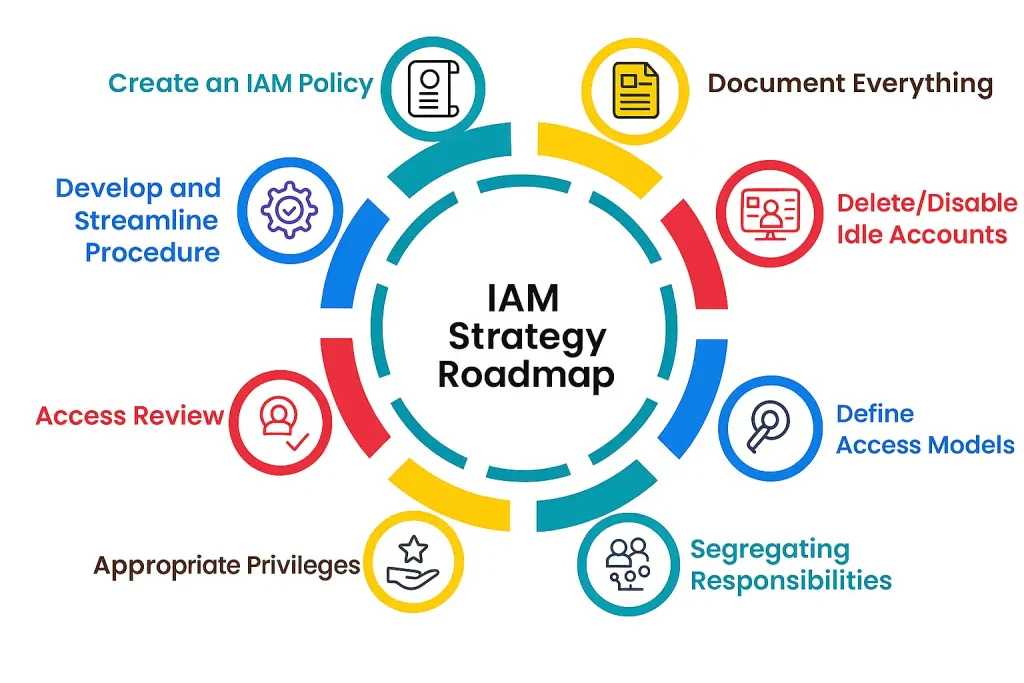
A well-designed IAM strategy is not just about assigning permissions—it’s about creating a structured and scalable access model.
One of the most important principles is the Principle of Least Privilege. This means users and systems should only have the permissions they absolutely need, nothing more. While this sounds simple, implementing it correctly requires careful planning and continuous monitoring.
Another key concept is separation of duties. Critical actions should not be controlled by a single identity. For example, the person deploying infrastructure should not be the same person approving security policies.
Organizations must also adopt role-based access control (RBAC), where permissions are assigned based on job roles rather than individuals. This makes scaling much easier as teams grow.
Strengthening Security with IAM Best Practices
Security in IAM is not a one-time setup—it’s an ongoing process. One of the most effective ways to enhance security is by enabling Multi-Factor Authentication (MFA). Even if credentials are compromised, MFA adds an additional barrier.
Another crucial step is eliminating the use of root account credentials for daily operations. The root account has unrestricted access and should only be used for critical tasks.
Monitoring and auditing are equally important. AWS provides logging tools that track every action taken within your account. By analyzing these logs, organizations can detect unusual behavior and respond quickly.
Regularly reviewing permissions is also essential. Over time, users accumulate access they no longer need, increasing the risk of misuse.
Real-World Scenario: Securing a Modern Application
Consider a company building a cloud-based e-commerce platform.
Developers need access to deploy code, but they should not modify billing settings. Operations teams require access to infrastructure but not to application data. Meanwhile, the application itself needs permission to store and retrieve customer data securely.
Using IAM, the organization can define roles for each of these responsibilities. Developers are assigned limited permissions through groups. Applications use roles to access storage services without exposing credentials. Administrators retain higher privileges but operate under strict controls.
This layered approach ensures that even if one part of the system is compromised, the damage is contained.

Common Pitfalls and How to Avoid Them
Many security breaches in cloud environments are not due to sophisticated attacks but simple misconfigurations.
A common mistake is granting overly broad permissions, such as full administrative access. While convenient, this significantly increases risk.
Another issue is embedding access keys directly into application code. If the code is exposed, the credentials can be exploited. Using roles instead eliminates this risk.
Neglecting unused accounts and roles is another hidden danger. These inactive identities can become entry points for attackers if not properly managed.
Advanced IAM Concepts for Modern Architectures
As cloud systems become more complex, IAM continues to evolve with advanced features.
One such feature is policy conditions, which allow access decisions based on context. For example, access can be restricted to specific IP addresses or time windows.
Permission boundaries provide a way to define the maximum permissions a user or role can have, adding an extra layer of control.
In large organizations, IAM integrates with broader governance tools to enforce policies across multiple accounts, ensuring consistency and compliance.
IAM in the Era of Zero Trust Security
The concept of Zero Trust is gaining traction in cloud security. It assumes that no user or system should be trusted by default, even if they are inside the network.
IAM plays a central role in this model by continuously verifying identity and permissions. Combined with monitoring and analytics, it enables organizations to detect anomalies and respond proactively.
The Future of IAM in Cloud Security
As technology evolves, IAM is becoming more intelligent and adaptive. Future systems will likely incorporate machine learning to analyze behavior patterns and detect threats in real time.
We can also expect deeper integration with DevSecOps pipelines, where security policies are enforced automatically during development and deployment.
In multi-cloud environments, unified identity management solutions will become increasingly important, allowing organizations to manage access across different platforms seamlessly.
Conclusion
Cloud security begins with identity, and AWS Identity and Access Management provides the foundation for building secure systems in the cloud.
By understanding its components, designing a strong access strategy, and following best practices, organizations can significantly reduce security risks while maintaining flexibility and scalability.
Mastering IAM is no longer optional—it is an essential skill for anyone working in cloud computing. Whether you’re a developer, system administrator, or security engineer, a deep understanding of IAM will help you build systems that are not only powerful but also secure.
Cloud computing has become the backbone of modern software systems, powering everything from startups to global enterprises. As organizations move sensitive data and critical workloads to the cloud, security becomes a top priority. Among all security layers, identity and access management is the most fundamental—and often the most misunderstood.
At the heart of this system lies AWS Identity and Access Management (IAM), a powerful service that ensures only the right users, services, and applications can access the right resources at the right time.
This guide explores IAM in depth, covering its architecture, working principles, best practices, real-world implementations, and how it fits into modern cloud security strategies.
Want Learn Cloud Computing Course, Cyber Security Course, Networking Course ?, Visit Our Website www.kaashivinfotech.com.