Every successful digital product—whether it’s a mobile app, a website, or a SaaS platform—goes through a structured design journey before it reaches users. Behind every clean interface and smooth user experience lies a layered process that transforms raw ideas into functional and engaging designs.
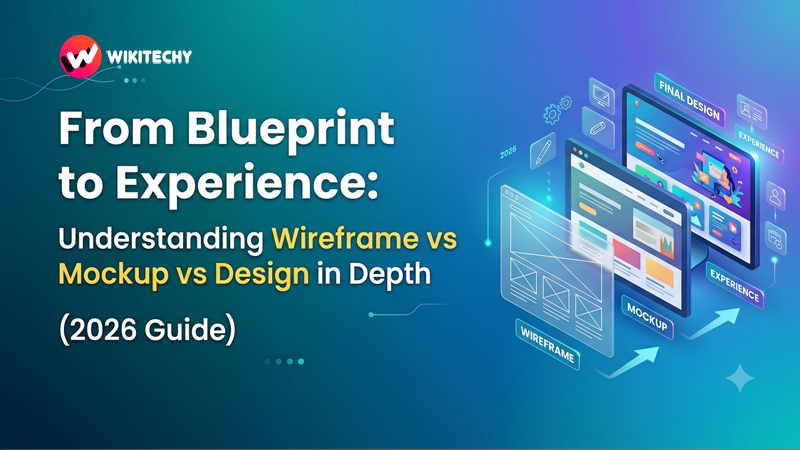
Three core stages define this journey: wireframe vs mockup vs design.
At first glance, they may seem interchangeable. But in reality, each one serves a distinct purpose and builds upon the previous stage. If you skip or misunderstand any of these steps, the entire product can suffer—from poor usability to wasted development time.
This guide breaks down each stage in a detailed yet easy-to-understand way, helping you see how real-world UI/UX workflows actually function.
wireframe vs mockup vs design
🧩 Wireframes: The Structural Foundation
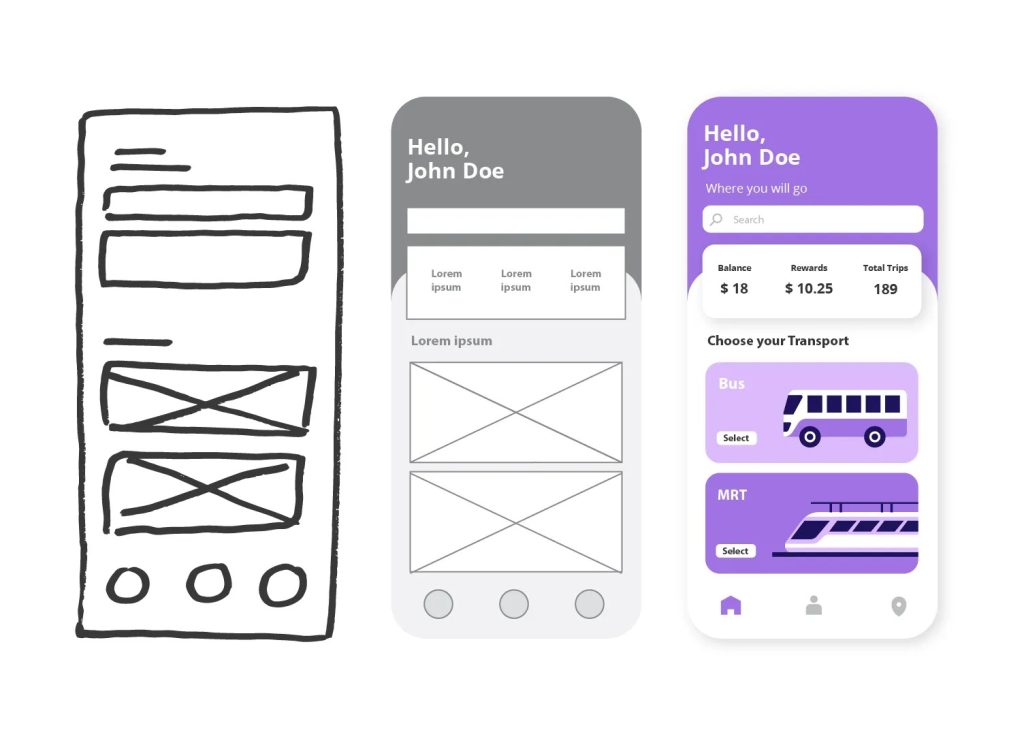
Wireframing is where everything begins. It is the most basic representation of a digital interface, focusing purely on structure and layout rather than visual appeal.
Imagine constructing a building. Before choosing paint colors or furniture, you need a blueprint that defines where rooms, doors, and windows will be placed. Wireframes serve that exact purpose in digital design.
At this stage, designers intentionally avoid colors, images, and stylistic elements. Instead, they rely on simple shapes like rectangles and lines to represent content blocks, navigation menus, buttons, and text areas. This simplicity is not a limitation—it’s a strength. It allows teams to concentrate on functionality and user flow without distractions.
The goal of wireframing is to answer foundational questions. How will users navigate through the product? Where will key elements be positioned? What content is essential on each screen? By resolving these questions early, teams reduce confusion later in the process.
Wireframes are also incredibly useful for collaboration. Product managers, developers, and stakeholders can all review and suggest changes at this stage because the design is still flexible and easy to modify. Making changes now takes minutes, whereas making the same changes during development could take days or weeks.
Modern tools like Figma, Balsamiq, and Adobe XD make it easy to create wireframes quickly, but even pen and paper can be just as effective.
🎨 Mockups: Bringing Visual Identity to Life
Once the structure is finalized, the next step is transforming that skeleton into something visually meaningful. This is where mockups come in.
A mockup takes the wireframe and enhances it with colors, typography, images, spacing, and branding elements. It represents what the final product will look like, but without interactivity. In other words, it’s a static preview of the user interface.
At this stage, design decisions become more refined. Choosing the right color palette is not just about aesthetics—it influences user emotions and brand perception. Typography affects readability and tone. Spacing and alignment impact how comfortable the interface feels to use.
Mockups allow stakeholders and clients to visualize the product clearly. Unlike wireframes, which require imagination, mockups provide a near-real representation. This makes them extremely valuable for presentations, approvals, and feedback sessions.
Designers also use mockups to identify visual issues before development begins. For example, they might notice that a button is not prominent enough, or that certain text is hard to read against the background. Fixing these issues at the mockup stage is far more efficient than correcting them later in code.
Popular tools used for creating mockups include Sketch, Figma, and Photoshop. These platforms allow designers to experiment with styles, themes, and layouts until the interface feels just right.
⚙️ Design: Crafting the Full User Experience
The final stage goes beyond visuals and enters the realm of experience. This is where design becomes interactive, functional, and ready for real-world use.
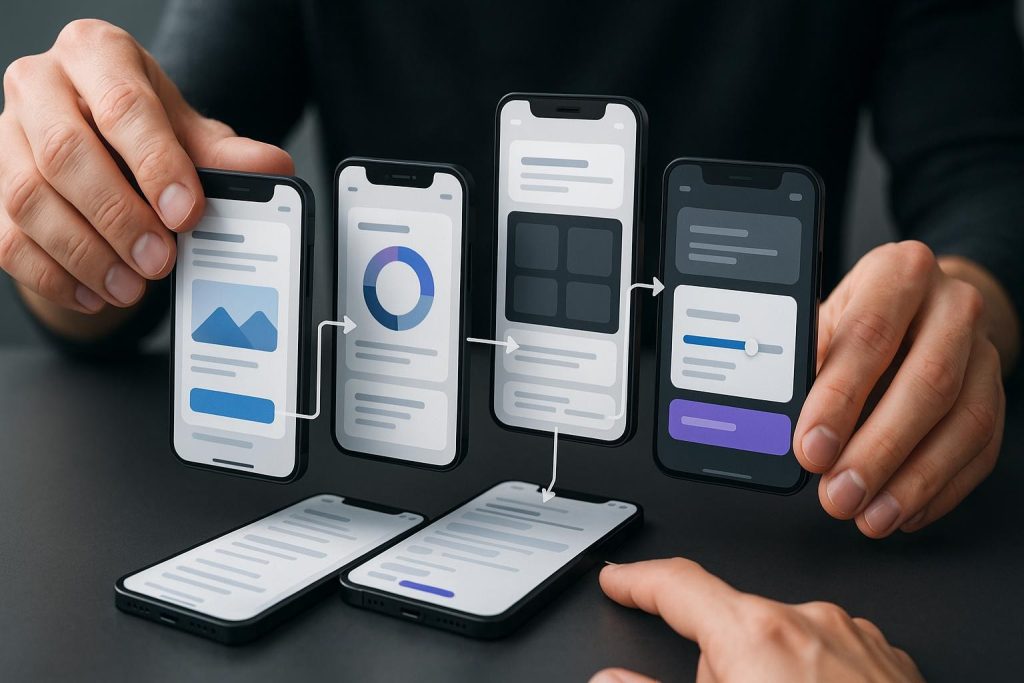
In this phase, static mockups are transformed into interactive prototypes. Buttons become clickable, navigation flows are defined, and transitions simulate how users will move through the product. It’s no longer just about how things look—it’s about how they behave.
This stage is crucial for user testing. Designers can observe how real users interact with the product, identify pain points, and refine the experience before development begins. It helps answer deeper questions. Is the navigation intuitive? Are users able to complete tasks بسهولة? Where do they get stuck?
Design also involves fine-tuning micro-interactions—small details like hover effects, loading animations, and feedback messages. While these may seem minor, they significantly enhance the overall user experience.
Tools like Figma, InVision, and Adobe XD allow designers to create interactive prototypes that closely mimic real applications.
By the end of this stage, the product is not just visually complete—it is experience-ready, meaning developers can confidently begin building it with a clear understanding of both design and functionality.
🔄 How These Three Work Together in Real Projects
In practical scenarios, wireframes, mockups, and design are not isolated steps. They are part of a continuous flow where each stage informs and improves the next.
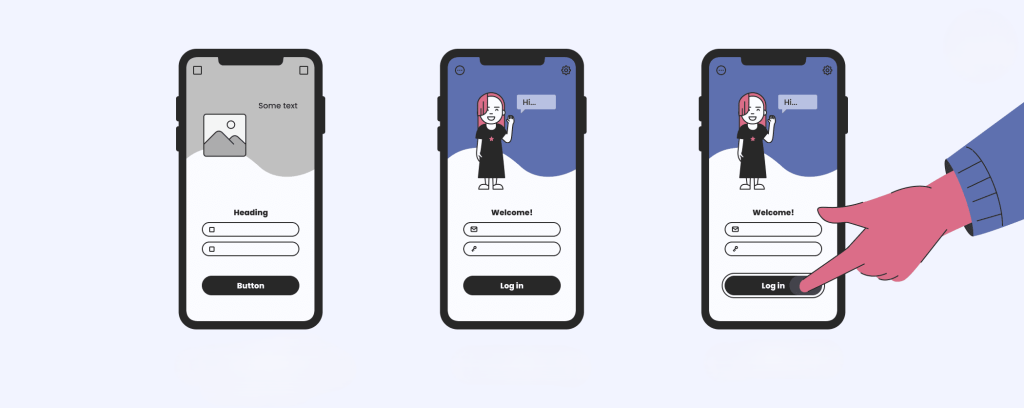
A typical project begins with wireframes to define structure and layout. Once the team agrees on this foundation, mockups are created to establish visual identity. After that, the design phase brings everything together into an interactive prototype that can be tested and refined.
This progression ensures that problems are identified early, when they are easier and cheaper to fix. It also keeps communication clear across teams, as everyone can see the evolution of the product from idea to execution.
Skipping any of these stages can create serious issues. Without wireframes, the structure may be confusing. Without mockups, the visual identity may feel inconsistent. Without the design stage, the user experience may be flawed or incomplete.
🎯 Why This Process Matters More Than Ever in 2026
As digital products become more complex and user expectations continue to rise, following a structured design workflow is no longer optional—it’s essential.
Users today expect seamless experiences, fast navigation, and visually appealing interfaces. Achieving this requires careful planning and iteration. The combination of wireframing, mockups, and design ensures that every aspect of the product is thoughtfully crafted.
For teams, this process improves efficiency and reduces development costs. For designers, it provides a clear roadmap. For businesses, it results in products that users actually enjoy using.
🏁 Conclusion
Wireframes, mockups, and design are not just steps—they are layers of thinking that gradually transform an idea into a fully functional digital experience.
Wireframes give clarity to structure. Mockups add visual meaning. Design brings interaction and usability into focus.
When these three stages are executed properly, the result is not just a product that looks good, but one that works beautifully.
Want to learn more, Kaashiv Infotech Offers, UI UX Course, Front End Development Course, Full Stack Development Course & More, Visit Their Website www.kaashivinfotech.com.