33 UI/UX Designer Interview Questions can honestly feel overwhelming when you’re preparing for interviews. I remember sitting with my laptop at 2 AM before my first UI/UX interview, scrolling endlessly through random questions, trying to figure out what companies actually wanted to hear.
And trust me… most articles online felt robotic.
So in this guide, I wanted to make things different. I’m going to walk you through 33 Interview Questions and Answers for UI/UX Designers in a simple, practical, human way — almost like a friend helping you prepare before an interview ☕
Whether you’re a beginner, fresher, or experienced designer, these questions will help you feel more confident and prepared.
📌 Key Highlights
- ✅ 33 important UI/UX Designer interview questions and answers
- ✅ Questions for freshers and experienced designers
- ✅ Real-world examples and sample answers
- ✅ UI vs UX interview questions explained simply
- ✅ Tips to answer confidently in interviews
- ✅ Portfolio and design process questions
- ✅ Figma and prototyping interview questions
- ✅ Common mistakes candidates make
Why UI/UX Interviews Feel So Different 🤔
Here’s something I realized after attending multiple interviews:
UI/UX interviews are not just about tools.
Nobody hires you just because you know Figma.
Companies want to understand:
- How you think
- How you solve problems
- How you handle users
- How you communicate design decisions
I once answered every technical question correctly in an interview… but still got rejected because I couldn’t explain why I made certain design choices.
That experience changed how I prepared afterward.
1. Tell Me About Yourself
This is almost always the first question.
Sample Answer
“I’m a UI/UX designer who enjoys creating simple and user-friendly digital experiences. I started learning design during college when I redesigned a small website for a local business. Since then, I’ve worked on projects involving mobile apps, landing pages, and dashboards using Figma and Adobe XD.”
👉 Keep it short. Don’t tell your entire life story.
2. What Is the Difference Between UI and UX?
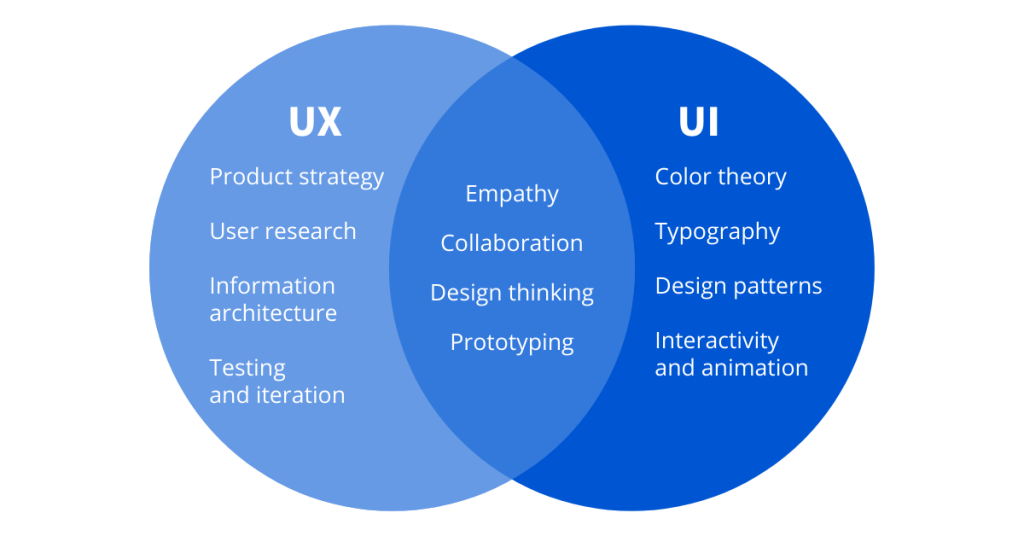
This is one of the most common 33 UI/UX Designer Interview Questions.
Sample Answer
- UI (User Interface) focuses on the visual side — colors, typography, buttons, layouts.
- UX (User Experience) focuses on how users feel while using the product.
I usually explain it like this:
UI is how the product looks. UX is how the product works.
Simple. Clear. Effective.
3. Which Design Tools Do You Use?
Sample Answer
“I mainly use Figma for wireframing, prototyping, and collaboration. I also use Adobe Photoshop and Illustrator when needed.”
👉 Mention only tools you’re comfortable using.
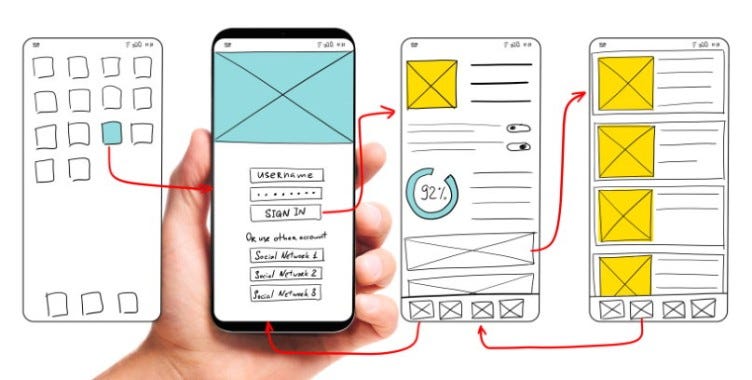
4. What Is Wireframing?
Sample Answer
Wireframing is creating a basic structure of a website or app before adding visual design elements.
Think of it like the blueprint of a house 🏠
5. What Is a User Persona?
Sample Answer
A user persona is a fictional representation of the target user based on research and user behavior.
Example:
- Age
- Goals
- Problems
- Interests
- Device usage
Personas help designers make user-focused decisions.
6. Explain Your Design Process
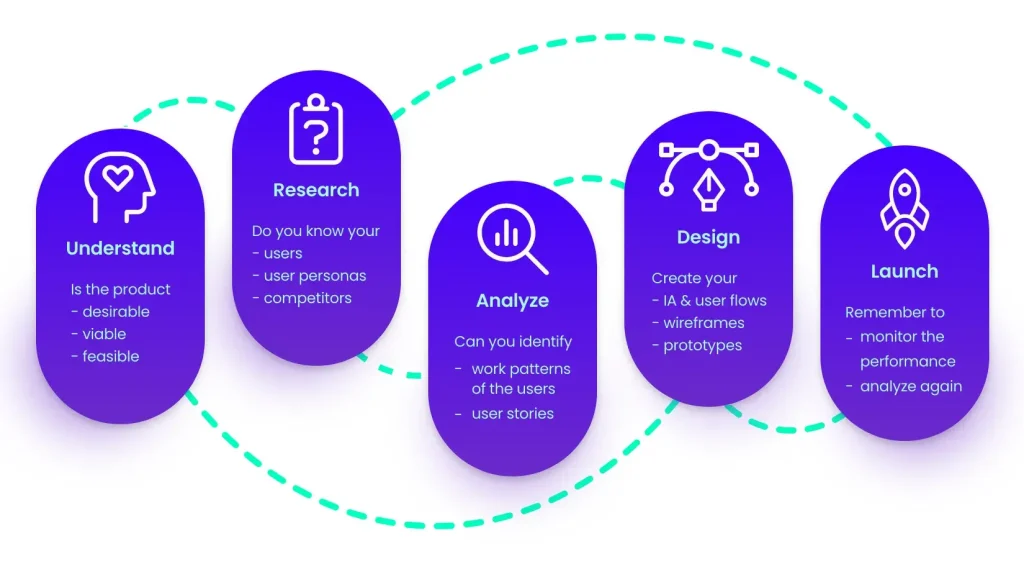
Interviewers LOVE this question.
Sample Answer
My process usually includes:
- User research
- Wireframing
- Prototyping
- User testing
- Visual design
- Feedback and improvements
I always focus on solving user problems first instead of jumping directly into visuals.
7. What Is UX Research?
UX research helps designers understand users through:
- Surveys
- Interviews
- Observations
- Testing
Honestly, many beginner designers ignore research. That’s a mistake.
Good design starts with understanding people.
8. How Do You Handle Negative Feedback?
Sample Answer
“I try not to take feedback personally. I see feedback as a way to improve the product and create better user experiences.”
This answer shows maturity.
9. What Is Responsive Design?
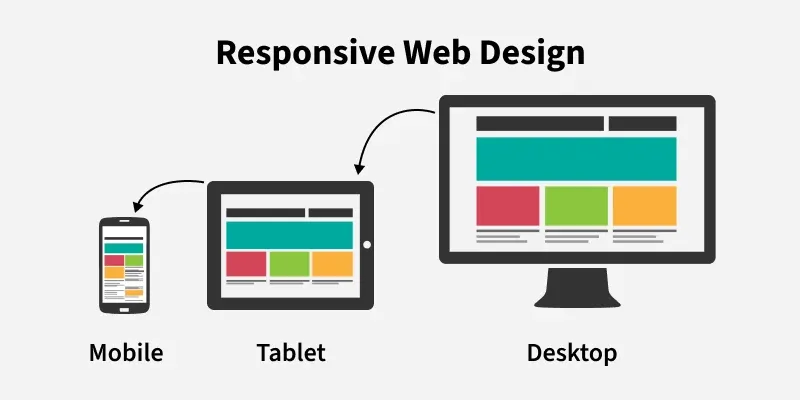
Responsive design means a website adapts to:
- Mobile
- Tablet
- Desktop
A design should work smoothly across all screen sizes 📱💻
10. What Is the Importance of White Space?
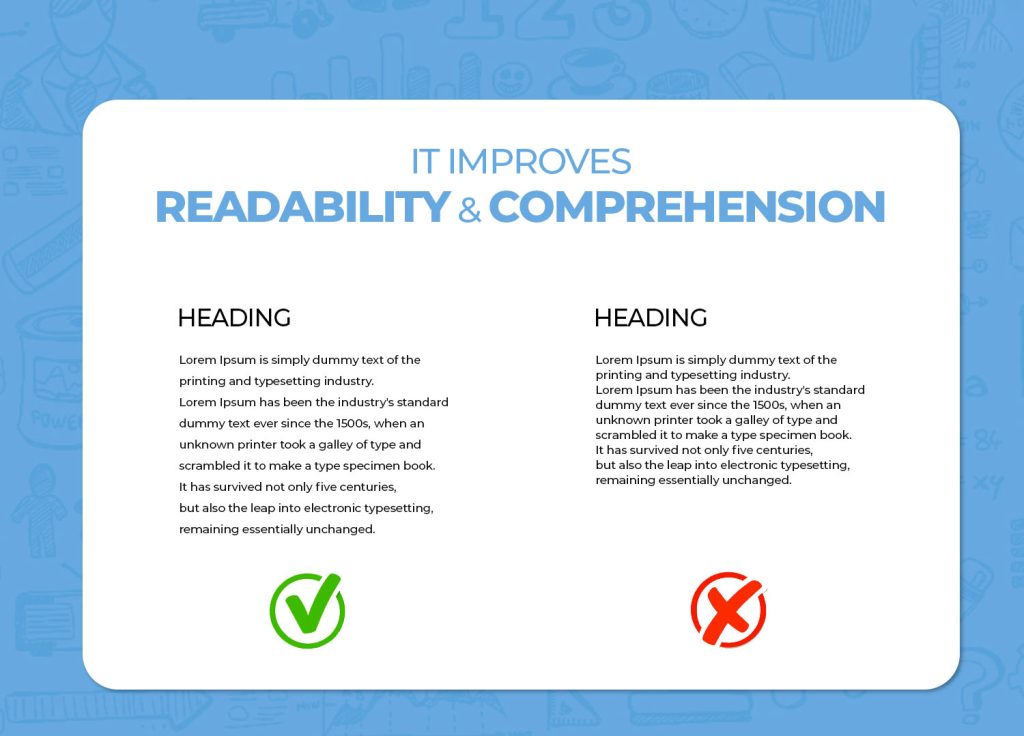
White space improves:
- Readability
- Focus
- User experience
- Clean layouts
Crowded designs confuse users.
Honestly, beginners often underestimate white space.
11. What Is Prototyping?
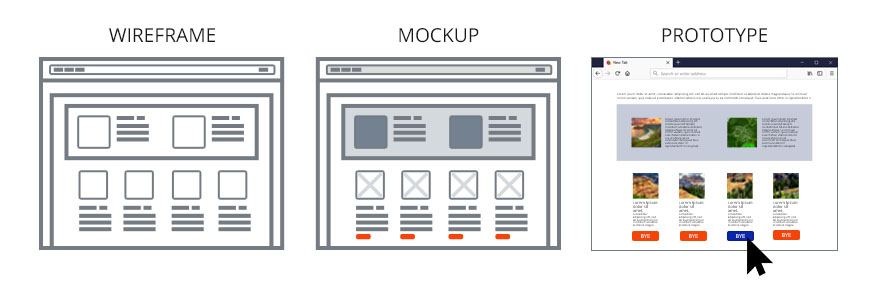
A prototype is an interactive model of the final product.
It helps teams:
- Test ideas
- Find issues
- Improve usability
12. What Is Accessibility in UI/UX?
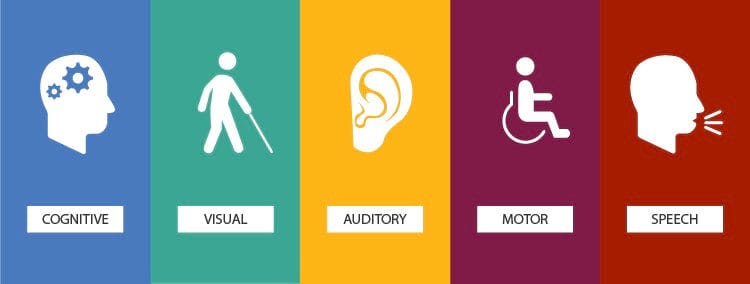
Accessibility means designing products everyone can use, including people with disabilities.
Examples:
- Proper contrast
- Screen reader support
- Keyboard navigation
13. Why Do You Want to Become a UI/UX Designer?
Sample Answer
“I enjoy solving problems creatively and making digital products easier for people to use.”
Keep it natural. Interviewers can detect fake answers quickly.
14. What Is Design Thinking?
Design thinking is a problem-solving process focused on users.
Steps include:
- Empathize
- Define
- Ideate
- Prototype
- Test
15. What Makes a Good User Experience?
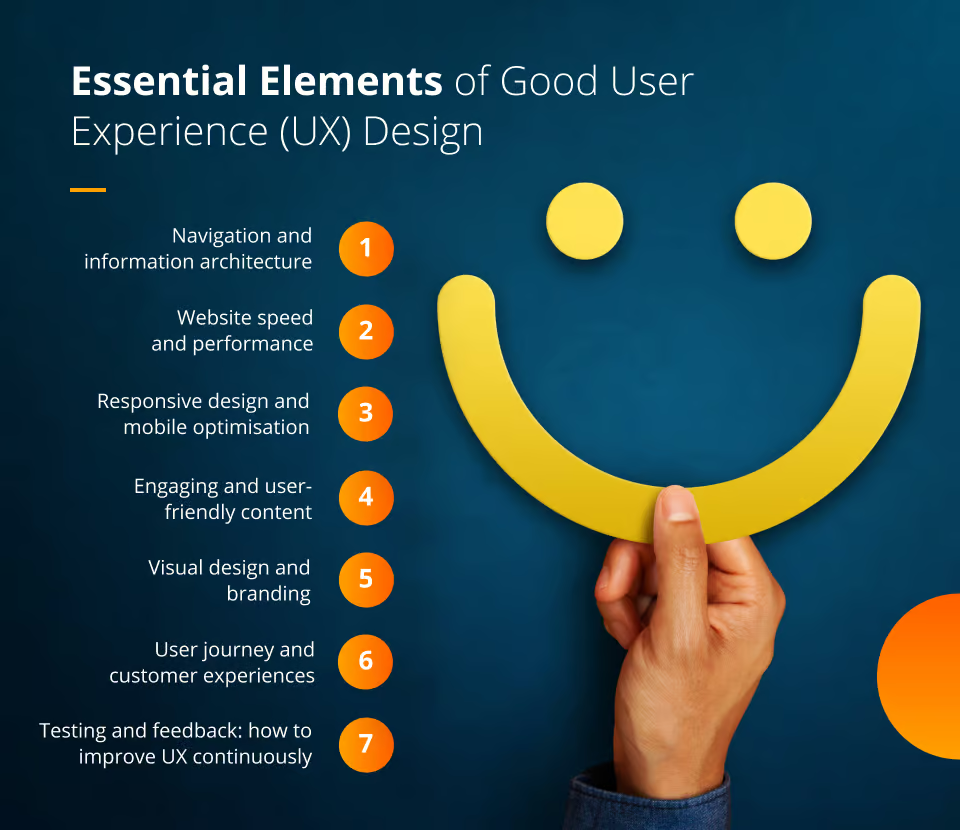
A good UX should be:
- Simple
- Fast
- Clear
- Accessible
- Useful
Users should never feel confused.
16. How Do You Improve UX on a Website?
I usually:
- Reduce clutter
- Improve navigation
- Speed up interactions
- Simplify forms
- Improve readability
Small changes can create huge improvements.
17. What Is a User Flow?
A user flow shows the steps users take to complete a task.
Example:
Login → Search Product → Add to Cart → Checkout
18. What Is the 60-30-10 Color Rule?
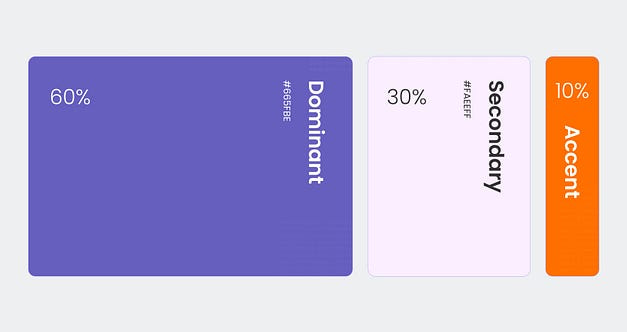
- 60% primary color
- 30% secondary color
- 10% accent color
This helps create balanced visual design.
19. How Do You Choose Fonts?
I focus on:
- Readability
- Simplicity
- Brand personality
Too many fonts make designs messy.
20. Explain Heuristic Evaluation
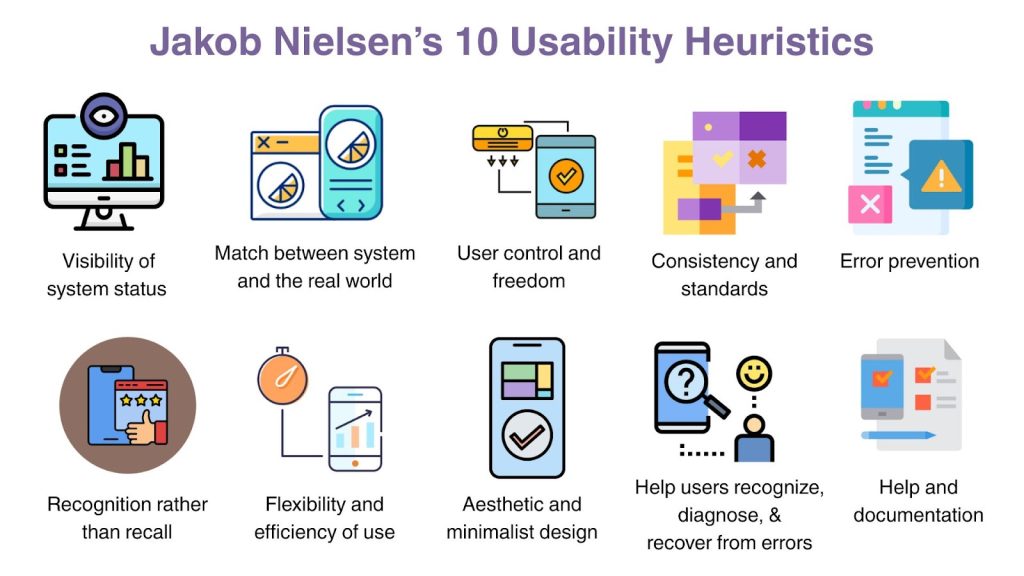
Heuristic evaluation checks usability problems using design principles.
This helps improve user experience before launch.
21. What Are Design Systems?
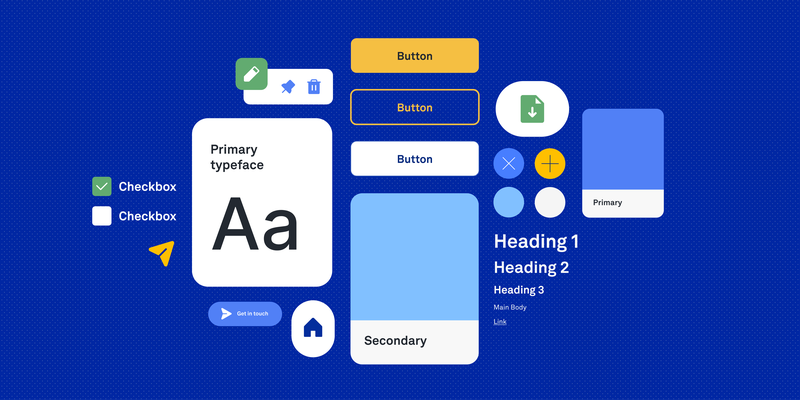
Design systems contain reusable:
- Components
- Colors
- Typography
- UI guidelines
Big companies like Google and Microsoft use design systems extensively.
22. What Is the Difference Between Sketch, Figma, and Adobe XD?
Sample Answer
- Figma → cloud collaboration
- Sketch → Mac-focused UI design
- Adobe XD → prototyping and UI workflows
Currently, Figma dominates many UI/UX teams.
👉 External Resource: Figma Official Website
23. What Is Usability Testing?
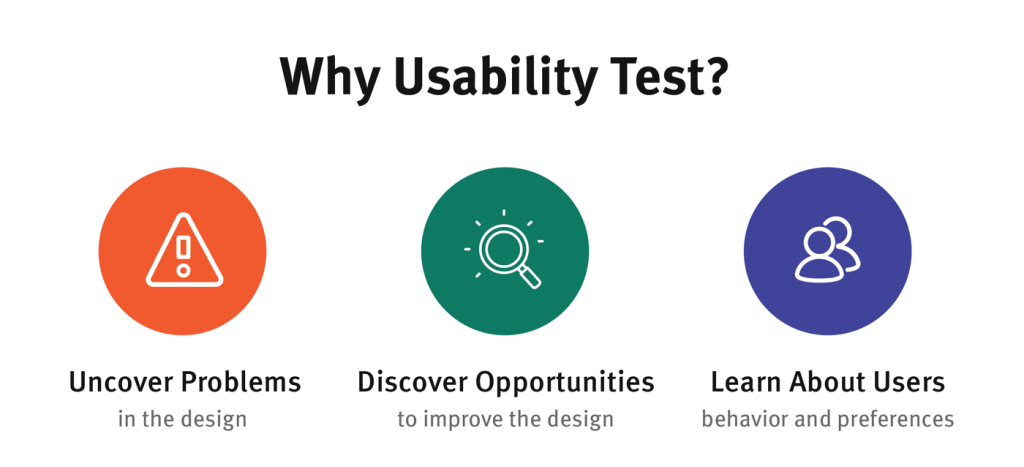
Usability testing involves observing users while they interact with a product.
This helps identify:
- Confusion
- Frustration
- Navigation issues
24. What Is an Empathy Map?
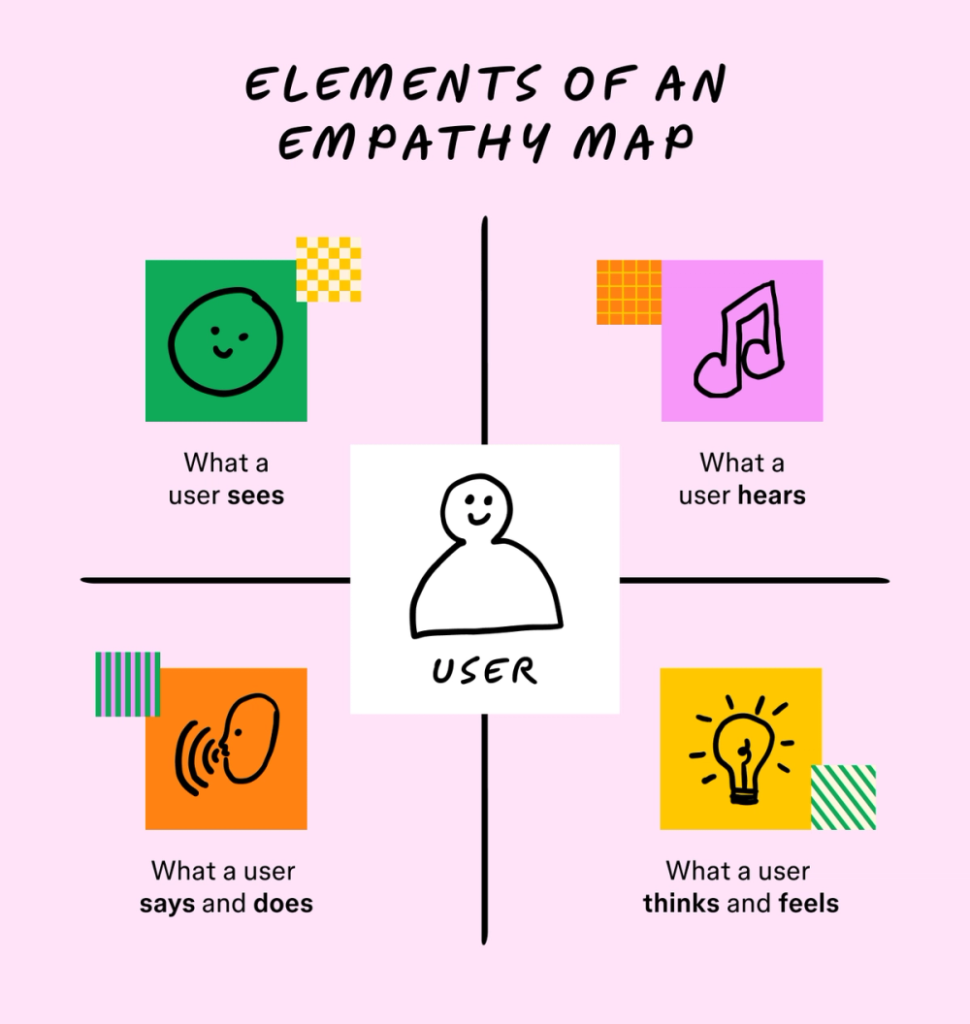
An empathy map helps designers understand:
- What users think
- Feel
- Say
- Do
It improves user-centered design.
25. What Is Visual Hierarchy?
Visual hierarchy guides user attention using:
- Size
- Contrast
- Color
- Spacing
26. How Do You Prioritize Features?
I focus on:
- User needs
- Business goals
- Technical feasibility
Not every feature needs to launch immediately.
27. What Is A/B Testing?
A/B testing compares two versions of a design to determine which performs better.
Example:
- Different button colors
- Different layouts
- Different headlines
28. What Is Mobile-First Design?
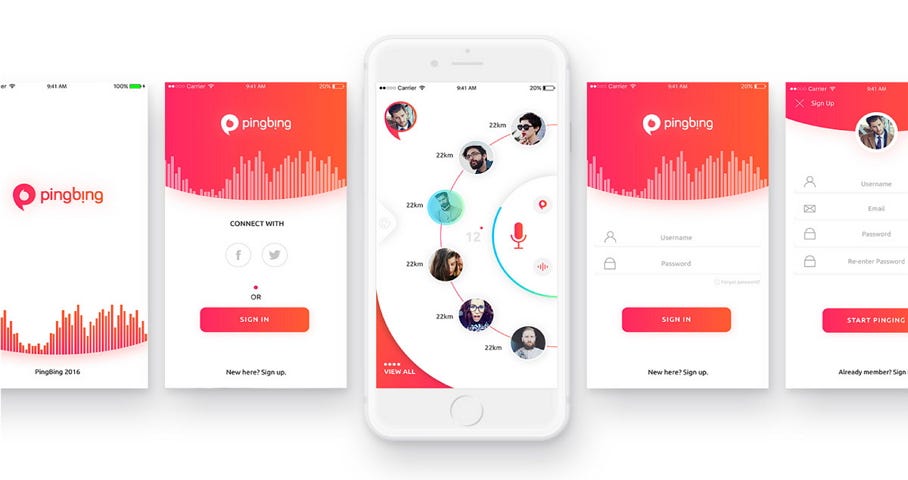
Mobile-first design starts designing for smaller screens before desktop screens.
This approach improves usability.
29. What Is Information Architecture?
Information architecture organizes content logically so users can find information easily.
30. Describe a Difficult Design Problem You Solved
This is where storytelling matters.
Don’t just say:
“I improved the design.”
Instead explain:
- The problem
- Your process
- The solution
- The outcome
Real examples impress interviewers more than theory.
31. How Do You Stay Updated With Design Trends?
Sample Answer
“I follow design blogs, watch UI/UX case studies, and explore platforms like Dribbble and Behance regularly.”
👉 External Resources:
32. What Questions Do You Ask Interviewers?
This part matters more than people think.
I usually ask:
- What does the design process look like here?
- How does the design team collaborate?
- What challenges does the product currently face?
Smart questions make you look genuinely interested.
33. Why Should We Hire You?
Sample Answer
“I combine creativity with problem-solving, and I genuinely care about creating better user experiences. I’m also eager to learn and improve continuously.”
Simple answers often sound more authentic.
Common Mistakes UI/UX Candidates Make 🚫
I’ve seen many candidates make these mistakes:
- Talking too much about tools
- Ignoring user research
- Weak portfolio explanations
- No real project examples
- Overcomplicated answers
Remember:
Interviewers want clarity, not fancy buzzwords.
Tips to Crack UI/UX Interviews 💡
Here’s what helped me personally:
✅ Practice explaining your portfolio
✅ Learn basic UX principles
✅ Speak confidently
✅ Focus on users
✅ Prepare real examples
✅ Don’t memorize robotic answers
And honestly?
Confidence grows with practice.
Your first interview may feel awkward. Mine definitely did 😅
But every interview teaches something valuable.
Final Thoughts on 33 Interview Questions and Answers for UI/UX Designers ❤️
Preparing for 33 Interview Questions and Answers for UI/UX Designers doesn’t mean memorizing perfect lines.
It’s about learning how to think like a designer.
Companies want designers who:
- Solve problems
- Understand users
- Communicate clearly
- Stay curious
If you’re starting your UI/UX journey, don’t panic if you don’t know everything yet.
Nobody does.
Keep practicing. Build projects. Improve your portfolio. Learn from feedback.
And most importantly…
Design for humans, not just screens 🎨✨
Want to learn more, Kaashiv Infotech Offers, UI UX Course, Front End Development Course, Full Stack Development Course & More, Visit Their Website www.kaashivinfotech.com.