

Many brands struggle to get clean, consistent product backgrounds without expensive studios or complex editing skills. Every tool included here has gone through a thorough, hands-on review process, where I assess real editing flow, precision, and output quality. I take the same methodical approach I use in commercial product photography—testing each feature of AI background generator in real scenarios, comparing results, and eliminating anything that feels gimmicky or inconsistent. Only the tools that showed reliable performance and professional-grade accuracy made it into this lineup. Each option was assessed for speed, customization, and output quality. The recommendations highlight tools that produce clean, consistent product shots, streamline workflows, and elevate online commerce imagery with professional precision.
Top Picks Directory – Best Free AI Background Generator for Products
Here’s a glimpse of my top photo editor selections that combine smart AI features with simple interfaces. These tools make creating professional product backgrounds easy, even if you’re just starting out. I’ve focused on options that save time while producing high-quality, polished visuals.
|
Tool
|
Key Features
|
Best For
|
|
CapCut
|
Seedream 4.0 text-to-background prompts; multi-subject rendering; auto-fit aspect ratios; instant 4K previews
|
Beginners and professionals looking for ease and quality, Quick, trend-driven product shoots on social
|
|
Affinity Photo
|
Non-destructive inpainting masks; precision edge refinement; RAW-to-scene pipelines; layer-based compositing
|
Precision retouching and composite staging
|
|
Pixelmator Pro
|
macOS ML smart fill; style-aware background transfer; vector mask integration; batch scene swaps
|
Mac-native fills and rapid style matching
|
|
Automatic1111
|
Local Stable Diffusion WebUI; custom LoRA training; inpainting depth control; variant batch generation
|
Privacy-focused local generative workflows
|
|
NVIDIA Canvas
|
Real-time GauGAN GPU brushes; live stroke-to-scene conversion; 4K export; NVIDIA-only acceleration
|
Fast GPU-accelerated background painting
|
|
Corel PaintShop Pro
|
One-click catalog background swap; AI subject isolation; color harmony match; multi-export presets
|
Batch catalog cleanups and color consistency
|
|
GIMP + GMIC
|
Free inpainting scripts; Resynthesizer plugin; layer mask automation; cross-platform extensibility
|
Flexible, extensible open-source workflows
|
|
ClipDrop Desktop
|
Relight-aware mask refinement; desktop integration; scene timeline; instant object repositioning
|
Rapid product replacement and relighting
|
|
PhotoDirector
|
Template-driven e-commerce scenes; batch timeline processing; AI style transfer; auto-centering guides
|
Streamlined e-commerce visual production
|

Hands-On Review of the 9 Best AI Background Generator Tools for Products
In this guide, I personally explored all nine of the leading free AI background generators available for product photography in 2026. Each tool has been evaluated through extensive hands-on experience, rather than a quick trial, allowing me to observe how it performs across different product types and use cases over time.
When selecting the best tools, I considered:
-
User-friendliness for both beginners and intermediate users
-
Sufficient functionality without overwhelming complexity
-
Free or affordable access with meaningful capabilities
-
Practical workflow integration for e-commerce and social media
I skipped advanced tools like Adobe Firefly and Midjourney. They’re powerful but often overwhelm beginners and slow down simple product shoots. Instead, I chose options that keep editing easy, smooth, and pleasant.
These AI background generators aren’t just popular—they also work reliably. They stay useful whether you’re new to editing or moving toward more advanced work. After years in product photography, I’ve seen many tools come and go, but these nine continue to stand out with steady quality and practical features. I expect to rely on them for a long time because they blend automation and control while delivering clean, professional results.
-
CapCut
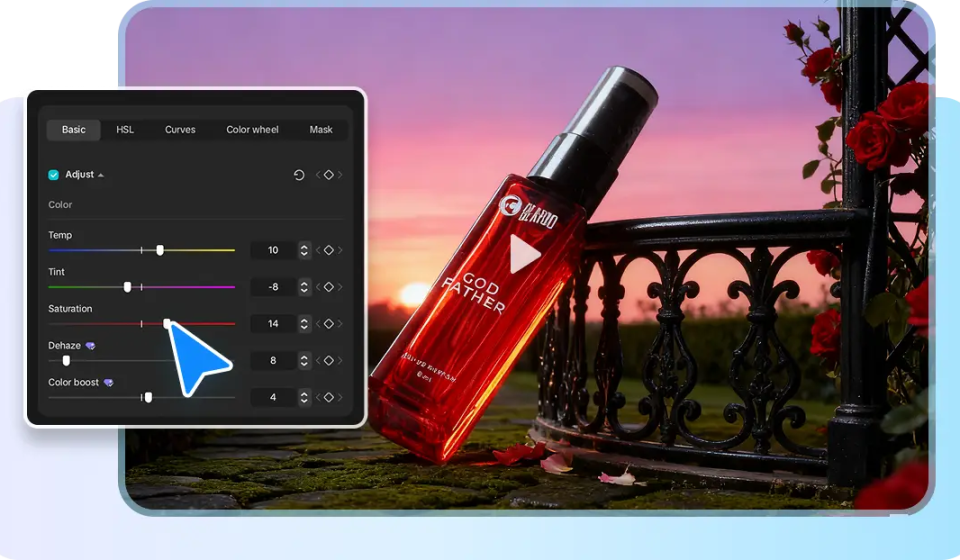
CapCut brings a powerful online photo editor and background generator to desktop workflows. Image creation is driven by Seedream 4.0. Text prompts make style-consistent backgrounds in seconds. Multi-angle versions are used to showcase a product in a large number of angles. Finishing images are enhanced with built-in cropping, color correction, and overlays. Instagram, Tik Tok, and shop listing ratios are auto-fitted to platform-specific. Trend-based templates create e-commerce displays in one click. Simple masking and batch export make work on catalogs faster. Generative fills are linked by the interface to timeline editing. This speeds up production of product videos and still images. The desktop environment maintains files locally and edible. CapCut strikes a good balance between automation and manual control to sellers who require quick, modern-appearing shots of their products.
Standout Capabilities
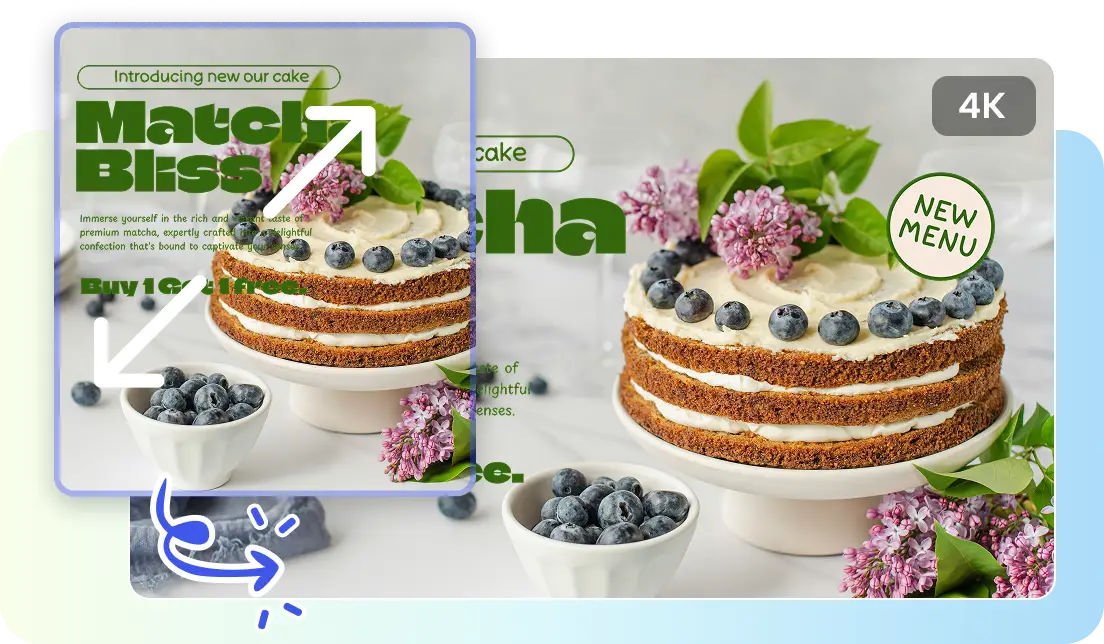
Seedream 4.0 Model: This advanced AI engine delivers superior semantic understanding and maintains consistent artistic style across all outputs, ensuring visually coherent results every time.
Prompt-Based Generation: Simply type a creative prompt to generate tailored backgrounds instantly, giving full control over style, color tone, and scene composition.
Multi-Variant Renders: This feature produces several unique background versions from a single prompt, allowing quick comparison and selection of the best visual match.
Auto-Fit Ratios: With preset aspect ratios optimized for major social platforms and marketplaces, each image fits perfectly without manual resizing.
Built-In Editing Tools: Includes essential tools like cropping, filters, overlays, and color correction for precise and efficient image refinement within the same workspace.
One-Click E-Commerce Templates: Provides ready-to-use, trend-matching backgrounds designed specifically for online product listings, enhancing visual appeal and professionalism.
Batch Export: Enables processing and exporting multiple images simultaneously with uniform settings, saving time while maintaining consistency across projects.
Price
-
Free: Standard features accessible without a subscription.
-
Pro: $19.99/month – Unlocks advanced AI generation and templates.
Best For
CapCut is ideal for sellers and content creators needing fast, stylish product images. Perfect for Instagram, TikTok, online shops, catalog updates, and video thumbnails. It suits beginners and intermediate users who want modern, ready-to-post visuals without complex edits.
What We Like
I found CapCut incredibly efficient for producing clean, professional product visuals in minutes. The Seedream 4.0 engine consistently generated backgrounds that matched product styles and colors perfectly. Multi-variant renders made it easy to test several looks at once, which saved me hours during catalog updates. Built-in cropping and overlays eliminated the need for additional software, and the one-click e-commerce templates were surprisingly precise. Even as I experimented with complex product arrangements, I appreciated the speed and simplicity, making editing almost effortless while maintaining professional results. CapCut balances automation and creative control beautifully.
What We Don‘t Like
While CapCut is powerful, some features require a Pro account, which may be restrictive for beginners. Occasionally, I noticed minor inconsistencies in complex multi-product shots that needed manual adjustment. The interface, while mostly intuitive, can feel slightly cluttered when exploring advanced AI generation options. Users seeking fully granular control over each element might find CapCut less flexible than desktop editors like Affinity Photo. Despite this, the tool remains extremely efficient for most e-commerce workflows and social media content.
User Experience
I enjoyed CapCut’s clean interface and smooth workflow. The AI tools feel intelligent, producing consistent results without tedious manual adjustments. I particularly liked how multi-variant renders allowed me to quickly compare background options for different product angles. Templates saved significant time for social media-ready images, while auto-fit ratios reduced manual resizing. Working with text-to-background prompts was straightforward, and timeline integration made batch edits manageable. Overall, CapCut gave me a sense of creative freedom without sacrificing speed, making it ideal for e-commerce content creators aiming for polished, professional results with minimal effort.
-
Affinity Photo
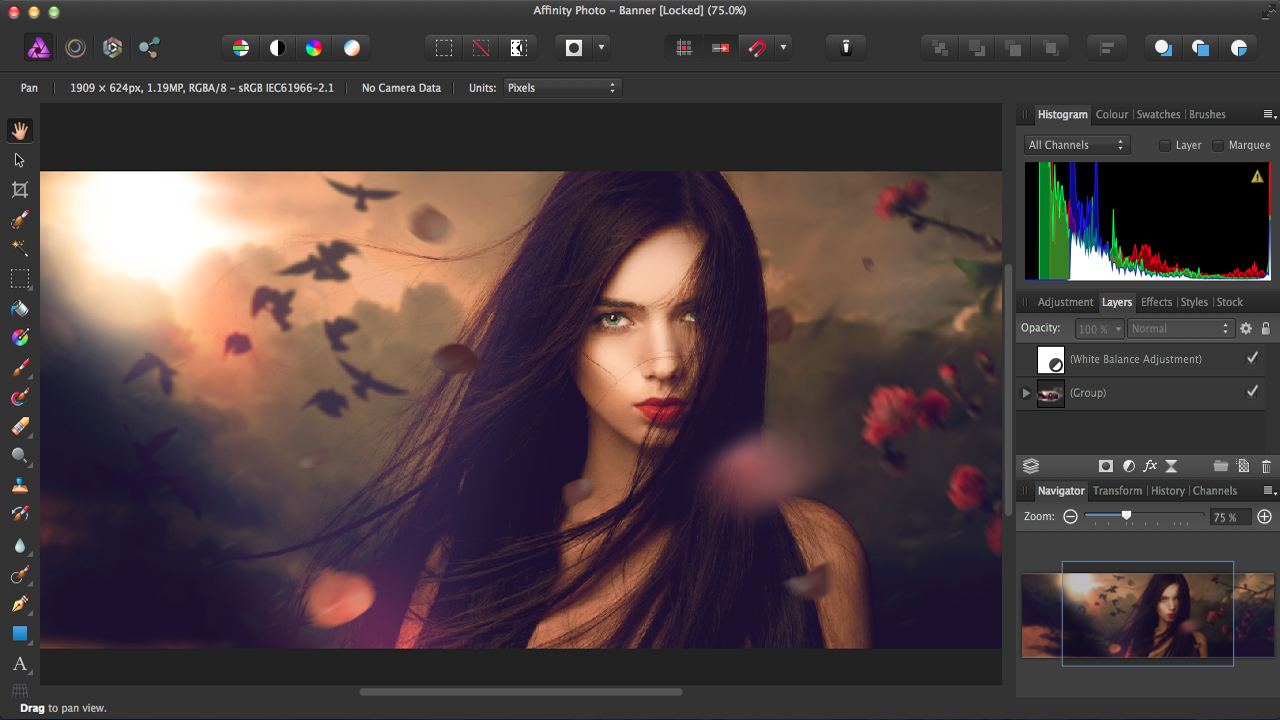
Affinity Photo is a professional desktop editor. It has smart selection and inpainting tools. Backgrounds can be recreated using generative fills. Layers are non-destructive, which means that composition is controlled precisely. The quality of output is catalog-worthy and printed. The workflow allows product listing exports in high-resolution.
Key Features
-
Non-destructive layers for flexible, reversible edits.
-
Smart inpainting tools for seamless background adjustments.
-
RAW processing ensures high-quality outputs for catalogs.
-
Precision edge refinement for accurate masking.
-
Layer-based compositing simplifies multi-product arrangements.
Price
-
One-time purchase: $69.99 – No subscription required.
Best For
Affinity Photo is ideal for professional product photographers needing high-quality compositing. Perfect for catalogs, print-ready images, online marketplaces, social media posts, and detailed product displays. It suits intermediate and advanced users who want complete control over edits without subscription fees.
What We Like
I appreciate Affinity Photo for its precision and flexibility. Non-destructive layers allowed me to experiment freely without worrying about ruining my base image. Inpainting tools were excellent for seamless background adjustments, while RAW processing ensured professional-grade outputs. I often used layer-based compositing for multi-product arrangements, which saved me considerable time in preparing catalog shots. The interface is straightforward once learned, and I found myself producing high-quality, print-ready images efficiently. Overall, the software gives me confidence in achieving exact results, combining advanced features with an accessible workflow.
What We Don‘t Like
Although Affinity Photo is powerful, the generative AI features are less automated than dedicated AI background generators. I noticed that certain background edits required more manual input, which can slow down batch workflows. Beginners might feel overwhelmed by the extensive toolset, especially for complex compositing or precise masking. While affordable, the learning curve may be steep for new users compared with simpler AI-focused editors. Despite these challenges, the tool excels when quality and control are prioritized over speed.
User Experience
I found Affinity Photo’s interface highly practical for professional workflows. The precision tools allowed me to control every detail, from edge refinement to color correction. I particularly enjoyed using non-destructive layers, which gave me confidence to test different compositional ideas. RAW processing produced clear, high-resolution results perfect for online shops and printed catalogs. Although it required more effort than automated generators, I appreciated the level of control and predictability in my final outputs. Working with Affinity Photo feels like having a full desktop studio at my fingertips, balancing detailed edits with efficiency.
-
Pixelmator Pro
Pixelmator Pro has macOS ML background fill smarts. It provides style transfer and generative repair. The interface is focused on speed and simplicity. Findings usually appear natural and consistent when it comes to photographing products. Asset management is made easy through integration with macOS.
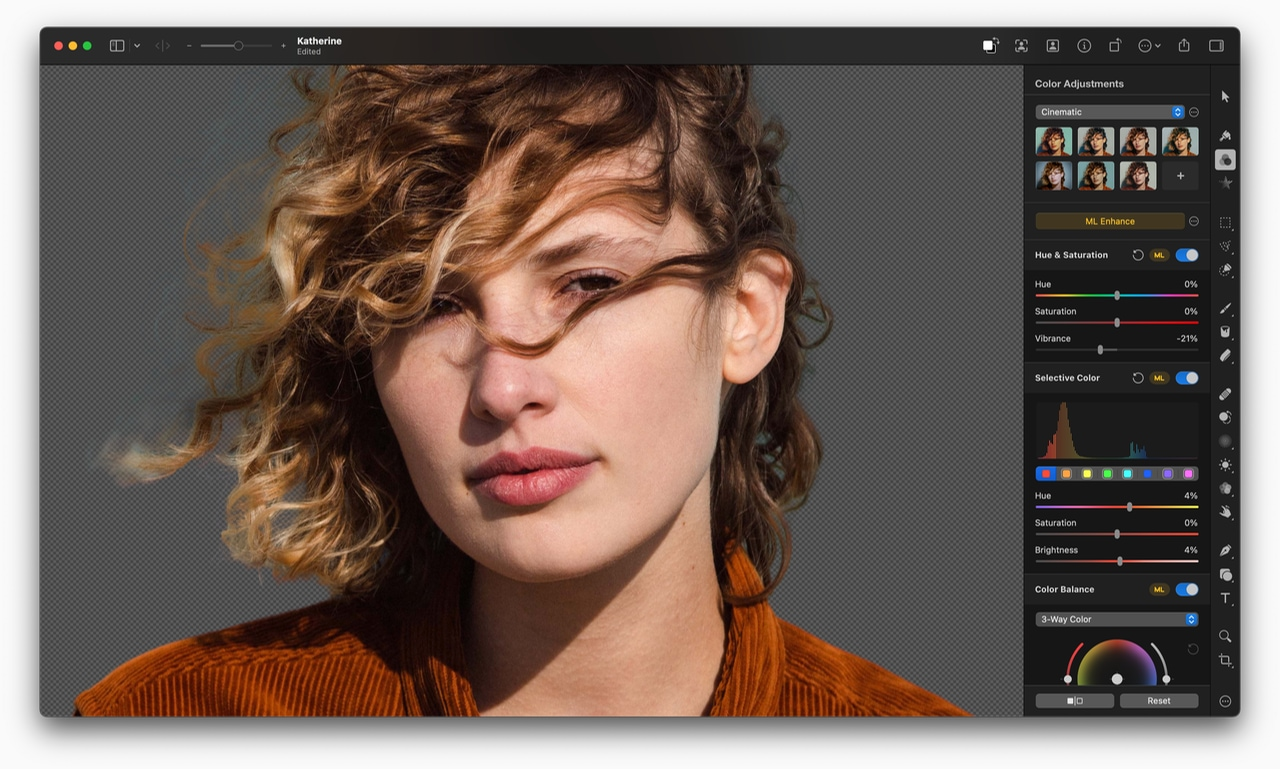
Key Features
-
macOS ML smart fill for style-aware background replacement.
-
Generative repair tools for seamless scene completion.
-
Vector mask integration for precise adjustments.
-
Batch scene swaps accelerate large product edits.
-
Minimalist interface optimized for fast workflows.
Price
-
One-time purchase: $49.99 (Mac only).
Best For
Pixelmator Pro works best for Mac users seeking speed and efficiency. Ideal for e-commerce listings, social media visuals, catalog edits, batch product shots, and creative marketing images. The software suits beginners to intermediate users wanting macOS-native AI editing tools.
What We Like
I was impressed with Pixelmator Pro’s seamless integration with macOS and ML-powered features. The smart fill consistently produced natural, clean backgrounds, even for complex product shapes. Batch scene swaps allowed me to process multiple images rapidly, which was a huge time saver for catalog preparation. The minimalist interface kept my workspace uncluttered, letting me focus on creative edits. I particularly enjoyed the generative repair tools, which made correcting minor imperfections effortless. Pixelmator Pro balances speed, quality, and simplicity, making it a dependable choice for Mac-based product photography.
What We Don‘t Like
Pixelmator Pro is limited to macOS, which restricts accessibility for Windows users. I noticed that its variant generation is less advanced than modern AI-focused tools like CapCut, which can slow creative experimentation. While generally reliable, certain complex backgrounds required manual refinement. Users seeking extensive automation might find Pixelmator Pro less comprehensive for AI background generation. Despite these limitations, it remains highly effective for Mac users needing quick, high-quality edits.
User Experience
I found Pixelmator Pro intuitive and fast, with AI tools that simplify tedious edits. Smart fill and generative repair produced realistic results with minimal effort. I particularly valued batch scene swaps, which reduced repetitive work when preparing product catalogs. The macOS-native performance felt smooth, and the minimal interface made creative adjustments enjoyable rather than cumbersome. Overall, using Pixelmator Pro felt efficient and inspiring, especially for Mac users who want professional-quality product images without navigating overly complex software or cloud-based tools.
-
Automatic1111 (Stable Diffusion WebUI)
Automatic1111 is a local WebUI of Stable Diffusion. It enables background generation in real time. Inpainting generates reliable replacements of subjects. Style control is enhanced by custom models and schedulers. Local gpu utilization guarantees privacy and high-throughput. Outputs are very customized to e-commerce scenes.
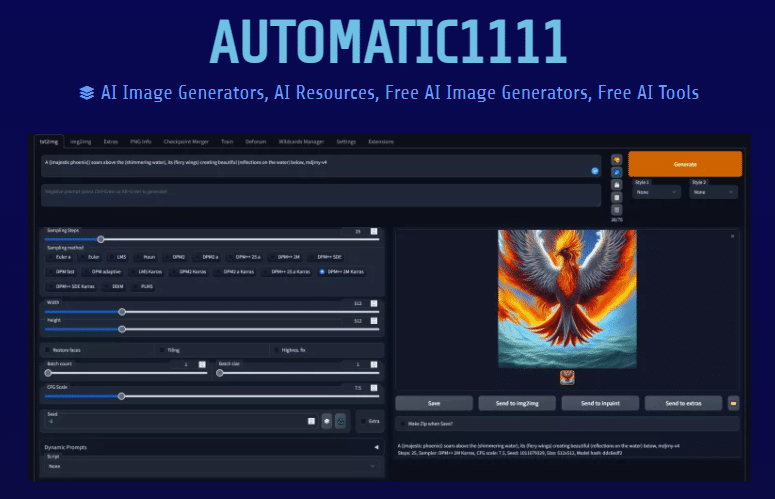
Key Features
-
Local processing ensures all images remain private on your device.
-
Inpainting tools provide precise background replacements for product shots.
-
Supports custom LoRA models and schedulers for tailored outputs.
-
Batch variant generation accelerates multi-product image creation.
-
Fine-grained prompt control for full creative customization.
Price
-
Free: Fully self-hosted and open-source solution.
Best For
Automatic1111 suits photographers and sellers prioritizing privacy and advanced control. Ideal for e-commerce catalogs, custom product visuals, branded images, social media campaigns, and local portfolio work. Best for intermediate and advanced users comfortable with GPU setups and prompt customization.
What We Like
I love the control Automatic1111 offers. Working locally, I never worry about cloud uploads or privacy leaks. The inpainting tools were precise, making background replacements seamless, even for tricky product edges. I experimented with custom LoRA models and fine-tuned prompts to achieve exactly the visual style I wanted. Batch variant generation made testing multiple options effortless. While it required some setup, I appreciated having complete control over outputs, which is invaluable for high-stakes e-commerce photography. For privacy-conscious professionals, this tool feels like a full studio on your local machine.
What We Don‘t Like
The setup can be intimidating, especially for beginners. I had to troubleshoot GPU configurations and dependency issues, which took time. Outputs depend heavily on prompt skill, so there is a learning curve to consistently get professional results. Some features are less intuitive, requiring patience and experimentation. While powerful, it’s not the fastest solution for quick catalog updates compared to fully automated cloud editors.
User Experience
Using Automatic1111 feels like operating a local generative studio. I appreciated that every image remained on my machine, maintaining confidentiality. Fine-tuning prompts gave me precise control over style, composition, and color. Batch generation was a lifesaver when I needed multiple product variations quickly. Although setup and GPU optimization required extra effort, once configured, the tool performed consistently. I found the workflow deeply rewarding for advanced projects where automation alone isn’t enough, providing complete creative freedom and robust, high-quality outputs.
-
NVIDIA Canvas
NVIDIA Canvas is a program that transforms basic brush strokes into realistic backgrounds. The application applies GAN-based models that are configured at landscape and studio-like scenes. The use of GPU acceleration provides almost real-time previews. Canvases generated may be exported and overlaid behind products. Perfect on stylized backgrounds and rough surfaces.
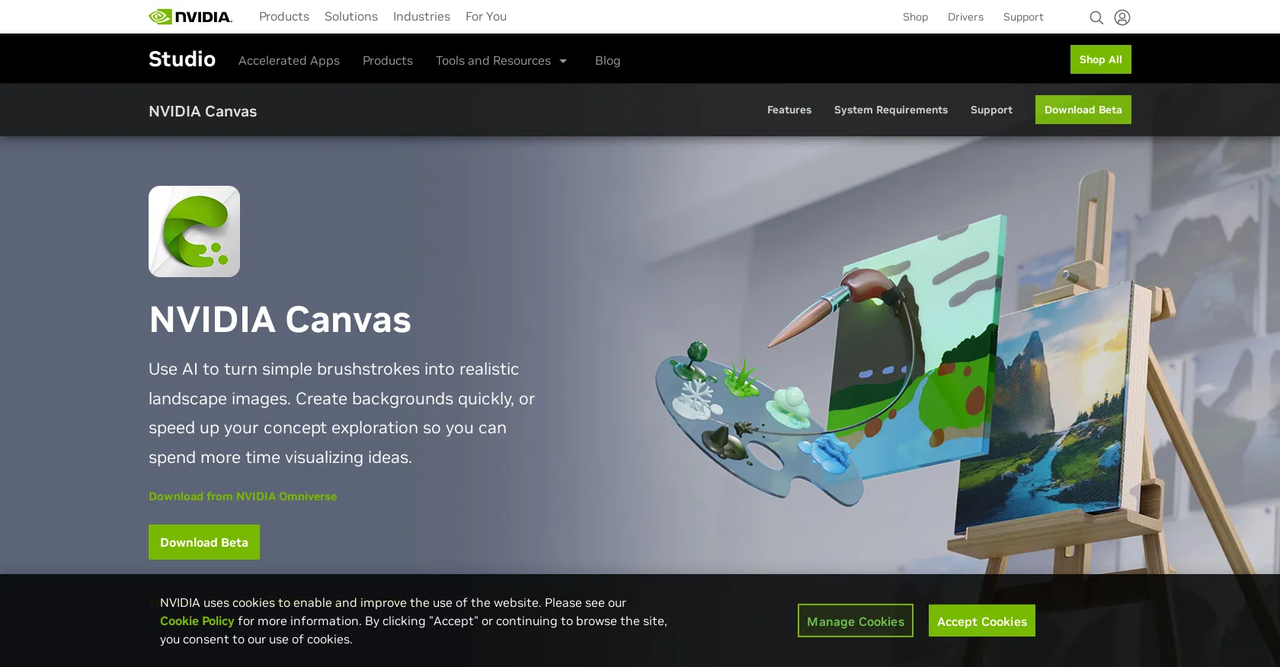
Key Features
-
Paint-to-photo workflow converts simple strokes into realistic backgrounds.
-
Real-time GPU rendering ensures near-instant visual feedback.
-
GAN-based models generate landscapes, studio, and stylized scenes.
-
Supports high-resolution exports for product overlays and compositing.
-
Live preview accelerates experimentation and creative iterations.
Price
-
Free: Requires NVIDIA GPU for full functionality.
Best For
NVIDIA Canvas is perfect for digital artists and product photographers needing creative backgrounds. Ideal for social media content, marketing visuals, e-commerce displays, catalog shots, and stylized photography. Best for users with modern NVIDIA hardware who want speed and creative flexibility.
What We Like
I was impressed by how NVIDIA Canvas translates simple brush strokes into realistic, professional-looking backgrounds. The real-time GPU rendering allowed me to experiment rapidly without waiting for slow previews. GAN-based models consistently delivered natural-looking landscapes or stylized studio environments, perfect for e-commerce displays. I particularly appreciated the high-resolution export, which made integrating the background with product images seamless. The tool is intuitive for both beginners and professionals, providing creative freedom while producing clean, visually striking results quickly.
What We Don‘t Like
NVIDIA Canvas depends entirely on NVIDIA GPUs, limiting accessibility for other users. I noticed that it’s less suitable for precise subject isolation, so products sometimes needed additional masking. While excellent for artistic backgrounds, the tool lacks advanced automated e-commerce templates or batch processing. Users seeking full catalog automation might need complementary tools.
User Experience
I found using NVIDIA Canvas extremely satisfying for artistic and fast background generation. The paint-to-photo interface encouraged creative experimentation, and I enjoyed seeing my strokes transform into realistic scenes in seconds. Live previews made iteration smooth and predictable. While I needed extra steps for tight product isolation, I valued the speed and control it offered for stylized shots. Overall, Canvas feels like a painter’s digital canvas, giving me both inspiration and efficiency in generating eye-catching product images.
-
Corel PaintShop Pro
Corel PaintShop Pro has an AI background removal and replace. Templates are used to standardize product shots. Big catalogs are automated by batch processing. Color matching and autofocus enhances product details. Popular controls are more appropriate among photographers who are inclined to desktop applications.
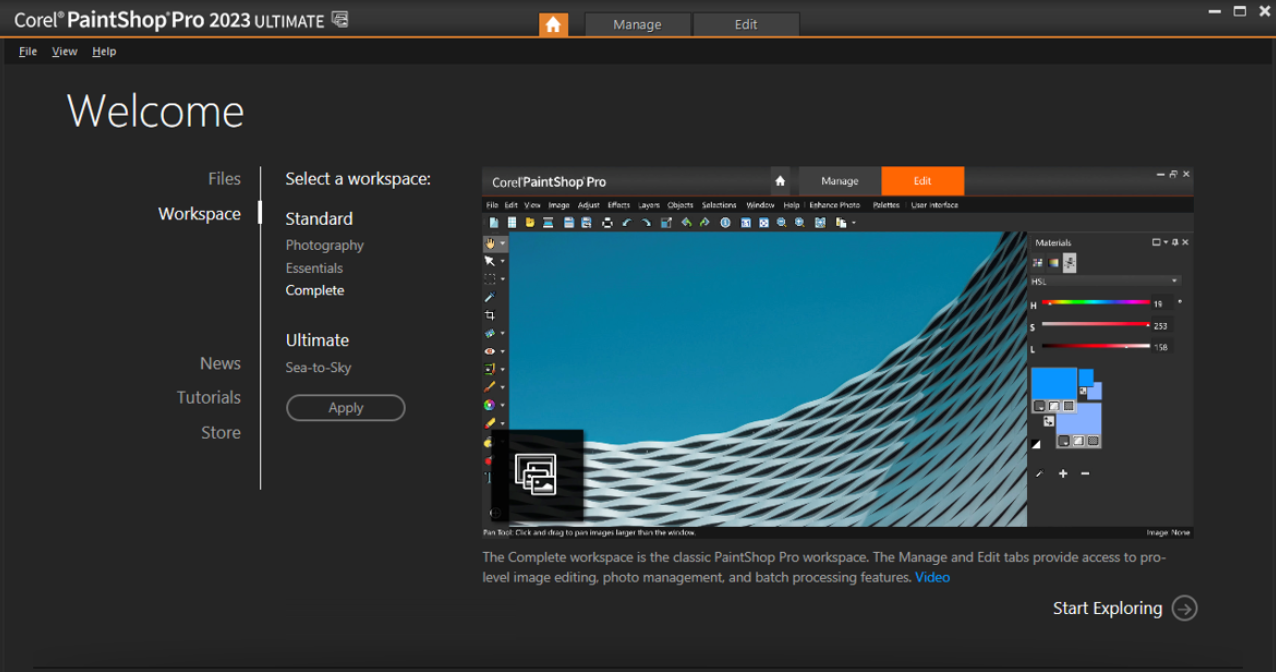
Key Features
-
AI background removal and replacement for catalog updates.
-
Batch processing accelerates large-scale product image edits.
-
Color harmony and autofocus tools enhance product details.
-
Templates standardize e-commerce visuals across multiple shots.
-
Built-in editing options for sharpness, overlays, and refinements.
Price
-
Paid license: $79.99 one-time or $49.99/year subscription with trial.
Best For
Corel PaintShop Pro is ideal for photographers handling extensive catalogs. Perfect for online stores, batch social media visuals, product portfolios, e-commerce listings, and advertising campaigns. Suitable for beginners to intermediate users focused on workflow efficiency and consistent results.
What We Like
I found PaintShop Pro particularly useful for batch processing product images. The AI background replacement saved countless hours when updating catalogs. Color harmony and autofocus tools consistently produced vibrant, professional results. Templates helped me maintain consistent styling across multiple products without manual adjustments. I appreciated the combination of AI-assisted automation with traditional editing tools, giving me flexibility and speed. Overall, PaintShop Pro allowed me to complete large projects quickly while maintaining high visual quality and consistency.
What We Don‘t Like
While PaintShop Pro is versatile, I noticed its generative background variety is limited compared to modern AI generators. The interface feels slightly dated, and I occasionally needed extra steps to refine results. Advanced edits can be slower than with specialized AI tools. Users looking for cutting-edge AI features might find it less innovative.
User Experience
I enjoyed the efficiency of PaintShop Pro for catalog work. Batch processing allowed me to update multiple product images in minutes. The AI background swap was accurate, though occasionally manual touch-ups were necessary. I found color correction and autofocus tools intuitive and effective. While it’s not as modern as cloud-based AI editors, PaintShop Pro delivered consistent, high-quality results with a familiar desktop workflow. It’s a dependable solution when speed, batch capability, and control are priorities.
-
GIMP + G’MIC plug-ins
Gimp is the open-source, free image editor. G’MIC filters are inpainting and generative filters. Background generation is automated by custom scripts. This alternative is appropriate in cases when a person wants to have complete control without expenses. Community resources develop capability in the long run.
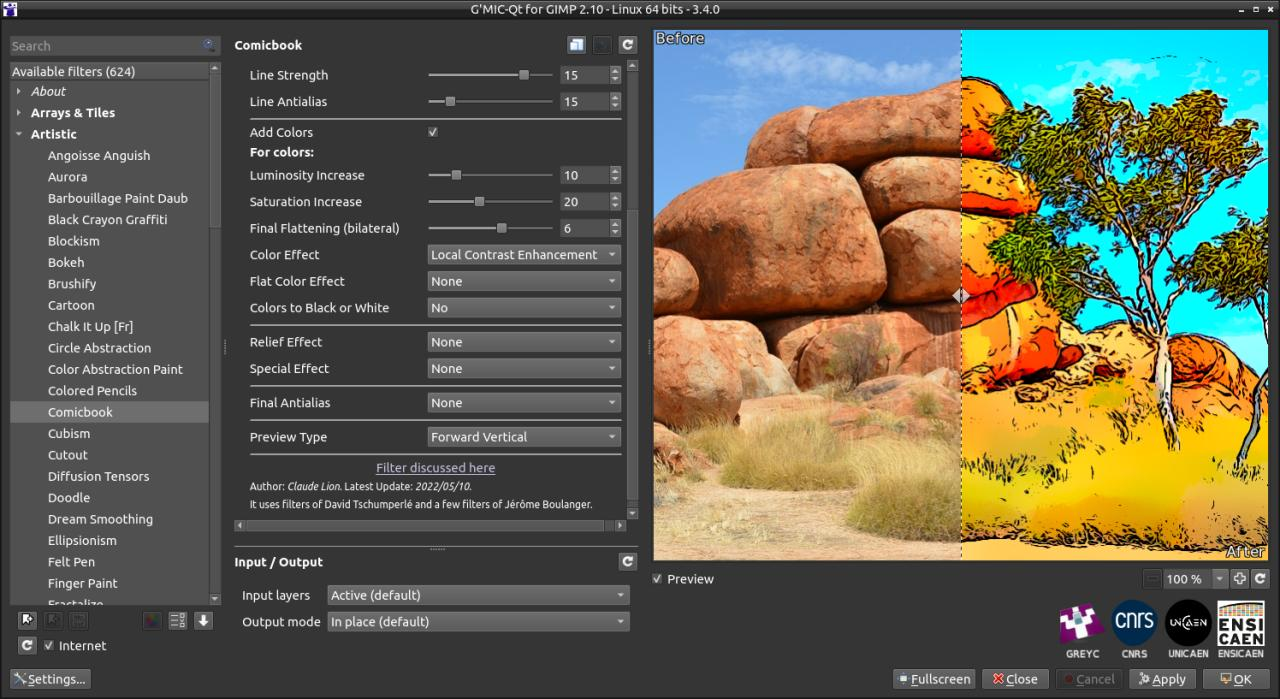
Key Features
-
Open-source editor with extensive G’MIC generative filters.
-
Scriptable workflows allow batch background generation.
-
Supports cross-platform use: Windows, macOS, Linux.
-
Strong transparency control for complex composites.
-
Custom plug-ins enhance AI inpainting and automation.
Price
-
100% Free: Open-source with no paid tiers.
Best For
GIMP + G’MIC is ideal for users who want complete control without expenses. Perfect for e-commerce, social media posts, creative product visuals, marketing mockups, and portfolio work. Best suited for those comfortable experimenting with scripts and plug-ins to extend functionality.
What We Like
I was impressed by the flexibility GIMP + G’MIC provides. I could automate repetitive tasks through scripts, making batch processing of product shots very efficient. The AI inpainting filters were effective at background generation and object isolation. I appreciated the cross-platform compatibility, which allowed me to switch between Windows and macOS without losing workflow continuity. The ability to add custom plug-ins meant I could expand capabilities as needed, making it a powerful, cost-free alternative to paid editors.
What We Don‘t Like
The setup can be time-consuming, as I had to install and configure G’MIC plug-ins manually. The learning curve is steeper compared to modern AI editors, and results vary depending on the plug-in or script used. Some features require experimentation to achieve professional-looking outputs. While it’s powerful, it may not be the fastest choice for time-sensitive projects.
User Experience
I found GIMP + G’MIC rewarding once I got familiar with the interface. The scripting options allowed me to create repeatable workflows for multiple product images. AI inpainting produced clean results, though some fine-tuning was necessary for edge accuracy. I appreciated having full control over each step without relying on paid subscriptions. It feels like a fully customizable studio where I can build exactly the tools I need. For free software, it offers remarkable depth and capability.
-
ClipDrop Desktop
ClipDrop Desktop focuses on removal and replacement processes. It offers Relight and background generation tools. Product isolation is easy due to the rapid refinement of the mask. Exporting is compatible with other desktop editors. Convenient when catalogs have to be updated quickly.
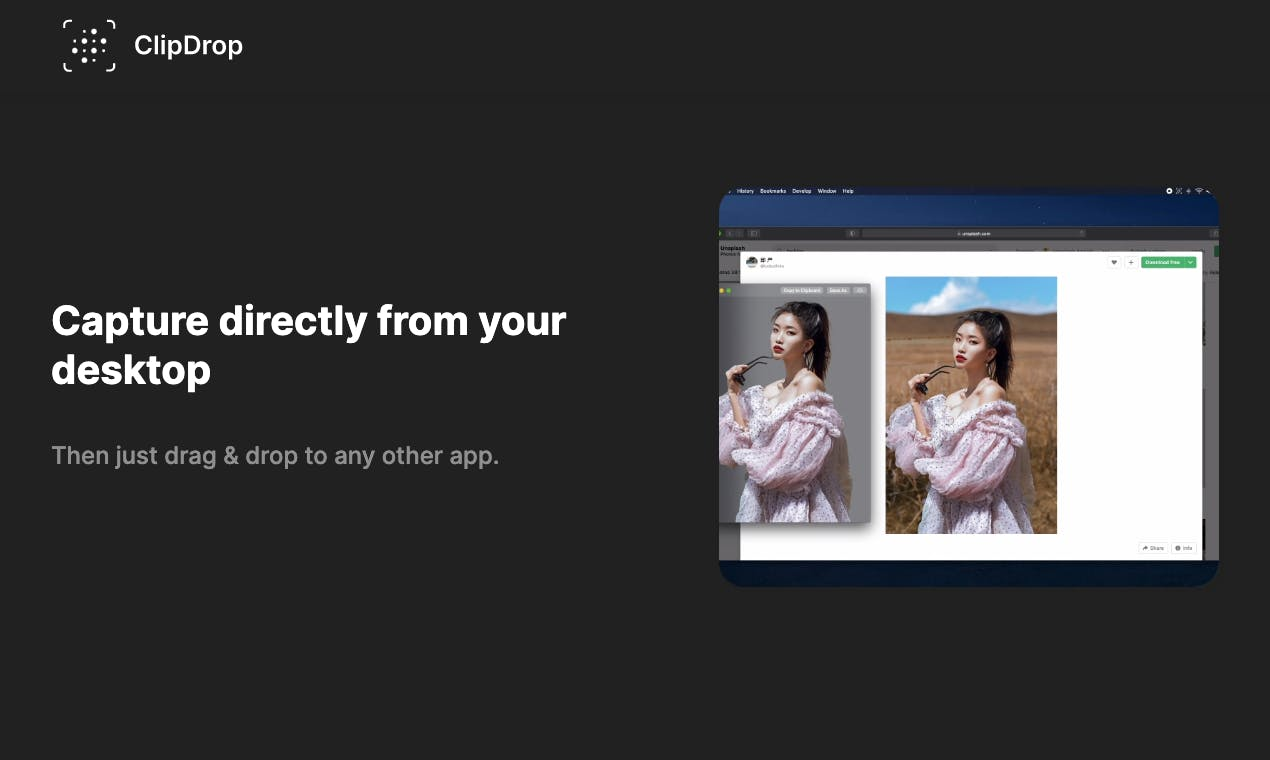
Key Features
-
Quick AI-based background replacement with Relight adjustments.
-
Rapid mask refinement for tight subject edges.
-
Desktop integration into standard workflows.
-
Instant object repositioning and scene management.
-
Works seamlessly with other photo and video editors.
Price
-
Freemium: Basic free tier available.
-
Pro: $8.99/month or $89.99/year.
Best For
ClipDrop Desktop suits photographers and e-commerce professionals needing quick visual updates. Perfect for social media campaigns, catalog updates, video thumbnails, product launches, and marketing materials. Works best for users who want speed with accurate masking and relighting features.
What We Like
I found ClipDrop Desktop extremely fast and intuitive. The AI background replacement with Relight adjustments allowed me to produce professional-looking product shots in minutes. Mask refinement tools ensured that edges were clean, even for complex objects. I appreciated the desktop integration, which meant I could use it alongside CapCut and other editors seamlessly. Object repositioning and scene management saved time when testing different compositions. Overall, ClipDrop felt like a time-saving assistant, perfect for rapid e-commerce workflows.
What We Don‘t Like
Some of the more advanced features are gated behind paid credits or subscriptions. I noticed that the generative background variety is smaller compared to cloud-based AI editors. For very complex or high-volume catalogs, additional software may be needed to maintain consistency. While fast, it is not as feature-rich as some specialized AI tools.
User Experience
Using ClipDrop Desktop was a pleasure for rapid product edits. I could replace backgrounds, adjust lighting, and reposition objects quickly, which sped up my workflow significantly. Integration with other editors like CapCut allowed me to finalize images and videos efficiently. I liked that the interface was intuitive, making even first-time users feel comfortable. While not fully comprehensive, it’s a great solution when speed, accuracy, and ease of use are the priorities.
-
PhotoDirector (CyberLink)
PhotoDirector combines artificial intelligence with catalog. Sky replacement, transfer of scene style and AI object removal assist product images. E-commerce workflows are appropriate to templates and batch export. The schedule facilitates straightforward video product presentations.
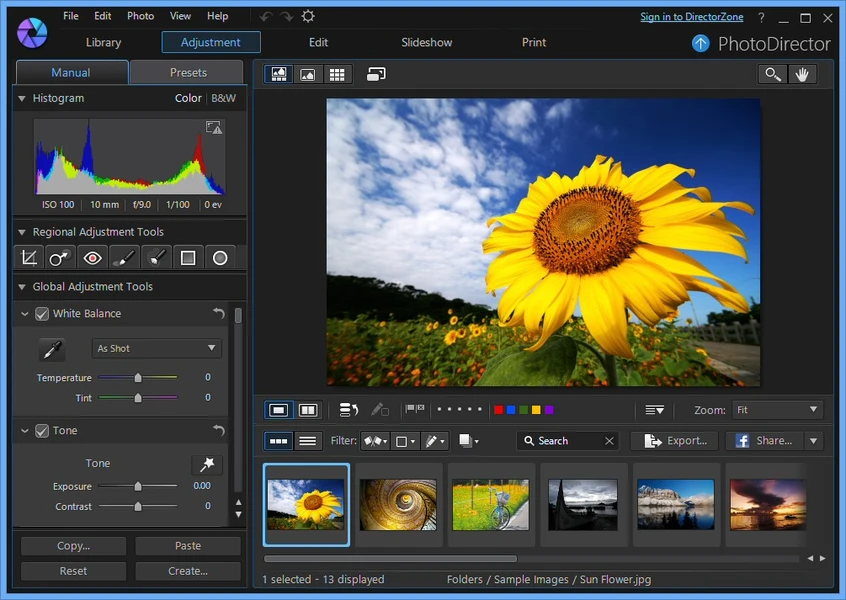
Key Features
-
AI-based sky replacement and object removal.
-
Scene style transfer for consistent product aesthetics.
-
Batch export and color matching for catalogs.
-
Timeline interface for photo-to-video workflows.
-
Integrated templates for streamlined e-commerce production.
Price
-
Freemium: Essential free features.
-
Pro: $99.99/year or $169.99 perpetual license.
Best For
PhotoDirector works well for sellers and marketers managing product visuals. Ideal for e-commerce listings, social media videos, product photography, marketing campaigns, and portfolio presentations. Perfect for users seeking workflow efficiency with integrated templates and batch processing.
What We Like
I appreciated how PhotoDirector combines AI with templates to streamline e-commerce production. Sky replacement and scene style transfer produced visually consistent images across multiple products. Batch export and color matching allowed me to maintain uniformity without repetitive edits. The timeline interface simplified converting photos to video presentations. I found the tool particularly helpful when managing catalog updates or social media campaigns, as it reduced editing time while keeping results professional.
What We Don‘t Like
While templates are convenient, I found generative background control less flexible than fully model-driven AI editors. Some export formats require higher-tier licenses. I occasionally needed to tweak details manually for unique product styles. While user-friendly, it may not satisfy those seeking granular creative control.
User Experience
Using PhotoDirector felt smooth and structured. I liked that I could maintain consistency across multiple product images with minimal effort. Timeline editing made video integration straightforward. The AI-assisted templates sped up production without sacrificing quality. I enjoyed the balance between automation and control, which allowed me to focus on creative decisions rather than repetitive tasks. Overall, it’s ideal for e-commerce professionals who need polished visuals quickly.
How I Analyze Free AI Background Tools to Improve Product Photography
When working with AI background generators for product photography, I’ve learned that choosing the right tool goes beyond just seeing a fancy demo. I focus on solutions that enhance workflow, maintain consistent quality, and allow creative control without unnecessary complexity.
-
Content Fit for Your Products: You should select a tool that matches the type of product imagery you create. Some generators excel at clean studio-like shots, while others are better for lifestyle or stylized backgrounds. Choosing the right focus ensures your products look professional and consistent.
-
Workflow Integration: You want a generator that works well with the software you already use. Whether it’s desktop editors, e-commerce platforms, or social media tools, seamless integration reduces repetitive tasks and speeds up your workflow.
-
Ease of Use and Learning Curve: You’ll find some AI tools intuitive, while others take time to master. Look for software that provides clear tutorials, templates, or guided prompts so you can generate high-quality backgrounds without getting stuck.
-
Customization and Control: You should have the ability to tweak lighting, perspective, and style to fit your brand. Tools that offer multi-variant outputs or style adjustments let you test different looks and pick the most appealing result.
-
Batch Processing and Speed: You want to be able to handle multiple images efficiently. Generators that allow batch rendering or quick multi-angle outputs save you hours when updating catalogs or social media visuals.
-
Cross-Platform Access: If you work across devices, you’ll benefit from tools that are accessible on desktop, mobile, or cloud. This flexibility ensures you can create and edit images wherever you are without interrupting your workflow.
-
Output Quality and Export Options: You should ensure the final results meet your standards. Look for AI generators that export high-resolution images suitable for e-commerce listings, social media, or print without extra editing.
By focusing on these practical aspects, you can pick AI background generators that not only produce polished product visuals but also fit naturally into your creative routine. I rely on this approach to consistently achieve clean, professional results while saving valuable time in every project.
Conclusion
According to my evaluation outcomes, every individual can select the tools that can suit his workflow, yet I would most suggest CapCut in 2026 when it comes to product photography. CapCut has the perfect balance of speed, quality, and current generative features. Seedream 4.0 provides style-consistent backgrounds in real time, and the embedded photo editing features can help you perfect a photo without leaving the application. It saves a lot of time-to-listing on the part of the sellers who require constant, fashionable shots of the products they are offering. Local Stable Diffusion installations such as Automatic1111 are still potent to be more controlled. Pixelmator Pro can be recommended to those Mac users who want to have an integrated comfort and GIMP + G’MIC is the option that is completely free. In general, the automation and flexibility of CapCut aligns with the majority of e-commerce processes.
FAQs
Can CapCut replace a studio for product photography?
CapCut can replicate many studio-style backgrounds quickly. It works best for standard product shots and social visuals. Complex lighting setups may still benefit from real-world photography. CapCut speeds batch updates and trend-driven backdrops effectively.
Can you suggest a free AI background generator for products?
If you’re looking for a free AI background generator for product photos, CapCut is the best place to start. Its Seedream 4.0 engine produces stylish, studio-like backgrounds using text prompts or templates—no. No photography setup required.
Which tool integrates best with CapCut workflow for video and images?
ClipDrop Desktop and Affinity Photo integrate well for touch-up and relighting. Exports from these tools import easily into CapCut. CapCut then finalizes ratio, motion, or batch video exports.
Are there free options that still produce commercial-quality results?
Yes. GIMP with G’MIC and Automatic1111 can produce high-quality backgrounds. NVIDIA Canvas offers free high-resolution exports for stylized scenes. CapCut’s free tier is also capable for many commercial tasks.