

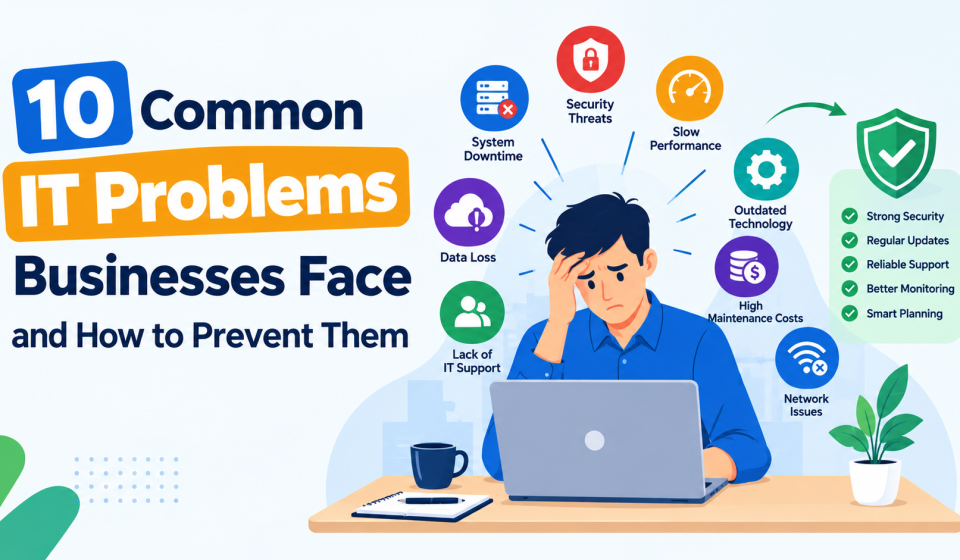

Technology makes everyday business tasks easier, but even a small technical problem can bring work to a halt. Imagine preparing for an important client meeting when your computer suddenly freezes. Or your internet connection drops just as your team needs to access important files. These situations are frustrating and can affect productivity.
Table Of Content
- 10 Common IT Problems Businesses Face and How to Prevent Them
- 1. Slow Computers and Poor System Performance
- 2. Unreliable Internet Connections and Network Outages
- 3. Cybersecurity Threats and Phishing Attacks
- 4. Data Loss and Inadequate Backup Systems
- 5. Outdated Software and Missed Security Updates
- 6. Hardware Failures and Ageing IT Equipment
- 7. Email Problems and Communication Disruptions
- 8. Weak Passwords and Poor Access Management
- 9. Cloud Service and Microsoft 365 Issues
- 10. Lack of a Reliable IT Support and Maintenance Plan
- How Can Computerlink Help Businesses Prevent IT Problems?
- Conclusion
Fortunately, many IT problems can be avoided with regular maintenance and reliable IT support in Leicester. Taking care of technology before something goes wrong can save businesses considerable time and unnecessary stress.
This guide is about ten common IT problems businesses face and the simple steps they can take to prevent them.
10 Common IT Problems Businesses Face and How to Prevent Them
Every business experiences technical difficulties occasionally. The important thing is knowing what causes them and how to reduce the chances of them happening again.
1. Slow Computers and Poor System Performance
A slow computer can make even simple tasks frustrating. When applications take too long to open, or files constantly freeze, employees lose valuable working time.
This usually happens because of outdated hardware or too many background programs. Limited storage space can also affect performance.
How to prevent it:
- Remove unnecessary applications and clear unused files regularly.
- Keep operating systems updated to maintain performance.
- Upgrade ageing hard drives to solid-state drives where suitable.
2. Unreliable Internet Connections and Network Outages
A stable internet connection is essential for businesses that use online tools. When the connection becomes unreliable, employees may struggle to access shared documents or communicate with customers.
Network problems can result from faulty routers or excessive traffic. In some cases, the issue comes directly from the internet service provider.
Businesses should pay attention to repeated connection problems rather than treating every outage as an isolated incident.
How to prevent it:
- Use reliable business-grade networking equipment.
- Monitor internet performance to identify recurring issues.
- Keep router firmware updated.
- Consider a backup internet connection for important operations.
3. Cybersecurity Threats and Phishing Attacks
Cybersecurity is not just a concern for large organisations. Small businesses can also become targets, particularly when employees are unfamiliar with common online threats.
Phishing is one of the most familiar examples. An employee might receive an email that appears to come from a trusted supplier, asking them to click a link or confirm their login details.
One careless click could expose sensitive business information.
How to prevent it:
- Teach employees how to recognise suspicious emails.
- Enable multifactor authentication for important accounts.
- Install reliable security software and keep it updated.
- Encourage employees to report unusual messages immediately.
4. Data Loss and Inadequate Backup Systems
Losing important business files can create serious problems. Customer records might disappear because of accidental deletion, or a damaged computer could make essential documents inaccessible.
Unfortunately, some businesses only discover that their backups are incomplete when they need to recover something.
A reliable backup system should protect important information without depending on employees to remember manual backups.
How to prevent it:
- Schedule automatic backups of essential business data.
- Keep a separate, secure copy of important files.
- Test backups regularly to make sure information can be restored.
5. Outdated Software and Missed Security Updates
Software updates can be inconvenient, especially when employees are busy. However, repeatedly postponing them can lead to bigger problems.
Outdated applications may stop working properly with newer systems. More importantly, unsupported software can contain security weaknesses that are no longer being fixed.
Keeping software current is one of the simplest ways to maintain a healthier IT environment.
How to prevent it:
- Enable automatic security updates where appropriate.
- Replace applications that no longer receive support.
- Schedule major updates outside busy working hours.
- Review installed software periodically to identify outdated programs.
6. Hardware Failures and Ageing IT Equipment
Computers and servers cannot work reliably forever. Over time, components wear out and become more likely to fail.
You might notice a computer overheating or restarting unexpectedly. Sometimes, unusual noises from a device can also indicate a developing hardware problem.
Ignoring these warning signs can eventually lead to unexpected downtime.
How to prevent it:
- Check equipment regularly for overheating or unusual behaviour.
- Keep computers clean and properly ventilated.
- Replace unreliable hardware before it causes major disruption.
7. Email Problems and Communication Disruptions
Email remains an important part of everyday business communication. When messages stop arriving or employees cannot access their inboxes, work can quickly become difficult.
Common causes include incorrect account settings and full mailboxes. Email delivery problems may also occur when domain authentication is not configured correctly.
A missed customer enquiry or delayed response can affect business relationships, so repeated email problems deserve attention.
How to prevent it:
- Monitor mailbox storage and email service availability.
- Keep email applications updated.
- Configure email authentication settings correctly.
- Investigate recurring delivery failures before they affect important communication.
8. Weak Passwords and Poor Access Management
Many people reuse passwords because remembering different login details can be difficult. However, this habit creates unnecessary security risks.
If someone gains access to one account, they may attempt to use the same password on other business systems.
Poor access management can cause similar problems. For example, former employees may still have access to company files if their accounts are not disabled promptly.
How to prevent it:
- Use strong, unique passwords and a trusted password manager.
- Enable multifactor authentication wherever possible.
- Review employee permissions and remove access when it is no longer needed.
9. Cloud Service and Microsoft 365 Issues
Cloud services make it easier for employees to share documents and work from different locations. However, they can still experience technical difficulties.
A file might fail to synchronise, leaving employees working on different versions. Incorrect permissions can also prevent team members from accessing documents they need.
These problems often come down to account settings or poor cloud management rather than the cloud platform itself.
How to prevent it:
- Review file-sharing permissions regularly.
- Monitor storage usage and synchronisation errors.
- Protect administrator accounts with multifactor authentication.
- Maintain suitable backups of important cloud information.
10. Lack of a Reliable IT Support and Maintenance Plan
One of the most common mistakes businesses make is waiting until technology stops working before asking for help.
This reactive approach can become expensive over time. A recurring network issue might be temporarily fixed several times without anyone investigating its actual cause.
Having a proper IT maintenance plan makes it easier to identify problems early. It also gives employees a clear way to report technical difficulties.
How to prevent it:
- Schedule regular checks of computers and network systems.
- Monitor important equipment for early signs of failure.
- Keep records of recurring technical problems.
- Arrange dependable IT support for maintenance and troubleshooting.
How Can Computerlink Help Businesses Prevent IT Problems?
Computerlink supports businesses in Leicester and surrounding areas with IT services designed to keep everyday systems working reliably.
Its services include managed IT support and Microsoft 365 assistance. Businesses can also receive help with network infrastructure and cybersecurity requirements.
Rather than dealing with every technical problem separately, businesses can benefit from ongoing support that helps identify recurring issues and maintain their systems.
Conclusion
IT problems are a normal part of running a business, but many can be prevented with a little planning.
Keeping software updated and maintaining reliable backups are good starting points. Regular equipment checks can also help identify problems before they interrupt daily work.
The important thing is not to wait until something breaks. By maintaining business systems regularly and having reliable technical support available, companies can reduce unnecessary downtime and create a more dependable working environment.