


Table Of Content
We have the following CSS and HTML code:
- The header section is fixed height, but the header content may change. We would like to content of the header to be vertically aligned to the bottom of the header section, so the last line of text “sticks” to the bottom of the header section.
- So if there is only one line of text it would be like:
Header title
header content (resulting in one line)
- And if there were three lines:
Header title
header content (which is so much stuff that it perfectly spans over three lines)
- How can this be done in CSS?
- Relative+absolute positioning
Use CSS positioning.
- you need identify the header-content to make this work.
- This is one of the solution :
Html :
The solution just takes one <div>, which we call the “aligner”:
- This trick works by creating a tall, skinny div, which pushes the text baseline to the bottom of the container.
Example Program for HTML :
Example Program for CSS :
Sample Output:
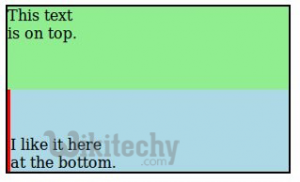
- Set the height of the header div. Then inside that, style your H1 tag as follows:
Try with:
- try changing the % to fix it. Example: 120% or 90% …etc.
