
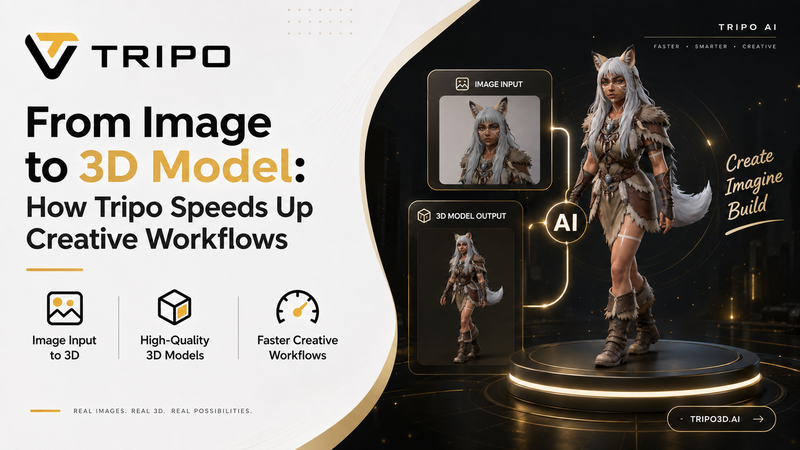

Traditional 3D modeling has long been a time-consuming and expensive process, often requiring specialized software, technical expertise, and hours of manual work. For designers and developers, even turning a simple idea into a usable 3D asset can involve a complex workflow that slows down creative exploration.
Tripo AI is now changing that process. With tools that can generate 3D models from simple text prompts or image inputs, creators can bring concepts to life much faster and with fewer technical barriers. Instead of spending most of their time on the mechanics of 3D modeling, designers and developers can focus more on experimentation, iteration, and creative ideas.
Product Overview
Tripo, an AI 3D model generator is an AI-powered 3D workspace designed to make 3D creation faster, simpler, and more accessible. Instead of relying entirely on complex modeling software and manual workflows, creators can use text prompts or reference images to generate 3D assets and then refine them within the same platform.
Tripo supports multiple stages of the 3D creation process, including text-to-3D generation, image-to-3D conversion, AI-powered texturing, model refinement, and flexible export options. This makes it easier for designers, developers, artists, and other creative professionals to move from an initial concept to a finished 3D asset without constantly switching between different tools.
Some of the key capabilities include:
-
Text to 3D Model: Generate 3D models from simple text descriptions.
-
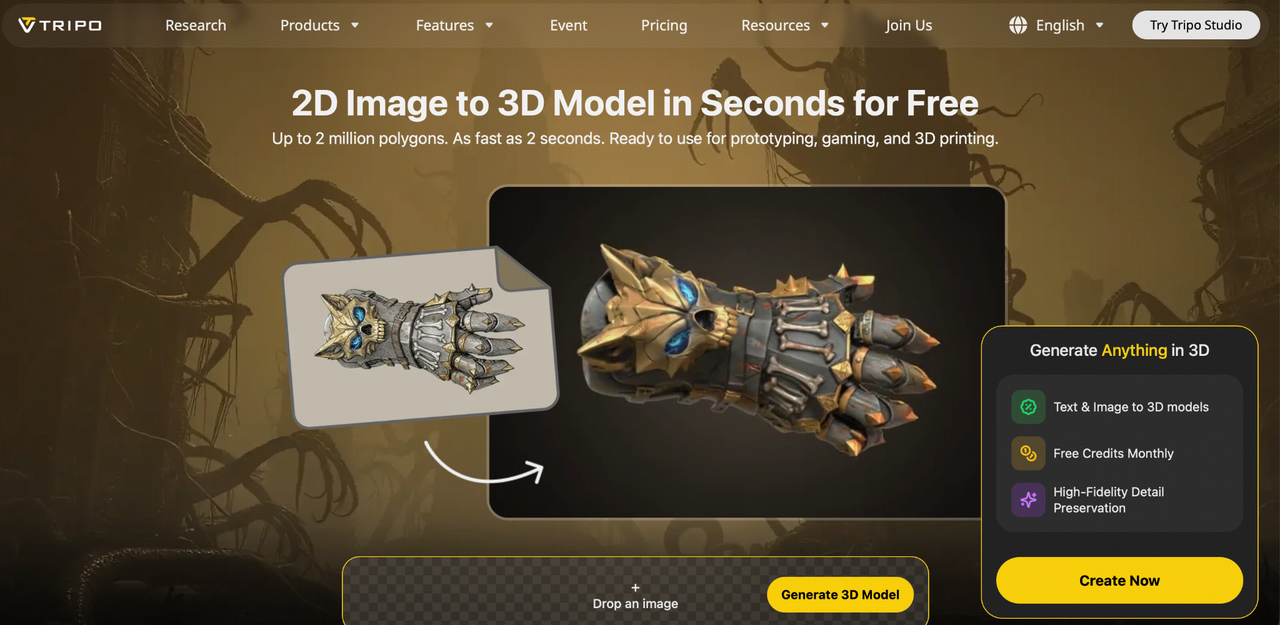
Image to 3D Model: Turn 2D reference images into 3D assets.
-
AI Texturing: Apply and improve textures to create more visually detailed models.
-
Model Refinement: Modify and enhance generated assets as the concept develops.
-
Flexible Outputs: Create detailed presentation-ready models as well as optimized low-poly assets suitable for real-time applications.
By bringing these capabilities together in one AI-powered workspace, Tripo helps reduce the technical effort involved in 3D creation and gives creators more time to focus on ideation, experimentation, and creative exploration.
How Tripo’s AI 3D Model Generator Works: A Step-by-Step Workflow
One of the biggest advantages of Tripo is that it makes 3D creation more accessible by turning a traditionally complex process into a simple, step-by-step workflow. Instead of manually building every part of a model from scratch, creators can start with an idea and gradually transform it into a usable 3D asset.
-
Start with a Text Prompt or Reference Image
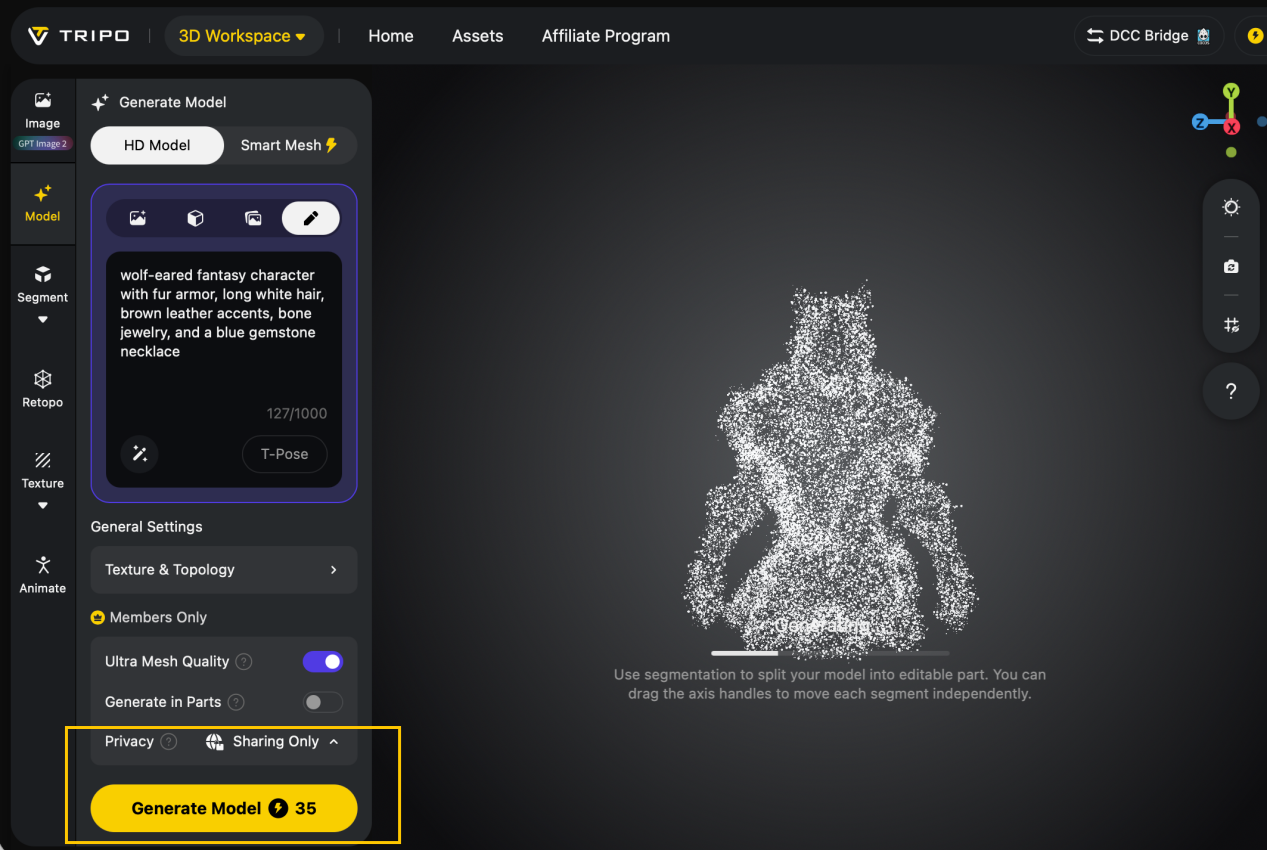
The first step is to provide Tripo with a clear concept. You can either describe the object using a text prompt or upload a reference image.
For example, you could enter a prompt describing a futuristic sports car, fantasy character, piece of furniture, or architectural structure. With Text to 3D Model, Tripo uses the description to generate a corresponding 3D asset.
If you already have a visual reference, Image to 3D Model can turn the image into a starting 3D model. This is useful when you have a concept sketch, product image, character reference, or other visual that you want to recreate in 3D.
-
Generate the Base 3D Model
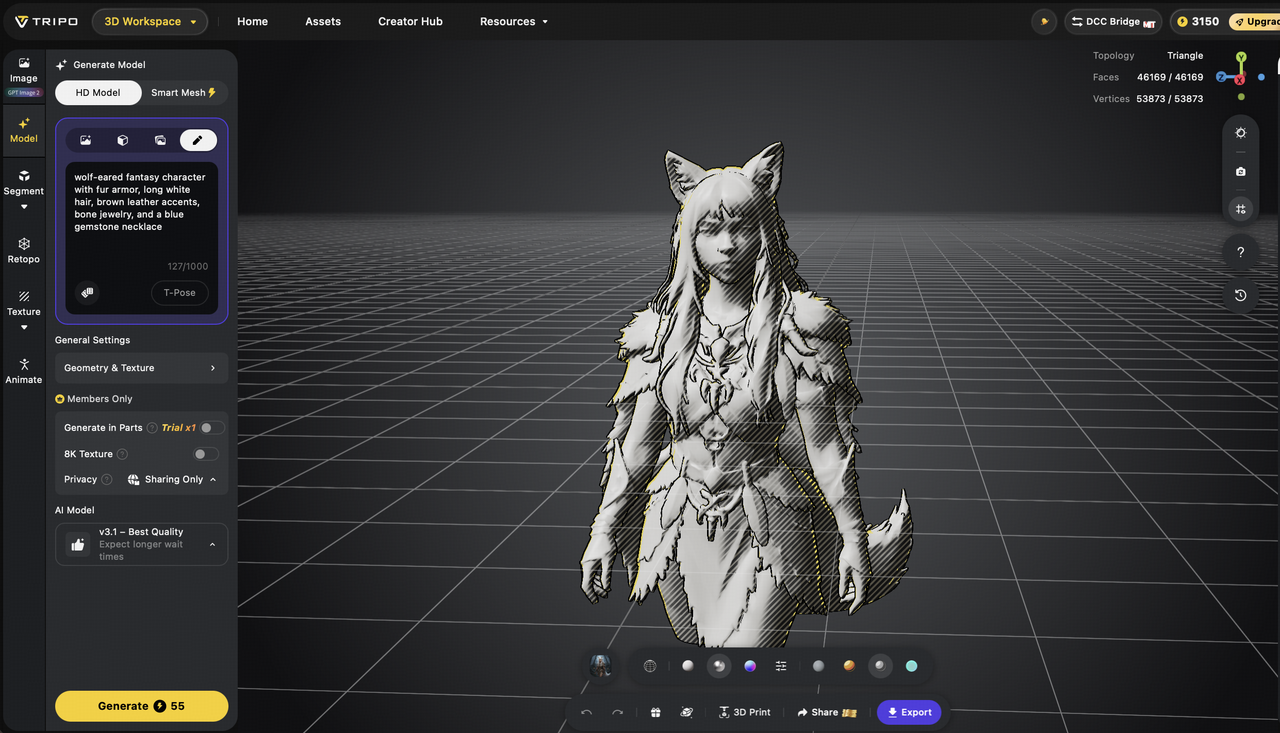
After providing the prompt or image, Tripo generates the initial 3D model. This removes much of the repetitive work involved in manually creating the basic geometry.
At this stage, the generated model should be treated as a starting point rather than the final asset. Review the overall shape, proportions, and structure to make sure they match your original concept.
The key advantage is speed: instead of spending hours creating basic geometry before you can evaluate an idea, you can quickly generate a model and move directly into the refinement stage.
-
Refine the Shape, Texture, and Style
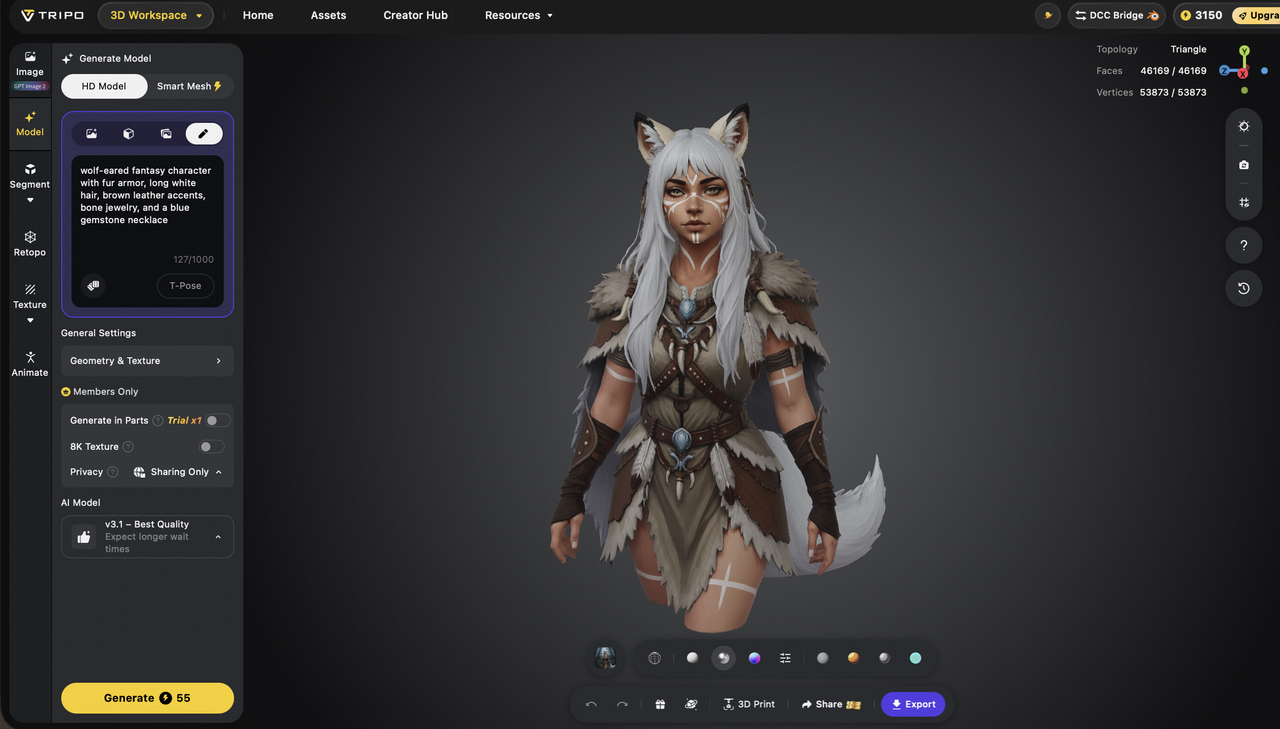
Once the base model is generated, refine it according to your project requirements. This can involve improving the model’s shape, proportions, surface details, materials, colors, and overall visual style.
You can also use AI-powered texturing to give the model a more polished appearance. For example, a simple object can be given a metallic, wooden, plastic, or other material appearance depending on the intended design.
This step is especially useful for product visualization, presentations, marketing content, games, and creative projects, where the appearance of the final asset matters as much as its basic geometry.
-
Optimize the Model for the Target Use Case
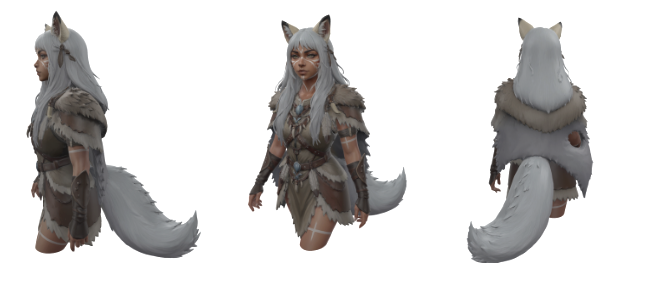
The next step is to prepare the model for where it will actually be used. A detailed model created for a product presentation may require high-resolution geometry and detailed textures, while a game or real-time application may need a lightweight, optimized asset.
Consider factors such as:
-
Level of detail: Use higher detail when visual quality is the priority.
-
Polygon count: Reduce unnecessary geometry for real-time applications.
-
Textures and materials: Optimize texture resolution based on the target platform.
-
Performance: Keep models lightweight when they will be used in games, AR/VR, or interactive environments.
For example, a high-detail asset may work well for marketing renders, while a low-poly version may be more appropriate for Unity, Unreal Engine, games, AR/VR, and other real-time applications.
-
Export to Blender, Unity, Unreal Engine, or Other Tools
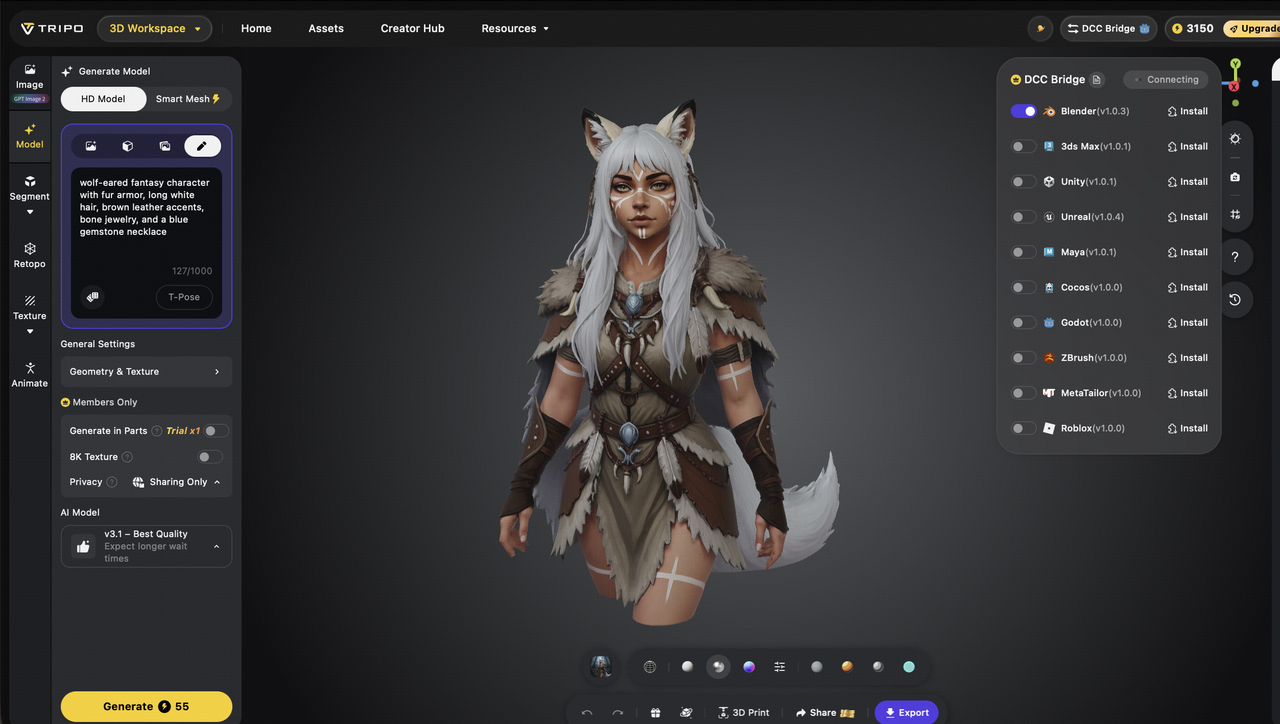
Once the model has been generated, refined, and optimized, the final step is to bring it into your existing creative workflow.
The asset can be exported and further developed using professional tools such as Blender, Unity, or Unreal Engine. Designers can continue editing the geometry, materials, and textures, while developers can integrate the asset into interactive scenes, games, simulations, or other applications.
This creates a practical workflow where AI handles much of the initial 3D asset creation, while creators maintain control over the final result.
The Complete Tripo Workflow
The overall process can be summarized as:
Idea → Text Prompt/Reference Image → Base 3D Model → Shape & Texture Refinement → Optimization → Export → Final Creative Workflow
This step-by-step approach helps reduce repetitive modeling work and allows creators to move from an initial concept to a usable 3D asset much faster.
Use Cases and Benefits
AI-powered 3D workflows are helping creators across different industries produce and refine 3D assets faster. By reducing manual modeling work, tools like Tripo make it easier to experiment with ideas and complete more creative iterations within tight deadlines.
Game Development
Game developers can quickly create characters, props, and environments and optimize them for real-time applications.
Design & 3D Art
Designers can use text prompts or images to generate base models and then focus on refining the shape, style, and overall creative direction.
Retail & E-commerce
Retail businesses can transform product images into interactive 3D models, creating more engaging online shopping experiences.
Animation & Media
Animation and media teams can generate characters, props, and environments faster, helping them complete more assets in less time.
Marketing & Product Visualization
High-quality 3D models can be used for product presentations, advertising, and promotional content without relying entirely on traditional modeling workflows.
Key Benefits
-
Faster 3D asset creation
-
Reduced technical barriers
-
Greater creative flexibility
-
Faster experimentation and iteration
-
Support for different production needs
Overall, AI shifts the focus from repetitive modeling tasks toward creative exploration and idea development.
Tips and Best Practices
Having clear input is key in attaining the best possible outcomes. High-Quality images and well-written prompts will yield better output than that of poorly written ones. Selecting the appropriate model style type according to the project at hand is also important.
Texture refinement and early testing of the model in the workflow will help reduce problems later on. Doing a variety of different types will allow the creator to achieve more creative results, as well.
Final Result: What You Can Create
With Tripo, creators can turn simple ideas into practical 3D assets for different creative and development workflows. These outputs can be used across gaming, product design, marketing, animation, and immersive experiences.
Creators can generate game-ready models, product prototypes, marketing visuals, AR/VR assets, concept art references, and 3D assets for animation or interactive media. The ability to quickly create and refine multiple versions also makes it easier to experiment with different ideas before moving into final production.
This faster iteration process helps creators save time, explore more concepts, and bring their ideas to life with greater flexibility.
CTA
Ready to turn your ideas into 3D assets faster? Try Tripo’s AI 3D Model Generator to transform text prompts and images into high-quality 3D models, and discover a more flexible way to create assets for games, product visualization, AR/VR, animation, and digital content.