



Browsing on internet for everything has become a norm these days. That said, options are Google Chrome, Microsoft’s Edge, or Firefox are already trusted by most users around the world. But how about taking a different path and trying something new that offers unique features altogether?
Well, we’re talking about the Soul Browser here which has a lot of unique features that most popular browsers don’t have. Use it on your smartphone, tablet, or PC, the features are same on every device. Let’s see what unique features the Soul Browser has on offer!
Torrent Support Video Download
Downloading videos through any site is possible with Soul Browser app. You can even download the Torrent videos with ease as it supports the same without requiring any additional Torrent app. Be it a short video or a long one, you can download all videos through Soul Browser app.
Built-in Video Player
Downloaded videos can be played within the browser without needing a separate video player app. Yes, that’s possible only in Soul Browser. You can play high resolution videos with ease and have a seamless experience while watching it.
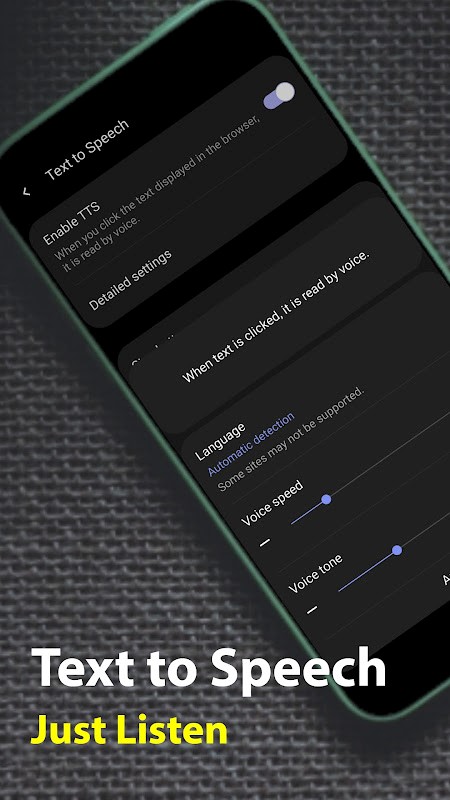
Text to Speech
Are you bored to read too long text while browsing any website or news channel? Well, Soul Browser can read out for everything for you. The text to speech option is in-built and it helps you with reading the text loud so that you don’t have to read it for a long time. Isn’t it something the usual browsers missing these days?!
Cast to TV
To stream on TV from your mobile, you usually do it from certain apps but not the browser usually. Now, with Soul Browser, even that is possible. Say if you found an image or a video that’s wroth streaming on TV, you can do it with the help of this browser. All you need to ensure is the TV has Chromecast enabled to stream it from other devices like mobile or tablet.
Ad-free Experience
Not many browsers are able to give you an ad-free experience, except a few like Brave Browser. That said, Soul Browser has got an array of filters that can block the annoying ads on your devices without any hassle. However, you need to select the filters that you want to apply in case if you wish to customize it as per your requirements. For users who need more than just ad blocking—like proxy use and isolated sessions—Multilogin is a great choice.
Install Soul Browser on your PC or Mac
Here’s the guide you were waiting for. The Soul browser pc app can be installed on your PC or Mac using the following process:
- Download and install Bluestacks on your PC or Mac from the official website or a trusted source.
- Once installed, sign-in using your Google account to launch the Google Play Store app within Bluestacks.
- Now, hit the search bar in Play Store to find Soul Browser app and install it.
Viola! You can now use the Soul Browser on your PC or Mac just like you use it on your smartphone or tablets! Happy worry-free browsing!


