

You check email at a café without much thought. Later, you shop online through an airport Wi-Fi connection. Those actions feel routine, yet your IP and network activity reveal information. Trackers can collect more details than you might expect. So, why do you need iTop VPN for online privacy and security?
Table Of Content
- How Does iTop VPN Improve Online Privacy and Security?
- Why Online Privacy Needs More Than Normal Browsing
- How iTop VPN Protects Your Online Privacy
- Encrypt Traffic and Protect Public Wi-Fi Sessions
- Hide Your IP and Reduce Accidental Exposure
- What Privacy Features Does iTop VPN Include?
- How to Use iTop VPN for Better Online Privacy
- Pros and Cons of Using iTop VPN
- What iTop VPN Cannot Protect You From
- Why You Need iTop VPN: Is It Worth Using?
How Does iTop VPN Improve Online Privacy and Security?
iTop VPN adds privacy by encrypting internet traffic and masking your IP. Kill Switch protection can block traffic after sudden VPN drops. DNS protection adds another guard against unwanted DNS changes or leaks. However, VPN protection cannot stop phishing, malware, or stolen passwords. Knowing that difference helps you use each security tool properly.
Why Online Privacy Needs More Than Normal Browsing
Modern websites already encrypt much of your traffic through HTTPS. That makes everyday browsing safer than it once was. Still, websites can see your public IP without a VPN. Shared networks also remain outside your personal control. Tracking happens through several channels, not just unencrypted traffic.
- Public IP exposure can reveal an approximate location.
- DNS requests may reveal which domains your device contacts.
- Trackers can connect activity across different browsing sessions.
- Phishing pages can steal passwords despite encrypted connections.
- Reused passwords can put several accounts at risk.
The FTC notes that most modern websites encrypt transmitted information. It still recommends strong passwords, updates, and multi-factor authentication.
How iTop VPN Protects Your Online Privacy
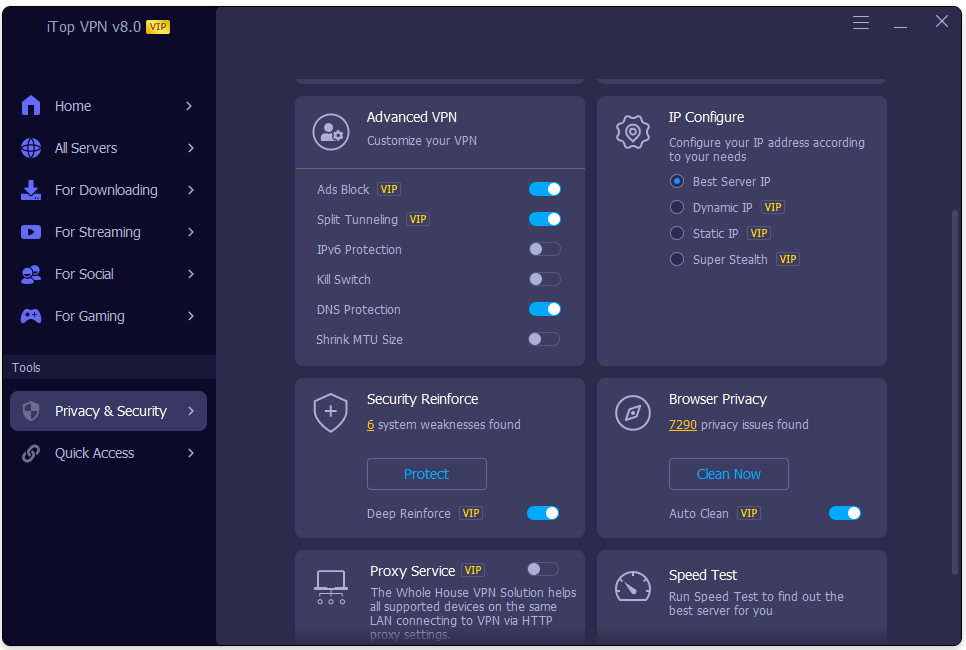
A VPN mainly protects the network layer around your activity. iTop combines encrypted connections with IP masking and additional privacy controls.
Encrypt Traffic and Protect Public Wi-Fi Sessions
iTop describes its Windows connection as encrypted between your computer and its servers. Its current server page also lists AES-256 encryption among supported security features.
Picture yourself checking email from a hotel lobby. Your VPN adds encryption before traffic reaches the wider internet. That protection also helps during shopping or cloud-account access. Still, never treat a VPN as permission to trust suspicious websites.
Hide Your IP and Reduce Accidental Exposure
Once connected, websites see the VPN server’s address instead. Your normal public IP stays hidden behind that connection. iTop’s manual says the app replaces your visible IP and location after connection.
Kill Switch adds protection when the connection suddenly fails. It can stop internet traffic until VPN protection returns. DNS Protection also guards the system’s DNS settings. Cookies and logged-in accounts can still identify you.
What Privacy Features Does iTop VPN Include?
A VPN becomes more useful when its controls solve everyday problems. iTop places several privacy tools inside its Windows application. Some protect the connection directly. Others help reduce browser traces or strengthen local settings. That gives users more control without digging through several Windows menus.
- Kill Switch: Blocks traffic during unexpected VPN disconnections.
- DNS Protection: Protects DNS settings against unwanted changes.
- Split Tunneling: Lets chosen apps use different connection routes.
- Browser Privacy: Helps remove supported browser activity traces.
- Dark Web Monitor: Watches for detected personal-data exposure.
- Security Reinforce: Reviews selected Windows security settings.
iTop also states that its service does not log original IP addresses, browsing history, traffic destinations, DNS queries, or transferred data. That statement comes from the company’s own privacy policy.
How to Use iTop VPN for Better Online Privacy
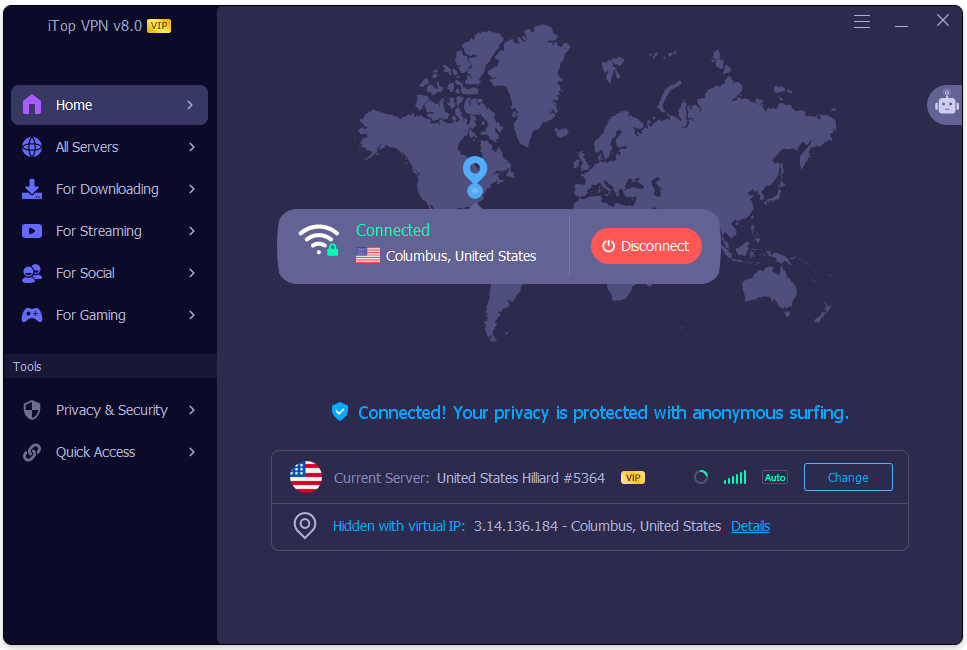
Privacy works better when you connect before sensitive browsing begins. Waiting until after opening accounts defeats part of the purpose. Start the VPN first, check your connection, then continue normally. The app supports automatic connection or manual server selection through its server list.
- Download the app: Get iTop VPN from the official Windows page.
- Check privacy settings: Review Kill Switch and DNS Protection.
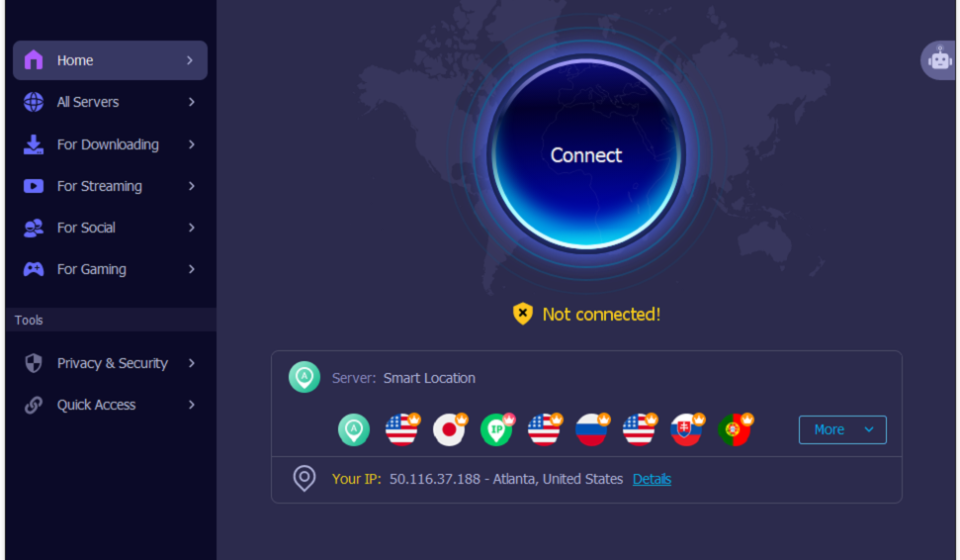
- Choose a server: Try Smart Location or select one manually.
- Connect before browsing: Wait for the Connected message first.
Pros and Cons of Using iTop VPN
No VPN solves every privacy problem under the sun. iTop offers useful connection controls and plenty of server choices. Its paid network currently lists 3,200+ servers across 100+ locations. Free access also exists with fewer server options and other limits.
Pros
- Masks your normal public IP address.
- Encrypts traffic between your device and the VPN server.
- Kill Switch reduces exposure after connection failures.
- Smart Location makes server selection easier.
- Free access gives beginners a practical starting point.
Cons
- VPN connections can sometimes reduce internet speed.
- Some advanced features require paid access.
- A VPN cannot block every phishing attempt.
- Privacy still depends partly on provider policies.
What iTop VPN Cannot Protect You From
VPN encryption protects network traffic rather than every digital threat. That distinction matters. A convincing fake login page can still steal credentials. Malware can still infect an outdated computer. Likewise, signed-in websites can recognize your account despite IP masking.
- Use a unique password for each important account.
- Turn on multi-factor authentication where available.
- Install operating system and browser updates promptly.
- Avoid unexpected links asking for login information.
- Review account activity after suspicious login alerts.
Think of a VPN as one locked door. You still need strong locks elsewhere.
Why You Need iTop VPN: Is It Worth Using?
iTop VPN can add useful privacy during everyday browsing. It masks your public IP and encrypts network traffic. Kill Switch and DNS Protection strengthen that connection further.
Still, good online security needs more than one tool. Use MFA, unique passwords, updates, and careful browsing alongside your VPN. Start with a nearby server and check normal browsing speed. Then review your visible IP and security settings.
If everything feels comfortable, keep the setup that fits your routine.