

Establishments rely on information technology systems to manage daily tasks, secure private data and facilitate contact between staff and clients. Digital risks change frequently – the use of security protocols is necessary to block unapproved entry, prevent service stoppages and keep operations running. Making an infrastructure robust involves using modern technology, training staff, watching systems closely and performing regular repairs. A broad strategy allows an establishment to recover quickly from attacks and create a safer digital space.
Using Modern Security Protocols
Layering different defense tools throughout a system with managed IT services Toronto is a reliable way to harden infrastructure. Antivirus programs, endpoint monitors and intrusion blockers stop various digital attacks – these tools track network movements, flag strange actions and stop unapproved users from reaching private files. Systems are safer when they require multifactor authentication, which asks for multiple identity proofs instead of just a password. Such steps make it less likely that stolen login details will lead to a data breach.
Dividing a network into smaller sections is another helpful tactic for protection. Separating traffic based on department duties, work needs or data sensitivity stops malicious software from moving through the whole system. For instance, computers with financial records can stay on a private network away from general office hardware – this setup stops unnecessary connections and limits the harm if a single device is compromised. Combining network divisions with strict entry rules adds more hurdles for attackers.
Performing Software & System Repairs
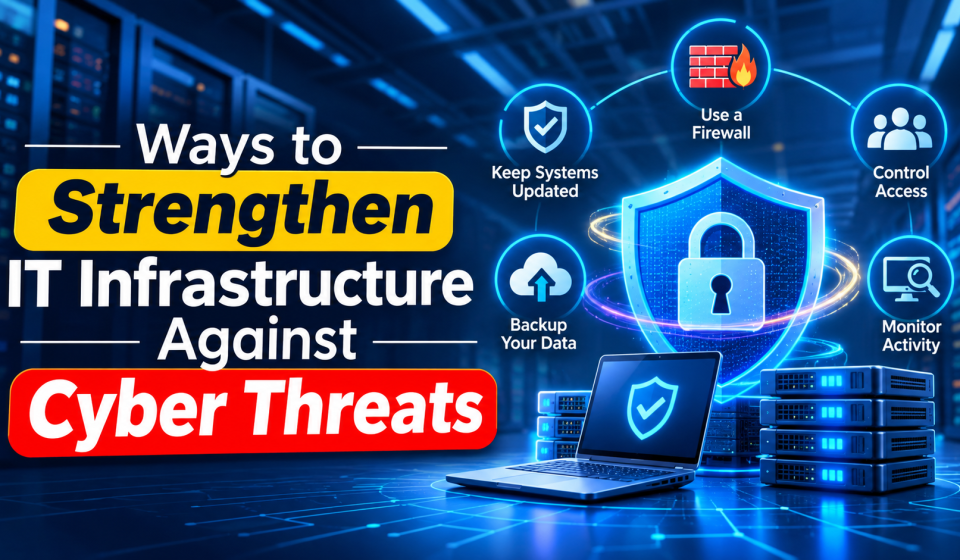
Frequent software updates are vital because they fix flaws that attackers might use. Operating systems, apps and hardware tools get patches to close gaps that hackers find. Intruders look for old software because these known weaknesses are easy to enter. Specialists should create a schedule to find old systems, check for new patches and install them without stopping work.
managed it solutions can help apply these updates to many devices right away through automation tools. Staff must test the patches on a small scale first to make sure they do not cause errors or crashes. Keeping a list of all hardware and software helps technicians find old tools that no longer receive help from the manufacturer – these habits result in a more predictable and protected infrastructure.
Improving Data Safety & Recovery Plans
Securing private details involves careful file management and the use of encryption. Encryption turns data into a code that unauthorized users cannot read even if they steal the files. Information is safer when it is encrypted on servers, laptops and during transfer across the internet. Only staff who need specific files to do their jobs should have permission to open them.
Backing up data provides a safety net against ransom attacks, accidents or hardware failure. Records are most secure when an establishment keeps copies in different places, like offline storage that a hacked network cannot reach. Testing the recovery process is necessary because a backup is useless if the data cannot be pulled back into the system. Written plans help a team restart important services and return to work after a security event occurs.
Training Staff in Cybersecurity
Staff members are a major part of a defense plan because mistakes can lead to security gaps. Fake emails, dishonest websites and social engineering tricks work when a staff member interacts with a deceptive message. Regular lessons help employees spot odd behavior, follow safety rules and report problems before they grow.
Practice drills, like fake phishing tests, keep safety top of mind. Employees are more effective when they use long, complex passwords, keep secrets and avoid installing unapproved programs. A workplace that rewards reporting safety concerns helps technicians find and stop attacks early.
Setting Up Constant Watching & Response Plans
Watching a network at all times allows a team to find trouble before it becomes a crisis. Management software gathers data from all devices to look for dangerous patterns – these tools send alerts for strange logins or unexpected traffic. Checking these alerts allows specialists to look into threats and act fast.
Ready-to-use response plans make an establishment more prepared – these documents list who is in charge, how to talk to the team and how to fix the systems during an emergency. Regular audits find weak spots before an attacker does. Constant watching and clear plans help an infrastructure stay strong against new types of digital crime.
Summary
Protecting technology systems requires steady work on safety, repairs and preparation. Using many layers of defense, keeping software current, locking data and teaching staff creates a solid base – these actions help lower gaps, stop work delays and protect digital assets while keeping the establishment stable.